Cannot manipulate Bezier handles on OFX position attribute

RedRob-CandlelightProdctns wrote on 1/20/2026, 11:12 AM

I have a Particle Illusion (PI) effect on an event.

Trying to animate the emitter offset, which I've done plenty of times. But new for me is trying to use Bezier CURVES to smoothen the motion -- SO HAPPY to finally have realized I can do this?!!

But it's not working right.

I add the keyframes, right-click a point on the Emitter Offset lane to set it to "Split Tangents" (I can't just set it for X or Y), change to "Curves" view. Sometimes it doesn't show me handles. When I recorded this video the handles showed BUT nothing can be manipulated. I can't move the handles in the curves view... can't move the points there either. Obviously, if I can't move the handles, they do me no good!

Is there a "Lock Handles" button I've missed somewhere?!
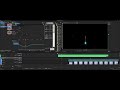
NOTE: I added a Vegas Picture-in-Picture effect and I'm able to manipulate the curve handles on that just fine.

NOTE 2: In both cases, after choosing "Bezier split tangents", the UI doesn't place a checkmark next to the selected option, so it's not really clear if my change actually "sticks"

Last changed by RedRob-CandlelightProdctns

Vegas 21.300

My PC (for finishing):

Cyperpower PC Intel Core i7-7700K CPU @ 4.2GHz, 64GB mem @ 2133MHz RAM, RTX 5070ti, and Intel HD Graphics 630 driver version 31.0.101.2112 dated 7/21/22 w/16GB shared memory (currently not enabled in Vegas). Windows 10 Pro 64bit version 10.0.19045 Build 19045.

My main editing laptop:

Dell G15 Special Edition 5521, Bios 1.12 9/13/22, Windows 11 22H2 (10.0.22621)

12th Gen Intel Core i7-12700H (14 cores, 20 logical processors), 32 GB DDR5 4800MHz RAM, Intel Iris Xe Graphics, NVIDIA GeForce RTX 3070 Ti Laptop GPU w/8GB GDDR6 RAM, Realtek Audio


Comments

RedRob-CandlelightProdctns wrote on 1/20/2026, 1:10 PM

I'm having similar problem not using Bezier curves.

Just trying to move keyframes for the "number" of particles property. Once added, I can't move the keyframe left or right... it keeps snapping back to the same position rather than letting me drag it to change the position.

Vegas 21.300

My PC (for finishing):

Cyperpower PC Intel Core i7-7700K CPU @ 4.2GHz, 64GB mem @ 2133MHz RAM, RTX 5070ti, and Intel HD Graphics 630 driver version 31.0.101.2112 dated 7/21/22 w/16GB shared memory (currently not enabled in Vegas). Windows 10 Pro 64bit version 10.0.19045 Build 19045.

My main editing laptop:

Dell G15 Special Edition 5521, Bios 1.12 9/13/22, Windows 11 22H2 (10.0.22621)

12th Gen Intel Core i7-12700H (14 cores, 20 logical processors), 32 GB DDR5 4800MHz RAM, Intel Iris Xe Graphics, NVIDIA GeForce RTX 3070 Ti Laptop GPU w/8GB GDDR6 RAM, Realtek Audio