flashing light with rays

jts_2009 wrote on 2/14/2026, 2:56 AM

Hey guys. I want to create some effect for my video.


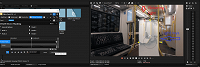
I have 2 masks. In the first mask, the light from the lamp should flicker. In the second mask, I want to create light rays. But there's a problem: if I change something, like color correction or brightness in a mask, it changes in all masks. Is there any idea how to do this in just one mask? Perhaps a completely different approach is needed.
 

Comments

jts_2009 wrote on 2/14/2026, 6:24 AM


I also have 1 main video and 1 dupilite for masking

Dexcon wrote on 2/14/2026, 6:29 AM

One approach could be to use just one mask in that video event and render it and then use that render to add the second mask.

Cameras: Sony FDR-AX100E; GoPro Hero 11 Black Creator Edition; Samsung S23 Ultra smart phone

Installed: Vegas Pro 13, 15, 16, 17, 18, 19, 20, 21, 22 & 23, HitFilm Pro 2021.3, DaVinci Resolve Studio 20.3, BCC 2026, Mocha Pro 2026, NBFX TotalFX 7, Neat NR 6, DVD Architect 6.0, MAGIX Travel Maps, Sound Forge Pro 16, SpectraLayers Pro 12, iZotope RX11 Advanced and many other iZ plugins, Vegasaur 4.0

Windows 11 25H2

Dell Alienware Aurora 11:

10th Gen Intel i9 10900KF - 10 cores (20 threads) - 3.7 to 5.3 GHz

NVIDIA GeForce RTX 2080 SUPER 8GB GDDR6 - liquid cooled

64GB RAM - Dual Channel HyperX FURY DDR4 XMP at 3200MHz

C drive: 2TB Samsung 990 PCIe 4.0 NVMe M.2 PCIe SSD

D: drive: 4TB Samsung 870 SATA SSD (used for media for editing current projects)

E: drive: 2TB Samsung 870 SATA SSD

F: drive: 6TB WD 7200 rpm Black HDD 3.5"

Dell Ultrasharp 32" 4K Color Calibrated Monitor


LAPTOP:

Dell Inspiron 5310 EVO 13.3"

i5-11320H CPU

C Drive: 1TB Corsair Gen4 NVMe M.2 2230 SSD (upgraded from the original 500 GB SSD)

Monitor is 2560 x 1600 @ 60 Hz

jts_2009 wrote on 2/14/2026, 2:09 PM

One approach could be to use just one mask in that video event and render it and then use that render to add the second mask.


This sounds too crutchy. I'd still like to do it in a more advanced way...

Gid wrote on 2/14/2026, 4:26 PM

@jts_2009 Hi, this is a layering thing, a compositing issue that isn't easily described & prob why you've got limited replies..-

In your fx chain the mask is affecting all previous fx's, there's no way to stop that apart from maybe adding 2 masks in the chain in the correct order & the right size, ...

If it's mocha masks you're using they also work in layer order but they won't affect other fxs, only the affect they're built into...

You say you've got duplicate tracks/events 👍 You need the flicker on one & the rays on the other & overlay/composite them somehow. Or nest one object, add the flicker in the nest & then add the rays to the main timeline nest... Or use Adjustment events, Parent/Child the tracks so the fx only affects the child track & not the one below...

Or a solid white above your event, (your event has the flicker but not the rays)

Bezier mask to create a small circle (the size & placement of your light) & rays added.

Or..

-----------

I used a circle but you could cut out the light & layer it above with the flicker on that event, if the camera doesn't move just a png cut-out of the light will do.

Last changed by Gid on 2/14/2026, 4:48 PM, changed a total of 2 times.

Vegas Pro 18 - 22
Vegas Pro/Post 19
Boris Continuum & Sapphire, 
Silhouette Standalone + Plugin, 
Mocha Pro Standalone + Plugin, 
Boris Optics,
NewBlue TotalFX
Desktop PC Microsoft Windows 10 Pro - 64-Bit
ASUS PRO WS WRX80E-SAGE SE WIFI AMD Motherboard
AMD Ryzen Threadripper PRO 3975WX 3.5GHz 32 Core
Corsair iCUE H150i RGB PRO XT 360mm All-in-One Liquid CPU Cooler
RAM 256GB ( 8x Micron 32GB (1x 32GB) 2666MHz DDR4 RAM )
2x Western Digital Black SN850 2TB M.2-2280 SSD, 7000MB/s Read, 5100MB/s Write
(programs on one, project files on the other)
Graphics MSI GeForce RTX 3090 SUPRIM X 24GB OC GPU
ASUS ROG Thor 1200W Semi-Modular 80+ Platinum PSU 
Fractal Design Define 7 XL Dark TG Case with 3 Fans
Dell SE3223Q 31.5 Inch 4K UHD (3840x2160) Monitor, 60Hz, & an Acer 24" monitor.

At the moment my filming is done with a Samsung Galaxy S23 Ultra 5G & a GoPro Hero11 Black

I've been a Joiner/Carpenter for 40yrs, apprentice trained time served, I don't have an apprentice of my own so to share my knowledge I put videos on YouTube.

YouTube videos - https://www.youtube.com/c/Gidjoiner