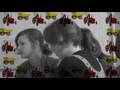
I have VMS, not platinum, so I miss the 'mattes' that come with platinum. Still, I have been a bit creative and above is the result.
I used Artrage 2 http://www.ambientdesign.com/artragedown.html to create a matte (choose white canvas, black crayon) and exported it to png format. I used this file as a matte.
(An alternative for Artrage would be Tuxpaint http://www.tuxpaint.org/screenshots/, which has a very nice collection of stamps for kids.)
Using mattes in Vegas:
1. Arrange your clips on the timeline.
Track 1: matte
Track 2: your video clip
Track 3: background animation
2. Click the Track FX button on Track 1 and select the Mask Generator tool.
3. In the Mask Generator dialog, select a Luminance key from the Type dropdown. You may also need to click the Invert checkbox to get the effect you want.
4. Click the Compositing Mode button in Track 1 and select "Multiply (Mask)" from the menu
5. Click the Make Compositing Child button in Track 2