Hi,
I'd appreciate help.
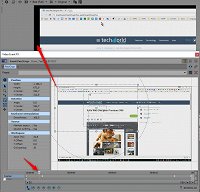
As detailed in this screen-recording (https://goo.gl/CC4Uwo) and in the snapshot below, the start of the event is inside the video borders, and I created a zoom in (pan/crop) that is also inside the video borders.
However, the intermediate keyframes created automatically by Vegas are trespassing the borders of the video until reaching the zoom in I set manually.
How to avoid Vegas automatically creating keyframes for zoom (pan/crop) which trespass the borders of the video?
In other words, I'd like Vegas respecting the video borders, since the start of the event and the manual keyframed zoom are inside video borders.
Thanks for assistance!
Carlos_Cadu