How to add border around smaller video in PIP (picture-in-picture)?

prairiedogpics wrote on 4/18/2020, 6:00 PM

Vegas Pro 17

Okay, this seems like this should be a no-brainer, but I can't figure it out.

  1. I put the two video tracks in VP17, one on top of the other.
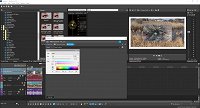
  2. I add the VP PIP FX to the upper track. So far so good; I now have a smaller video overlaid on a larger video window.
  3. I want to add a border around the smaller video window, so I add the VP Border FX to the top media (smaller video)...
  4. I adjust the size of this border, but it's affecting the LARGER window. Gah!

What am I doing wrong? This seems like it should be pretty straight forward...
Comments

prairiedogpics wrote on 4/18/2020, 6:03 PM

Oy, I figured it out. You have to add the border FX FIRST, and THEN the PIP. 😬

frmax wrote on 4/19/2020, 2:01 PM

Please, mark your (own) answer with "solved"

I14900K, RTX 4070 Super, 64GB RAM, 4TB M2, 4TB SSD, VEGAS Pro 14-23 (Post), Magix ProX, Davinci Resolve Studio, Powerdirector 365
AMD 5900, RTX 3090 TI, 64GB RAM, 1 TB M2 SSD, 4 TB HD, VP 21 Post, VP22

Monitor LG 32UN880; Camera Sony FDR-AX53; Photo Canon EOS, Samsung S22 Ultra