If Nested Timeline Has Any Compositing Mode Then Something Goes Wrong.

iEmby wrote on 1/19/2026, 9:33 AM

Hi guys...

If Nested Timeline Has Any Compositing Mode, Then Something Goes Wrong.

Please check this clip you can reproduce it.

I have to add those black files into main project to get it OK.
but sometimes have lots of these clips so need those in nested timelines.

why it is happening.
pls guide me if I am wrong somewhere.

thanks in advance.

PROCESSOR
     

Operating System: Windows 11 Pro 64-bit (Always Updated)
System Manufacturer: ASUS
12th Gen Intel(R) Core(TM) i7-12700 (20 CPUs), ~2.1GHz - 4.90GHz
Memory: 32GB RAM
Page File: 11134MB used, 7934MB Available
DirectX Version: DirectX 12

-----------------------------------------------

MOTHERBOARD


ASUS PRIME H610-CS D4
Intel® H610 (LGA 1700)
Ready for 12th Gen Intel® Processors
Micro-ATX Motherboard with DDR4
Realtek 1 Gb Ethernet
PCH Heatsink
PCIe 4.0 | M.2 slot (32Gbps) 
HDMI® | D-Sub | USB 3.2 Gen 1 ports
SATA 6 Gbps | COM header
LPT header | TPM header
Luminous Anti-Moisture Coating
5X Protection III
(Multiple Hardware Safeguards
For all-round protection)

-----------------------------------------------
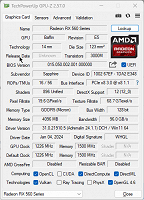
EXTERNAL GRAPHIC CARD
-----------------------------------------------

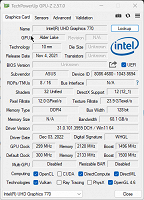
INTERNAL GRAPHIC CARD (iGPU)
------------------------------------------------

LED - MONITOR

Monitor Name: Generic PnP Monitor
Monitor Model: HP 22es
Monitor Id: HWP331B
Native Mode: 1920 x 1080(p) (60.000Hz)
Output Type: HDMI

-----------------------------------------------

STORAGE DRIVE

Drive: C:
Free Space: 182.3 GB
Total Space: 253.9 GB
File System: NTFS
Model: WD Blue SN570 1TB (NVMe)

---------------O----------------

Some useful creations by me including VEGAS Scripts

https://www.getopensofts.in/

My YouTube Channel Dedicated to Only VEGAS Pro Tutorials

EDITROOM : My YouTube Channel (For VEGAS Tutorials)

Comments

3POINT wrote on 1/19/2026, 9:55 AM

I don't directly recognize the advantage to use nesting in your project, since the nested project just contains three tracks (could probably also be done with only two tracks). Also I don't know if it's possible at all to use compositions in nested projects. It's already a big advantage that transparency is taken over.

Gid wrote on 1/19/2026, 4:46 PM

Nope, can't replicate that, everything works fine.

I just had a play with other Compositing Modes & the Compositing Modes in Parent tracks. still worked fine.

Vegas Pro 18 - 22
Vegas Pro/Post 19
Boris Continuum & Sapphire, 
Silhouette Standalone + Plugin, 
Mocha Pro Standalone + Plugin, 
Boris Optics,
NewBlue TotalFX
Desktop PC Microsoft Windows 10 Pro - 64-Bit
ASUS PRO WS WRX80E-SAGE SE WIFI AMD Motherboard
AMD Ryzen Threadripper PRO 3975WX 3.5GHz 32 Core
Corsair iCUE H150i RGB PRO XT 360mm All-in-One Liquid CPU Cooler
RAM 256GB ( 8x Micron 32GB (1x 32GB) 2666MHz DDR4 RAM )
2x Western Digital Black SN850 2TB M.2-2280 SSD, 7000MB/s Read, 5100MB/s Write
(programs on one, project files on the other)
Graphics MSI GeForce RTX 3090 SUPRIM X 24GB OC GPU
ASUS ROG Thor 1200W Semi-Modular 80+ Platinum PSU 
Fractal Design Define 7 XL Dark TG Case with 3 Fans
Dell SE3223Q 31.5 Inch 4K UHD (3840x2160) Monitor, 60Hz, & an Acer 24" monitor.

At the moment my filming is done with a Samsung Galaxy S23 Ultra 5G & a GoPro Hero11 Black

I've been a Joiner/Carpenter for 40yrs, apprentice trained time served, I don't have an apprentice of my own so to share my knowledge I put videos on YouTube.

YouTube videos - https://www.youtube.com/c/Gidjoiner


iEmby wrote on 1/21/2026, 8:20 AM

@Gid Please try with this clip. It is with black background. use ADD compositing mode.

https://drive.google.com/file/d/1kQ88eSag9Xk3LpPwOIgAmm51jJEjmDSu/view?usp=sharing.

PROCESSOR
     

Operating System: Windows 11 Pro 64-bit (Always Updated)
System Manufacturer: ASUS
12th Gen Intel(R) Core(TM) i7-12700 (20 CPUs), ~2.1GHz - 4.90GHz
Memory: 32GB RAM
Page File: 11134MB used, 7934MB Available
DirectX Version: DirectX 12

-----------------------------------------------

MOTHERBOARD


ASUS PRIME H610-CS D4
Intel® H610 (LGA 1700)
Ready for 12th Gen Intel® Processors
Micro-ATX Motherboard with DDR4
Realtek 1 Gb Ethernet
PCH Heatsink
PCIe 4.0 | M.2 slot (32Gbps) 
HDMI® | D-Sub | USB 3.2 Gen 1 ports
SATA 6 Gbps | COM header
LPT header | TPM header
Luminous Anti-Moisture Coating
5X Protection III
(Multiple Hardware Safeguards
For all-round protection)

-----------------------------------------------
EXTERNAL GRAPHIC CARD

-----------------------------------------------

INTERNAL GRAPHIC CARD (iGPU)

------------------------------------------------

LED - MONITOR

Monitor Name: Generic PnP Monitor
Monitor Model: HP 22es
Monitor Id: HWP331B
Native Mode: 1920 x 1080(p) (60.000Hz)
Output Type: HDMI

-----------------------------------------------

STORAGE DRIVE

Drive: C:
Free Space: 182.3 GB
Total Space: 253.9 GB
File System: NTFS
Model: WD Blue SN570 1TB (NVMe)

---------------O----------------

Some useful creations by me including VEGAS Scripts

https://www.getopensofts.in/

My YouTube Channel Dedicated to Only VEGAS Pro Tutorials

EDITROOM : My YouTube Channel (For VEGAS Tutorials)

Gid wrote on 1/21/2026, 11:40 AM

@iEmby I had a play with it for quite a while, I couldn't get Vegas to make the black flashes in your video.

Here's just 12mins of me playing with it but I played for an hr or more.

In this I added a couple of masks in the last bit but that was to restrict the boundaries of the flash, not because of any type of black image flashing like in your video.

Last changed by Gid on 1/21/2026, 11:53 AM, changed a total of 1 times.

Vegas Pro 18 - 22
Vegas Pro/Post 19
Boris Continuum & Sapphire, 
Silhouette Standalone + Plugin, 
Mocha Pro Standalone + Plugin, 
Boris Optics,
NewBlue TotalFX
Desktop PC Microsoft Windows 10 Pro - 64-Bit
ASUS PRO WS WRX80E-SAGE SE WIFI AMD Motherboard
AMD Ryzen Threadripper PRO 3975WX 3.5GHz 32 Core
Corsair iCUE H150i RGB PRO XT 360mm All-in-One Liquid CPU Cooler
RAM 256GB ( 8x Micron 32GB (1x 32GB) 2666MHz DDR4 RAM )
2x Western Digital Black SN850 2TB M.2-2280 SSD, 7000MB/s Read, 5100MB/s Write
(programs on one, project files on the other)
Graphics MSI GeForce RTX 3090 SUPRIM X 24GB OC GPU
ASUS ROG Thor 1200W Semi-Modular 80+ Platinum PSU 
Fractal Design Define 7 XL Dark TG Case with 3 Fans
Dell SE3223Q 31.5 Inch 4K UHD (3840x2160) Monitor, 60Hz, & an Acer 24" monitor.

At the moment my filming is done with a Samsung Galaxy S23 Ultra 5G & a GoPro Hero11 Black

I've been a Joiner/Carpenter for 40yrs, apprentice trained time served, I don't have an apprentice of my own so to share my knowledge I put videos on YouTube.

YouTube videos - https://www.youtube.com/c/Gidjoiner


Robert Johnston wrote on 1/21/2026, 3:27 PM

@iEmby I don't think the nested timeline feature works correctly. The parent becomes corrupted and the nested timeline becomes what the parent was, except that the Add composite turns into a Source Alpha. The whole thing is messed up. Forget the whole thing. Same thing in 21, 22, and 23.

Intel Core i7 10700K CPU @ 3.80GHz (to 4.65GHz), NVIDIA GeForce RTX 2060 SUPER 8GBytes. Memory 32 GBytes DDR4. Also Intel UHD Graphics 630. Mainboard: Dell Inc. PCI-Express 3.0 (8.0 GT/s) Comet Lake. Bench CPU Multi Thread: 5500.5 per CPU-Z.

Vegas Pro 21.0 (Build 108) with Mocha Vegas

Windows 11 not pro

iEmby wrote on 1/22/2026, 6:41 AM

@Gid

Please look at this video

may be u understand what i am saying.

by the way u r doing one thing wrong while reproduction of this problem.

sry for my English in advance.

PROCESSOR
     

Operating System: Windows 11 Pro 64-bit (Always Updated)
System Manufacturer: ASUS
12th Gen Intel(R) Core(TM) i7-12700 (20 CPUs), ~2.1GHz - 4.90GHz
Memory: 32GB RAM
Page File: 11134MB used, 7934MB Available
DirectX Version: DirectX 12

-----------------------------------------------

MOTHERBOARD


ASUS PRIME H610-CS D4
Intel® H610 (LGA 1700)
Ready for 12th Gen Intel® Processors
Micro-ATX Motherboard with DDR4
Realtek 1 Gb Ethernet
PCH Heatsink
PCIe 4.0 | M.2 slot (32Gbps) 
HDMI® | D-Sub | USB 3.2 Gen 1 ports
SATA 6 Gbps | COM header
LPT header | TPM header
Luminous Anti-Moisture Coating
5X Protection III
(Multiple Hardware Safeguards
For all-round protection)

-----------------------------------------------
EXTERNAL GRAPHIC CARD

-----------------------------------------------

INTERNAL GRAPHIC CARD (iGPU)

------------------------------------------------

LED - MONITOR

Monitor Name: Generic PnP Monitor
Monitor Model: HP 22es
Monitor Id: HWP331B
Native Mode: 1920 x 1080(p) (60.000Hz)
Output Type: HDMI

-----------------------------------------------

STORAGE DRIVE

Drive: C:
Free Space: 182.3 GB
Total Space: 253.9 GB
File System: NTFS
Model: WD Blue SN570 1TB (NVMe)

---------------O----------------

Some useful creations by me including VEGAS Scripts

https://www.getopensofts.in/

My YouTube Channel Dedicated to Only VEGAS Pro Tutorials

EDITROOM : My YouTube Channel (For VEGAS Tutorials)

iEmby wrote on 1/22/2026, 6:42 AM

@Robert Johnston

yes.. sir

you understand the issue properly.

thankyou.

PROCESSOR
     

Operating System: Windows 11 Pro 64-bit (Always Updated)
System Manufacturer: ASUS
12th Gen Intel(R) Core(TM) i7-12700 (20 CPUs), ~2.1GHz - 4.90GHz
Memory: 32GB RAM
Page File: 11134MB used, 7934MB Available
DirectX Version: DirectX 12

-----------------------------------------------

MOTHERBOARD


ASUS PRIME H610-CS D4
Intel® H610 (LGA 1700)
Ready for 12th Gen Intel® Processors
Micro-ATX Motherboard with DDR4
Realtek 1 Gb Ethernet
PCH Heatsink
PCIe 4.0 | M.2 slot (32Gbps) 
HDMI® | D-Sub | USB 3.2 Gen 1 ports
SATA 6 Gbps | COM header
LPT header | TPM header
Luminous Anti-Moisture Coating
5X Protection III
(Multiple Hardware Safeguards
For all-round protection)

-----------------------------------------------
EXTERNAL GRAPHIC CARD

-----------------------------------------------

INTERNAL GRAPHIC CARD (iGPU)

------------------------------------------------

LED - MONITOR

Monitor Name: Generic PnP Monitor
Monitor Model: HP 22es
Monitor Id: HWP331B
Native Mode: 1920 x 1080(p) (60.000Hz)
Output Type: HDMI

-----------------------------------------------

STORAGE DRIVE

Drive: C:
Free Space: 182.3 GB
Total Space: 253.9 GB
File System: NTFS
Model: WD Blue SN570 1TB (NVMe)

---------------O----------------

Some useful creations by me including VEGAS Scripts

https://www.getopensofts.in/

My YouTube Channel Dedicated to Only VEGAS Pro Tutorials

EDITROOM : My YouTube Channel (For VEGAS Tutorials)

Gid wrote on 1/22/2026, 9:51 AM

@iEmby Ah, ok I see.

Nope, sorry I can't make that work either, I tried alsorts but still get the same result as you.

Last changed by Gid on 1/22/2026, 9:51 AM, changed a total of 1 times.

Vegas Pro 18 - 22
Vegas Pro/Post 19
Boris Continuum & Sapphire, 
Silhouette Standalone + Plugin, 
Mocha Pro Standalone + Plugin, 
Boris Optics,
NewBlue TotalFX
Desktop PC Microsoft Windows 10 Pro - 64-Bit
ASUS PRO WS WRX80E-SAGE SE WIFI AMD Motherboard
AMD Ryzen Threadripper PRO 3975WX 3.5GHz 32 Core
Corsair iCUE H150i RGB PRO XT 360mm All-in-One Liquid CPU Cooler
RAM 256GB ( 8x Micron 32GB (1x 32GB) 2666MHz DDR4 RAM )
2x Western Digital Black SN850 2TB M.2-2280 SSD, 7000MB/s Read, 5100MB/s Write
(programs on one, project files on the other)
Graphics MSI GeForce RTX 3090 SUPRIM X 24GB OC GPU
ASUS ROG Thor 1200W Semi-Modular 80+ Platinum PSU 
Fractal Design Define 7 XL Dark TG Case with 3 Fans
Dell SE3223Q 31.5 Inch 4K UHD (3840x2160) Monitor, 60Hz, & an Acer 24" monitor.

At the moment my filming is done with a Samsung Galaxy S23 Ultra 5G & a GoPro Hero11 Black

I've been a Joiner/Carpenter for 40yrs, apprentice trained time served, I don't have an apprentice of my own so to share my knowledge I put videos on YouTube.

YouTube videos - https://www.youtube.com/c/Gidjoiner


LdM_Edit wrote on 1/23/2026, 3:30 AM

When you create a nested timeline from within VEGAS by selecting events and clicking on the "Create or open nested timeline" button, the software warns you about this kind of issues if it detects there may be a problem:

bitman wrote on 1/23/2026, 4:04 AM

Just a general comment on nested timeline, I am using it on VP23 (still on build 356!) in a current project of mine, and I am not having issues with it.
@LdM_Edit I know you can create a nested timeline using that method, but I usually use nesting in a different workflow: whenever I feel the main project has a piece which I feel will get too complex with a lot of FX or a lot of tracks, I save my main project under a different name (e.g. "nest_x"), delete all the stuff before and after the piece I want to be nested, and complete as a new "main" project what it needs to be for my future nest. Then I open my old main project and drop the renamed main .veg (e.g. "nest_x") at the position I want it as nest.
 

APPS: VIDEO: VP23 (b356), VP 365 suite (VP 22 build 250), VP 21 build 315, VP 365 20, VP 19 post (latest build -651), (uninstalled VP 12,13,14,15,16 Suite,17, VP18 post), Vegasaur, a lot of NEWBLUE plugins, Mercalli 6.0, Respeedr, Vasco Da Gamma 18 HDpro XXL, Boris Continuum 2026, Davinci Resolve Studio 20,
SOUND: RX 10 advanced Audio Editor, Sound Forge Pro 18, Spectral Layers Pro 12, Audacity,
FOTO: Zoner studio X, DXO photolab (9), Luminar, Topaz...

  • OS: Windows 11 Pro 64, version 25H2
  • CPU: i9-13900K with Air Cooler: Noctua NH-D15 G2 HBC
  • RAM: DDR5 Corsair 64GB (5600-40 Vengeance)
  • Graphics card: Gigabyte GeForce RTX 5090 Aorus Xtreme WF AIO 32GB
  • Monitor: LG UltraGear 45GX950A 44.5" WUHD 5K2K OLED monitor (21:9), Resolution: 5120x2160, 165 Hz
  • C-drive: Corsair MP600 PRO XT NVMe SSD 4TB (PCIe Gen. 4)
  • Video drives: Samsung NVMe SSD 2TB (980 pro and 970 EVO plus) each 2TB
  • Mass Data storage & Backup: WD gold 6TB + WD Yellow 4TB
  • MOBO: Gigabyte Z690 AORUS MASTER
  • PSU: Corsair HX1500i, Case: Fractal Design Define 7 (PCGH edition)
  • Misc.: Logitech G915, Evoluent Vertical Mouse, shuttlePROv2


3POINT wrote on 1/23/2026, 4:59 AM

I always try to avoid nesting, because it makes previewing and rendering terribly slow. If a project becomes to complex (too many tracks) you can easily group different tracks and collapse them into just one track, which always quickly can be expanded again to edit the different tracks.

example:

before: and

after:

Also I work always with short subprojects, render them separately and merge those subprojects lossless to a main project with Shutterencoder, an action that takes just a few secondes/minutes.

Gid wrote on 1/23/2026, 8:18 AM

Just a general comment on nested timeline, I am using it on VP23 (still on build 356!) in a current project of mine, and I am not having issues with it.
@LdM_Edit I know you can create a nested timeline using that method, but I usually use nesting in a different workflow: whenever I feel the main project has a piece which I feel will get too complex with a lot of FX or a lot of tracks, I save my main project under a different name (e.g. "nest_x"), delete all the stuff before and after the piece I want to be nested, and complete as a new "main" project what it needs to be for my future nest. Then I open my old main project and drop the renamed main .veg (e.g. "nest_x") at the position I want it as nest.
 

Just tried that, it still doesn't work with @iEmby example 🤷‍♂️

Vegas Pro 18 - 22
Vegas Pro/Post 19
Boris Continuum & Sapphire, 
Silhouette Standalone + Plugin, 
Mocha Pro Standalone + Plugin, 
Boris Optics,
NewBlue TotalFX
Desktop PC Microsoft Windows 10 Pro - 64-Bit
ASUS PRO WS WRX80E-SAGE SE WIFI AMD Motherboard
AMD Ryzen Threadripper PRO 3975WX 3.5GHz 32 Core
Corsair iCUE H150i RGB PRO XT 360mm All-in-One Liquid CPU Cooler
RAM 256GB ( 8x Micron 32GB (1x 32GB) 2666MHz DDR4 RAM )
2x Western Digital Black SN850 2TB M.2-2280 SSD, 7000MB/s Read, 5100MB/s Write
(programs on one, project files on the other)
Graphics MSI GeForce RTX 3090 SUPRIM X 24GB OC GPU
ASUS ROG Thor 1200W Semi-Modular 80+ Platinum PSU 
Fractal Design Define 7 XL Dark TG Case with 3 Fans
Dell SE3223Q 31.5 Inch 4K UHD (3840x2160) Monitor, 60Hz, & an Acer 24" monitor.

At the moment my filming is done with a Samsung Galaxy S23 Ultra 5G & a GoPro Hero11 Black

I've been a Joiner/Carpenter for 40yrs, apprentice trained time served, I don't have an apprentice of my own so to share my knowledge I put videos on YouTube.

YouTube videos - https://www.youtube.com/c/Gidjoiner


3POINT wrote on 1/23/2026, 8:47 AM

​​​​​@Gid It doesn't matter how you create the nested project. The issue is that @iEmby expects that the "fake" transparency created by the "add" composition is taken over in the nested project. You see already in the thumbnails of the nested event that this is not the case.

Gid wrote on 1/23/2026, 9:31 AM

@3POINT Yeah, I'm just trying to make it work & guess the point of my last post is to show that it doesn't matter how the nest is created.

PS. If it was me I wouldn't use the nest option, I'd just apply it to the main timeline as suggested.

Last changed by Gid on 1/23/2026, 9:33 AM, changed a total of 1 times.

Vegas Pro 18 - 22
Vegas Pro/Post 19
Boris Continuum & Sapphire, 
Silhouette Standalone + Plugin, 
Mocha Pro Standalone + Plugin, 
Boris Optics,
NewBlue TotalFX
Desktop PC Microsoft Windows 10 Pro - 64-Bit
ASUS PRO WS WRX80E-SAGE SE WIFI AMD Motherboard
AMD Ryzen Threadripper PRO 3975WX 3.5GHz 32 Core
Corsair iCUE H150i RGB PRO XT 360mm All-in-One Liquid CPU Cooler
RAM 256GB ( 8x Micron 32GB (1x 32GB) 2666MHz DDR4 RAM )
2x Western Digital Black SN850 2TB M.2-2280 SSD, 7000MB/s Read, 5100MB/s Write
(programs on one, project files on the other)
Graphics MSI GeForce RTX 3090 SUPRIM X 24GB OC GPU
ASUS ROG Thor 1200W Semi-Modular 80+ Platinum PSU 
Fractal Design Define 7 XL Dark TG Case with 3 Fans
Dell SE3223Q 31.5 Inch 4K UHD (3840x2160) Monitor, 60Hz, & an Acer 24" monitor.

At the moment my filming is done with a Samsung Galaxy S23 Ultra 5G & a GoPro Hero11 Black

I've been a Joiner/Carpenter for 40yrs, apprentice trained time served, I don't have an apprentice of my own so to share my knowledge I put videos on YouTube.

YouTube videos - https://www.youtube.com/c/Gidjoiner


3POINT wrote on 1/23/2026, 10:02 AM

@Gid +1

I hope that Vegas team is still working on this:

because at the moment to me the nesting feature is almost useless/unworkable. I like the way it works in DR, where you can create extra timelines and/or compound clips, which has almost no influence on preview and rendering speed.

Gid wrote on 1/23/2026, 10:26 AM

Yep, I think I'm on board with the OP in that whatever fx, composite mode etc. I add to a nest should transfer to the timeline in the same way. But it doesn't, whether that is intended/expected behaviour or not. Broken, poorly written code or overlooked 🤷‍♂️. As it doesn't achieve the desired result I'd choose an alternate route.

PS. I was playing with this & tried using BCC+Maths Composite. Vegas track composites are 'maths' composites, therefore when Add is applied it's making a calculation IE it's taking black 0 & adding it to whatever it's compositing onto. If the file it's compositing onto has an alpha/transparent are is that area also 0. ..? 0 minus 0 = 0 (black). or is that bollocks? 🤦‍♂️🤣

I tried rendering just the flash with Add applied to Prores 444 + Alpha, but got no alpha channel, no transparency in the rendered file just black. Vegas or basic maths can't render 0 (Add) + 0 (alpha channel)

Last changed by Gid on 1/23/2026, 10:40 AM, changed a total of 1 times.

Vegas Pro 18 - 22
Vegas Pro/Post 19
Boris Continuum & Sapphire, 
Silhouette Standalone + Plugin, 
Mocha Pro Standalone + Plugin, 
Boris Optics,
NewBlue TotalFX
Desktop PC Microsoft Windows 10 Pro - 64-Bit
ASUS PRO WS WRX80E-SAGE SE WIFI AMD Motherboard
AMD Ryzen Threadripper PRO 3975WX 3.5GHz 32 Core
Corsair iCUE H150i RGB PRO XT 360mm All-in-One Liquid CPU Cooler
RAM 256GB ( 8x Micron 32GB (1x 32GB) 2666MHz DDR4 RAM )
2x Western Digital Black SN850 2TB M.2-2280 SSD, 7000MB/s Read, 5100MB/s Write
(programs on one, project files on the other)
Graphics MSI GeForce RTX 3090 SUPRIM X 24GB OC GPU
ASUS ROG Thor 1200W Semi-Modular 80+ Platinum PSU 
Fractal Design Define 7 XL Dark TG Case with 3 Fans
Dell SE3223Q 31.5 Inch 4K UHD (3840x2160) Monitor, 60Hz, & an Acer 24" monitor.

At the moment my filming is done with a Samsung Galaxy S23 Ultra 5G & a GoPro Hero11 Black

I've been a Joiner/Carpenter for 40yrs, apprentice trained time served, I don't have an apprentice of my own so to share my knowledge I put videos on YouTube.

YouTube videos - https://www.youtube.com/c/Gidjoiner


3POINT wrote on 1/23/2026, 11:15 AM

That's what I said, @iEmby wants to create a "fake" transparency of something that is original black. If that would work there would be no need for a alpha channel video with transparency.

Robert Johnston wrote on 1/23/2026, 6:22 PM

@iEmby You can still nest the old-fashioned way by manually loading a Veg file as media, and the composite will work. Just don't use those nesting buttons to go back and forth.

Intel Core i7 10700K CPU @ 3.80GHz (to 4.65GHz), NVIDIA GeForce RTX 2060 SUPER 8GBytes. Memory 32 GBytes DDR4. Also Intel UHD Graphics 630. Mainboard: Dell Inc. PCI-Express 3.0 (8.0 GT/s) Comet Lake. Bench CPU Multi Thread: 5500.5 per CPU-Z.

Vegas Pro 21.0 (Build 108) with Mocha Vegas

Windows 11 not pro

Gid wrote on 1/23/2026, 6:30 PM

@iEmby You can still nest the old-fashioned way by manually loading a Veg file as media, and the composite will work. Just don't use those nesting buttons to go back and forth.


@Robert Johnston Did you not bother reading/watching my post?


Just a general comment on nested timeline, I am using it on VP23 (still on build 356!) in a current project of mine, and I am not having issues with it.
@LdM_Edit I know you can create a nested timeline using that method, but I usually use nesting in a different workflow: whenever I feel the main project has a piece which I feel will get too complex with a lot of FX or a lot of tracks, I save my main project under a different name (e.g. "nest_x"), delete all the stuff before and after the piece I want to be nested, and complete as a new "main" project what it needs to be for my future nest. Then I open my old main project and drop the renamed main .veg (e.g. "nest_x") at the position I want it as nest.
 

Just tried that, it still doesn't work with @iEmby example 🤷‍♂️


Vegas Pro 18 - 22
Vegas Pro/Post 19
Boris Continuum & Sapphire, 
Silhouette Standalone + Plugin, 
Mocha Pro Standalone + Plugin, 
Boris Optics,
NewBlue TotalFX
Desktop PC Microsoft Windows 10 Pro - 64-Bit
ASUS PRO WS WRX80E-SAGE SE WIFI AMD Motherboard
AMD Ryzen Threadripper PRO 3975WX 3.5GHz 32 Core
Corsair iCUE H150i RGB PRO XT 360mm All-in-One Liquid CPU Cooler
RAM 256GB ( 8x Micron 32GB (1x 32GB) 2666MHz DDR4 RAM )
2x Western Digital Black SN850 2TB M.2-2280 SSD, 7000MB/s Read, 5100MB/s Write
(programs on one, project files on the other)
Graphics MSI GeForce RTX 3090 SUPRIM X 24GB OC GPU
ASUS ROG Thor 1200W Semi-Modular 80+ Platinum PSU 
Fractal Design Define 7 XL Dark TG Case with 3 Fans
Dell SE3223Q 31.5 Inch 4K UHD (3840x2160) Monitor, 60Hz, & an Acer 24" monitor.

At the moment my filming is done with a Samsung Galaxy S23 Ultra 5G & a GoPro Hero11 Black

I've been a Joiner/Carpenter for 40yrs, apprentice trained time served, I don't have an apprentice of my own so to share my knowledge I put videos on YouTube.

YouTube videos - https://www.youtube.com/c/Gidjoiner


Robert Johnston wrote on 1/23/2026, 7:07 PM

@Gid @bitman Sorry, Git, bitman. I lost my way, and I forgot what I read or just overlooked it. I could be exhausted and weary. My apologies.

Intel Core i7 10700K CPU @ 3.80GHz (to 4.65GHz), NVIDIA GeForce RTX 2060 SUPER 8GBytes. Memory 32 GBytes DDR4. Also Intel UHD Graphics 630. Mainboard: Dell Inc. PCI-Express 3.0 (8.0 GT/s) Comet Lake. Bench CPU Multi Thread: 5500.5 per CPU-Z.

Vegas Pro 21.0 (Build 108) with Mocha Vegas

Windows 11 not pro