Picking a new video card. . .

WayneM wrote on 1/29/2015, 4:39 PM
I am upgrading my Video Edit workstation graphics since the update to VegasPro 13 and the NewBlue Titler I bought won't run at all with my on-MoBo Intel HD-3000 graphics.

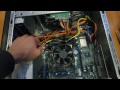
I first tried an ASUS Graphics Cards R9290X-DC2OC-4GD5 but it was actually a bit too long to even make it in the case thanks to the GPU's metal fan shroud that extends significantly past the end of the board.

I just finished some research on alternative cards and size options and have a short list of GPU options that will fit. Nothing killer like the R9 290X but they will outperform the on-board chipset and should meet my minimum need to use the NewBlue Titler with VP13. (Maybe rendering an 8 minute video will happen in under 30 minutes :-)

Here's the list of modest cards that will fit. If you have had a good or bad experience with the GPU or have any input, please share. This could be on the specific board, or the brands or the driver availability.

The target workstation is three year old Windows 7 Pro 64-bit. Other current info is in my profile. I'm having to scale back on the GPU power and mostly seeing boards with 2GB.

- ASUS R9 270-DC2OC-2GD5

- XFX R9-285A-CDFC Radeon R9 285 2GB 256-Bit DDR5 PCI Express 3.0 HDCP

- Sapphire DUAL-X 100314-4L Radeon HD 6970 2GB 256-Bit GDDR5 PCI Express 2.0 x16

- Sapphire Radeon R7 240 2GB DDR3 HDMI/DVI-D/VGA with Boost PCI-Express

- Sapphire Radeon R7 240 4GB DDR3 HDMI/DVI-D/VGA with Boost PCI-Express

- Gigabyte R7 240 DDR3-2GB DVI-D/D-SUB/HDMI OC Graphics Card (GV-R724OC-2GI)

Also, I did see this recommendation:

"If you are simply upgrading an existing/older computer system, my very strong suggestion is that instead of wasting money for very little return on a brand new card, you instead buy a 2nd hand GTX560 or GTX460 from eBay. The older Nvidia GTX400 and GTX500 series graphics cards work exceedingly well with Vegas and rendering with Mainconcept AVC and Sony AVC."

Those run in the $60-70 range.

====================
Thanks for any input!

Wayne
Comments

Yep wrote on 1/29/2015, 8:07 PM
Just a comment on the GTX560. I've have the GTX 560 Ti on my machine and have had a number of problems with GPU rendering. It crashes with some video files as well as some .jpg files. There seems to be no logic behind why it crashes with some files but not others.

It looks like my GTX560 is now failing completely (after 2 years or so hard work), and I'm looking for a replacement - so I'd be very interested in seeing other comments on "best practice" when replacing video cards.

Does anyone have any views on AMD vs NVIDIA?

My basic system is

Win 7 Pro 64bit
Intel Core i7 @3.5Ghz
8.00 GB Ram
Vegas Pro 13
WayneM wrote on 1/29/2015, 8:32 PM
Thanks for sharing your experience. Could it have been a cooling or driver related problem?

Oldsmoke shared a LOT of very good info in another thread I started. I came in as sort of a newbie on the GPU transition and Oldsmoke and others have been helpful.

So look for the thread I started called "Good video card(s) for VP13 & NewBlue Titler"

Wayne
Yep wrote on 1/29/2015, 9:03 PM
"Thanks for sharing your experience. Could it have been a cooling or driver related problem?

Oldsmoke shared a LOT of very good info in another thread I started. I came in as sort of a newbie on the GPU transition and Oldsmoke and others have been helpful.

So look for the thread I started called "Good video card(s) for VP13 & NewBlue Titler"
.............................................................................................................................

I take it you mean the rendering problems I was having???

Then the answer is no.


The first problem I had was rendering clips with .jpg files inserted into the timeline. After the getting to the fourth or fifth .jpg it would crash. After a lot of testing I found that turning off GPU rendering solved the problem. Turning GPU back on the problem returned immediately. It was strange because it only happened with a particular batch of .jpgs. I had previously rendered similar clips with .jpgs without any problems.

The second problem I had was with mp4 files causing VP13 to crash during render. Turning off GPU rendering solved the problem. Turning it back on again and it would crash every time.

Again - strange in both cases because it only happens with certain and very specific files. If it was a cooling or driver related problem then it would be affecting almost everything I would expect.

Thanks for the headsup on your other thread. Looks like there's a lot to digest in that one.

Damnnn!!! Choosing a video card is a real headache. :)
turboBB wrote on 2/1/2015, 11:11 PM
I use VP12 and the fastest encoder I've tested thus far is the MainConcept (MC) and coupled with the 3rd card on your list (Saph HD 6970). I can render Sony's Red Car project in 34 seconds since this card is fully supported by that CODEC for OpenCL.

My Dell XPS 8700 came with a R9 270 and since it's not supported by MC, the best times were:
69 seconds with Sony AVC
155 seconds with MainConcept

I'll be posting a video on extensive benchmarks I've conducted with various cards shortly but from your list, that would be my pick. The only potential problem you might run into is that this card requires both a 8pin and 6pin PCI connectors for a total of 225W, my PSU upgrade vid here shows the pins for this card:

If the fastest rendering times (with reasonable quality) is what you're after, then you should focus on cards fully support by MC. The other two I'd suggest would include:
GTX 570/580

I'm personally interested in testing a HD 6990 or GTX 590 and technically these should be even faster than the HD 6970 or GTX 580 but I haven't found any benchmarks with VP with either of these cards. Also, despite what others have said about SVP not supporting dual GPU's, I've read threads where owners have cited render times that were better with these cards. Case in point, this benchmark page was of HUGE help in me finding the correct card (again in primary consideration of using the MC codec):
http://www.hyperactivemusic.com/vegaspro/vegaspro.html

Note the fastest render time with MC goes to dual GTX 570's.

P.S. Any of the cards I've suggested should work well with NewBlue Titler.
P.P.S. My older GTX 560 Ti card's best time for the Red car project and MC came in at 52 seconds (with 347.25 driver).
OldSmoke wrote on 2/2/2015, 8:24 AM
Here is a video I did in May 2013 about 2x GTX570 render performance.


Dual GPU cards like a GTX590, HD6990 do not work as you would expect; don't waist your money on it! Two cards however do work and the y work better if they are NOT setup as SLI or CrossFire; I have done all these tests two years back.

2x GTX580 will render the same project in about 29sec. However, 2x R9 290 will render the project to XDCAM 1080 60i in 24sec. which way better then any Nvidia card system will ever do. So, to day that MC AVC is the fastest codec is relative; it is the fastest for Nvidia cards and MPEG-2 is currently the fastest for AMD cards.

Proud owner of Sony Vegas Pro 7, 8, 9, 10, 11, 12 & 13 and now Magix VP15&16.

System Spec.:
Motherboard: ASUS X299 Prime-A

Ram: G.Skill 4x8GB DDR4 2666 XMP

CPU: i7-9800x @ 4.6GHz (custom water cooling system)
GPU: 1x AMD Vega Pro Frontier Edition (water cooled)
Hard drives: System Samsung 970Pro NVME, AV-Projects 1TB (4x Intel P7600 512GB VROC), 4x 2.5" Hotswap bays, 1x 3.5" Hotswap Bay, 1x LG BluRay Burner

PSU: Corsair 1200W
Monitor: 2x Dell Ultrasharp U2713HM (2560x1440)

Rich Parry wrote on 2/2/2015, 2:34 PM
I have a dual Xeon PC with 24 cores and happy with my render times using CPU exclusively, but my timeline playback performance in the Preview window is disappointing. Frame rate is less than realtime. I can make proxies, transcode, and turn off effects to make playback and scrubbing the timeline usable, but was wondering if perhaps a different video card would help with Preview performance.

I am using the GTX680 which is not well supported by VP13 according to this and other threads on the forum. Is it worth looking into a different card?

Thanks in advance,

CPU Intel i9-13900K Raptor Lake

Heat Sink Noctua  NH-D15 chromas, Black

MB ASUS ProArt Z790 Creator WiFi

OS Drive Samsung 990 PRO  NVME M.2 SSD 1TB

Data Drive Samsung 870 EVO SATA 4TB

Backup Drive Samsung 870 EVO SATA 4TB

RAM Corsair Vengeance DDR5 64GB

GPU ASUS NVDIA GeForce GTX 1080 Ti

Case Fractal Torrent Black E-ATX

PSU Corsair HX1000i 80 Plus Platinum

OS MicroSoft Windows 11 Pro

Rich in San Diego, CA

Stringer wrote on 2/2/2015, 3:11 PM
The Vegas Benchmark Project referred to by OldSmoke a couple of posts up, is rock solid 29.97fps on Best/Full with R9 290x. It would probably be similar with the downscale R9 cards up to a point..

OldSmoke also put together a 4k version of the same project, which is virtually solid at Best/Full 29.97fps also.. It does stutter briefly at points..
OldSmoke wrote on 2/2/2015, 7:18 PM
@Rich Parry

Try what many have tried with the newer cards, set preview ram to 0. You may want to try a HD6970 or GTX580; both are excellent and fully supported by Vegas 11 up to 13. The R9 290/290X is propably the fastest card you can currently get, aside from the rediculous expensive FirePro cards. However, you dont get GPU acceleration when rendering with MC AVC and Sony AVC but that can be done via Handbrake.

Proud owner of Sony Vegas Pro 7, 8, 9, 10, 11, 12 & 13 and now Magix VP15&16.

System Spec.:
Motherboard: ASUS X299 Prime-A

Ram: G.Skill 4x8GB DDR4 2666 XMP

CPU: i7-9800x @ 4.6GHz (custom water cooling system)
GPU: 1x AMD Vega Pro Frontier Edition (water cooled)
Hard drives: System Samsung 970Pro NVME, AV-Projects 1TB (4x Intel P7600 512GB VROC), 4x 2.5" Hotswap bays, 1x 3.5" Hotswap Bay, 1x LG BluRay Burner

PSU: Corsair 1200W
Monitor: 2x Dell Ultrasharp U2713HM (2560x1440)

Rich Parry wrote on 2/3/2015, 6:53 PM
@Oldsmoke

You guided me through the purchase of the Sony AX100 which I am very happy with, maybe you can help again with a video card.

As I mentioned, faster renders aren't my goal, I'd just like to get smoother playback in the Preview window. My GTX680 isn't well supported by Vegas and it shows. The HD6970 and GTX580 you mention sound like good alternates, especially at the low price of about $100 but I believe both are old cards.

I don't mind spend three times as much for the R9 290, but would like to confirm you believe it might give smoother preview playback. I'm aware of proxies, etc, but would like to see if better hardware can save me a few extra steps.

In case it matters, I'm shooting 60P AVC with the AX100, not 4K. Faster hardware isn't going to help much with 4K video IMO.

thanks,
Rich

CPU Intel i9-13900K Raptor Lake

Heat Sink Noctua  NH-D15 chromas, Black

MB ASUS ProArt Z790 Creator WiFi

OS Drive Samsung 990 PRO  NVME M.2 SSD 1TB

Data Drive Samsung 870 EVO SATA 4TB

Backup Drive Samsung 870 EVO SATA 4TB

RAM Corsair Vengeance DDR5 64GB

GPU ASUS NVDIA GeForce GTX 1080 Ti

Case Fractal Torrent Black E-ATX

PSU Corsair HX1000i 80 Plus Platinum

OS MicroSoft Windows 11 Pro

Rich in San Diego, CA

OldSmoke wrote on 2/3/2015, 7:35 PM
@Rich

You can get a R9 290 from eBay too, no need to buy a new one for double the price.
4K is tough, especially the higher compressed ones like the AX100; even 50MB is still highly compressed. I can do a quick test project with 1080 60p but which codec you shooting with; XAVC-S or AVCHD?

Proud owner of Sony Vegas Pro 7, 8, 9, 10, 11, 12 & 13 and now Magix VP15&16.

System Spec.:
Motherboard: ASUS X299 Prime-A

Ram: G.Skill 4x8GB DDR4 2666 XMP

CPU: i7-9800x @ 4.6GHz (custom water cooling system)
GPU: 1x AMD Vega Pro Frontier Edition (water cooled)
Hard drives: System Samsung 970Pro NVME, AV-Projects 1TB (4x Intel P7600 512GB VROC), 4x 2.5" Hotswap bays, 1x 3.5" Hotswap Bay, 1x LG BluRay Burner

PSU: Corsair 1200W
Monitor: 2x Dell Ultrasharp U2713HM (2560x1440)

Rich Parry wrote on 2/5/2015, 6:13 PM
@Oldsmoke

You are very kind with your offer to test but a friend has offered to loan me a 7950, which I might install to do my own tests. I think it might give me some idea if a different card can help with playback previews.

I did change the RAM Preview to 0 as you suggested, I didn't notice a change.

Regarding your question about what codec I use, for my "amateur" work that is going only to Vimeo to share with friends and family, I believe AVCHD is fine. XAVC-S has a higher bit rate, but don't think I need it.

Rich

CPU Intel i9-13900K Raptor Lake

Heat Sink Noctua  NH-D15 chromas, Black

MB ASUS ProArt Z790 Creator WiFi

OS Drive Samsung 990 PRO  NVME M.2 SSD 1TB

Data Drive Samsung 870 EVO SATA 4TB

Backup Drive Samsung 870 EVO SATA 4TB

RAM Corsair Vengeance DDR5 64GB

GPU ASUS NVDIA GeForce GTX 1080 Ti

Case Fractal Torrent Black E-ATX

PSU Corsair HX1000i 80 Plus Platinum

OS MicroSoft Windows 11 Pro

Rich in San Diego, CA

OldSmoke wrote on 2/5/2015, 6:48 PM
@Rich

If you are shooting 60p you should definitely shoot with the XAVC-S codec. 60p with AVCHD might be easier to edit but you loose a lot of detail and you very fast hit the limit in post.

The HD7950 should be a great card for Vegas; make sure your power supply can take it.

Proud owner of Sony Vegas Pro 7, 8, 9, 10, 11, 12 & 13 and now Magix VP15&16.

System Spec.:
Motherboard: ASUS X299 Prime-A

Ram: G.Skill 4x8GB DDR4 2666 XMP

CPU: i7-9800x @ 4.6GHz (custom water cooling system)
GPU: 1x AMD Vega Pro Frontier Edition (water cooled)
Hard drives: System Samsung 970Pro NVME, AV-Projects 1TB (4x Intel P7600 512GB VROC), 4x 2.5" Hotswap bays, 1x 3.5" Hotswap Bay, 1x LG BluRay Burner

PSU: Corsair 1200W
Monitor: 2x Dell Ultrasharp U2713HM (2560x1440)

WayneM wrote on 2/8/2015, 12:42 PM
@turboBB

Thanks much for the detailed info. This will help with a selection.

Wayne
FrontierDK wrote on 2/10/2015, 6:49 AM
Hi all :)

Being new in this thread, I noticed the comment about choosing AMD for MPEG2 and nVidia for AVC. I only use AVC (2D and 3D), so what's the best nVidia card seen? I'm asking this way because the newest cards apparently aren't the fastest...

I'm currently running with an older nVidia 560ti...and that card makes 3D AVC look like stop-motion. Needless to say, I can play back the same files fullscreen 3D outside Vegas without a glitch, I don't know why Vegas doesn't do this any better. Also tried just about every setting mentioned in here + misc. Google searches...
OldSmoke wrote on 2/10/2015, 6:57 AM
Are you using Sony AVC or MC AVC? What is your source file? Are you looking for better timeline performance or render performance?

Proud owner of Sony Vegas Pro 7, 8, 9, 10, 11, 12 & 13 and now Magix VP15&16.

System Spec.:
Motherboard: ASUS X299 Prime-A

Ram: G.Skill 4x8GB DDR4 2666 XMP

CPU: i7-9800x @ 4.6GHz (custom water cooling system)
GPU: 1x AMD Vega Pro Frontier Edition (water cooled)
Hard drives: System Samsung 970Pro NVME, AV-Projects 1TB (4x Intel P7600 512GB VROC), 4x 2.5" Hotswap bays, 1x 3.5" Hotswap Bay, 1x LG BluRay Burner

PSU: Corsair 1200W
Monitor: 2x Dell Ultrasharp U2713HM (2560x1440)

FrontierDK wrote on 2/10/2015, 7:20 AM
Sony AVC (it comes from a Sony 3D NX-3D1E camera). I don't care much about render times, I just want the preview (both full screen and small window) to run with normal speed (no frame drops).

System
Intel Core i7-2600K
16GB 1600MHz memory
2 x Raptor in RAID0 + x 2TB normal 7200 RPM drives.
Gainward 560ti graphics with latest WHQL drivers.
OldSmoke wrote on 2/10/2015, 8:41 AM
Preview is mostly done with OpenCL/GL and an AMD/ATI card will serve you better in this case. Try a HD6970 as a minimum, HD7950 is very good too. These two cards will still be supported when rendering with the Sony AVC or MC AVC codec. The R9 290/290X is a great card for preview but is not supported by Sony AVC and MC AVC render codecs. The 560Ti is not a bad card either, are you working in 8-bit or 32-bit? Have you tried switching off smart resampling? What is the source files frame rate and size?

Proud owner of Sony Vegas Pro 7, 8, 9, 10, 11, 12 & 13 and now Magix VP15&16.

System Spec.:
Motherboard: ASUS X299 Prime-A

Ram: G.Skill 4x8GB DDR4 2666 XMP

CPU: i7-9800x @ 4.6GHz (custom water cooling system)
GPU: 1x AMD Vega Pro Frontier Edition (water cooled)
Hard drives: System Samsung 970Pro NVME, AV-Projects 1TB (4x Intel P7600 512GB VROC), 4x 2.5" Hotswap bays, 1x 3.5" Hotswap Bay, 1x LG BluRay Burner

PSU: Corsair 1200W
Monitor: 2x Dell Ultrasharp U2713HM (2560x1440)

WayneM wrote on 3/7/2015, 2:16 PM
After returning the R9 290 due to it being too long, I built a spreadsheet to help me track all the variables with selecting a replacement video card. I have some limitations I can't get around at the moment.

You provided a lot of critical info, as did some others, and it took some time to wrap my head around it. I was also faced with having a large case by server standards, but not big enough for 14" long cards (like the HD6970) or even 11". Once I got size specs for cards I found some posted numbers weren't even correct. Ish.

I also decided to focus on Preview performance, as you mentioned above. BTW, I generally have Smart Resample off but have set a reminder to always check that. I'm also going to be experimenting with setting Preview RAM to 0. I think I may have jacked that up at some time.

Some cards that had the fit and performance were not available anywhere but eBay and used. I just want this immediate mid-term solution (until I build again from ground up for the next machine) implemented and over with. With my fingers crossed, the best card I came up in my situation was the ASUS R9 270-DC2OC-2GD5. I'm working with HD video from an XA 20 and most of the output at the moment is for YouTube or for DVD. My current video is just the Intel 3000 chipset on-board of my three year old ASUS Z68 MoBo.

The card should be in hand late next week and if I got all the specs right it will even fit in and maybe work :-) In the meantime I'm going to scour this and other forums to figure out the issue of drivers. I saw a lot of messages regarding what version and source drivers to and NOT to install for various cards. Like someone else said, this is all an amazingly complex headache. Thank heavens for Forums and the folks who share their knowledge.

Thanks again @OldSmoke and the rest of the responders

Wayne
astar wrote on 3/8/2015, 8:55 PM
I believe the boards to be used with Vegas would be:

HD5770
HD7970ghz
R9 290x

FirePro
V5800
W9000
W9100

If you do 3d work in blender using Lux render
HD7990 x2
R9 295x

skipping everything in between.

That of course is just my opinion.
WayneM wrote on 3/9/2015, 2:22 PM
Because of physical limitations, and some earlier cards only available used on eBay, I've ordered an R9 270, specifically an ASUS R9 270-DC2OC-2GD5. Only 2G of ram but it is GDDR5 which I understood might be better than some.

This card was one of the few that would fit in the available space. After digesting a LOT of helpful posts about getting better Preview (my primary requirement) and OpenCL/GL compatibility AMD seemed the way for me to go.

I actually still have to research more if this board is supported when rendering with the Sony AVC or MC AVC codec, but that's secondary. Last I saw was two VP versions ago and it looks like it should be supported by Sony AVC but not by the Mainconcept AVC.

Thanks for everyone's help. . .so far :-)

Wayne