Which Program Works with Vegas Pro 17 to Create Animated Overlays?

GFM wrote on 5/21/2020, 7:36 AM

Hi guys, I am doing some videos on exercise and many a time it would be useful to have animated arrows, shapes, timers, lines and other overlays. I was wondering how can I do these effects with Vegas Pro 17?

Examples would be in the following videos.

In-Camera Metering Modes
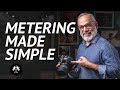
03:00 box is drawn on screen


15 MIN FULL BODY HIIT WORKOUT
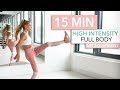
Countdown timer


Plyometrics Workout Video

The progress bar on the top of the screen


I have seen some videos on YouTube but they were very tedious. I can’t imagine doing a video with twenty or so such animations as taught in those videos. I feel there must be a software that lets you do that.

I’ve seen in a comments another person asking similar questions, and the answer was Adobe After Effects. I figured an equivalent would be Vegas Effects, but in watching a few videos it doesn’t seem to show what this program actually does.


Hope for the collective wisdom here to guide me. Many thanks in advance!
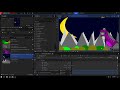


Comments

fred-w wrote on 5/21/2020, 11:36 AM

Go to FXHome and look at Hitfilm Pro; Vegas Effects is simply rebranded (and maybe better integrated?) Hitfilm Pro. Plenty of Youtube tutorials as well.


There is a Hiflim Exress (free version) and it can animate as well.

GFM wrote on 5/29/2020, 9:17 PM

Thanks Fred! Now I understand why there aren't any tutorials for Vegas Effects! Hitfilm shows many more hits, so I'll look through those. Best wishes!

fr0sty wrote on 5/29/2020, 11:53 PM

The hitfilm tutorials work for VE as well, as they're very much the same app, but as mentioned above, there is tighter integration between VE and Vegas Pro.

Systems:

Desktop

AMD Ryzen 7 1800x 8 core 16 thread at stock speed

64GB 3000mhz DDR4

Geforce RTX 3090

Windows 10

Laptop:

ASUS Zenbook Pro Duo 32GB (9980HK CPU, RTX 2060 GPU, dual 4K touch screens, main one OLED HDR)