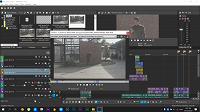
Any way I can downgrade the preview quality in Trimmer window? VP17

alifftudm95 wrote on 3/3/2020, 7:09 AM

My issues regarding with HEVC codec is kinda resolve from my previous Thread .

Anyway, thats not the point. The point here is about the trimmer window.

I dont usually use the trimmer window. But now I feel the need of it when it come to editing this project as I'm not involved during Pre Production & production, so I can't get a better picture how this MV story all goes with bunch of clips to choose from.

Playing back the video at preview quality after proxy, the video play very smoothly in my timeline. Except for the trimmer windows. I don't see any buttons to downgraded the preview quality in the trimmer. The playback is extremely laggy.
 

Editor and Colorist (Kinda) from Malaysia

MYPOST Member

Laptop

MacBook Pro M4 Max

16 Core CPU and 40 Core GPU

64GB Memory

2TB Internal SSD Storage

Anti-Glare 4K HDR Screen


PC DEKSTOP

CPU: Ryzen 9 5900x

GPU: RTX3090 24GB

RAM: 64GB 3200MHZ

MOBO: X570-E

Storage:

C DRIVE NVME M.2 1TB SSD GEN 4

D DRIVE NVME M.2 2TB SSD GEN 4

E DRIVE SATA SSD 2TB

F DRIVE SATA SSD 2TB

G DRIVE HDD 1TB

Monitor: Asus ProArt PA279CV 4K HDR (Bought on 30 August 2023)

Monitor: BenQ PD2700U 4K HDR (RIP on 30 August 2023)


Comments

Kinvermark wrote on 3/3/2020, 9:34 AM

This can be a problem for me too. AFAIK there is no way to lower the trimmer preview quality to get smoother scrubbing. Less compressed codecs like cineform and Grass Valley HQX are much better, but may still not be enough. You may have to use a 1080p proxy.

Hopefully someone can prove me wrong!

PS IIRC Vegas' internal proxy system does not help either

alifftudm95 wrote on 3/3/2020, 10:27 AM

This can be a problem for me too. AFAIK there is no way to lower the trimmer preview quality to get smoother scrubbing. Less compressed codecs like cineform and Grass Valley HQX are much better, but may still not be enough. You may have to use a 1080p proxy.

Hopefully someone can prove me wrong!

PS IIRC Vegas' internal proxy system does not help either

Still a very long way to go for VEGAS to keep up with Premiere

Editor and Colorist (Kinda) from Malaysia

MYPOST Member

Laptop

MacBook Pro M4 Max

16 Core CPU and 40 Core GPU

64GB Memory

2TB Internal SSD Storage

Anti-Glare 4K HDR Screen


PC DEKSTOP

CPU: Ryzen 9 5900x

GPU: RTX3090 24GB

RAM: 64GB 3200MHZ

MOBO: X570-E

Storage:

C DRIVE NVME M.2 1TB SSD GEN 4

D DRIVE NVME M.2 2TB SSD GEN 4

E DRIVE SATA SSD 2TB

F DRIVE SATA SSD 2TB

G DRIVE HDD 1TB

Monitor: Asus ProArt PA279CV 4K HDR (Bought on 30 August 2023)

Monitor: BenQ PD2700U 4K HDR (RIP on 30 August 2023)


Kinvermark wrote on 3/3/2020, 12:24 PM

There are some fundamentals missing that I feel should have been dealt with by now. Allowing for smooth operation of the trimmer, timeline caching, and responsive/stable thumbnails are some. These are roadblock issues without workarounds.