
How can I achieve the effects shown in this video with vegas 11 pro? Here is a youtube video and the basically I'm trying to achieve the color effects shown at 1:40 and 1:50 locations. These same colors are repeated throughout . Can this be done in vegas or does this need to be done in Hitfilm, which I also have but can't achieve this effect.
http://hitfilm.com/movies/view/53fe01c45438e
Also, here is short example video where the foreground is very desaturated but they still accomplished getting some great color in the back ground. I know the video advertises a download link to the veg file but it only downloads a title text. Anyone know what effect and starter settings to get me in the ballpark
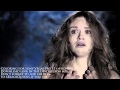
Lastly, can someone point me in a direction for vegas coloring tutorials dedicated to creating an effect rather than perfect color. So far all of my searches result in seeing other peoples work but no information as to how it's accomplished.
Thanks All
http://hitfilm.com/movies/view/53fe01c45438e
Also, here is short example video where the foreground is very desaturated but they still accomplished getting some great color in the back ground. I know the video advertises a download link to the veg file but it only downloads a title text. Anyone know what effect and starter settings to get me in the ballpark
Lastly, can someone point me in a direction for vegas coloring tutorials dedicated to creating an effect rather than perfect color. So far all of my searches result in seeing other peoples work but no information as to how it's accomplished.
Thanks All