
If you double click on the end of the video event it will turn the whole preview into split screen/track. Most people found it annoying and useless.
I really thought the split side by side preview from track A & B would be useful for color grading process so you can match ur color and exposures value from different angles/cutting point.
But whenever adjustments I’ve made (Adding FX to either Track A or B ) there is no any affects through the preview window. It displayed as the original clip.
The actual use of these Split Track is to do "Roll edit point" base on this old tutorial video 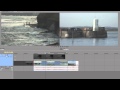
Honestly, It's much faster to cut directly into the video itself. And I remember the first and end point of the video. I can precisely go to through frame by frame just using arrow key on keyboard.
Why not make it into double preview mode for color grading? This kind of features can be found on Pr & Davinci for u to compare clip A & B side by side.