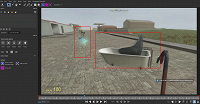
Ghosting (resampling) effect while working with masks in mocha

Hellforag13 wrote on 2/1/2026, 12:21 PM


I got Vegas Pro 18 and Sony Vegas Pro 13. I was trying to mask some objects and noticed that even if i disable resampling in vegas pro, set the right framerate, i get that ugly ghosting effect on the clip which confuses some masking tools and irritates my eyes. does anyone know how to fix it? maybe theres some option? thanks in advance
specs: GTX 1080 TI, i5-13400F, 32GB DDR4 RAM, Windows 10

Comments

zzzzzz9125 wrote on 2/1/2026, 12:55 PM

@Hellforag13 Actually, this is not resampling. It's interlaced scanning. You can search on YouTube for the history of interlaced scanning and its differences from the more commonly used progressive scanning today. In short, if you are only publishing your work on online platforms like YouTube, TikTok, etc., you should avoid using interlaced scanning. If you encounter any video footage with interlaced scanning, you should first convert it to progressive scanning using a proper deinterlacing method.

In VEGAS Pro, under the project properties section, you're allowed to choose the field order for the project, which you need to set to none. For render templates, you should also select progressive scanning (1080p) instead of interlaced scanning (1080i).