
I just did my first YouTube project...
"Let's Play Drums" First Drum Solo in 27 years
Please review it at...
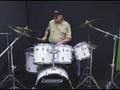
I would appriceate any comments and suggestions on how to improve the video quality on YouTube.
We are still using Vegas 5.0 and used the 13 steps & settings below... as taken from the tutorial at...

1 - Click File | Render As
2 - Select - Render as a wmv file
3 - Click Template & select 1 mbps
4 - Then select 'custom' to the right
5 - Then select "video Rendering Quality" as 'Best'
6 - Then click 'Audio' tab at bottom and click on 'Atributes'
7 - and select 128 kbps 44 khz
8- Next click on the 'Video' tab at the bottom
9 - and make sure 'frame rate' is set to 30
10- and image size is set to 'Animation 320 x 240'
11- Video Smoothness at bottom should be set to 100 for the sharpest
12- bit rate should be at 1M = best for Youtube
13- Save & it will render
We need to make the software we have now work as good as we can as we can't upgrade to the new Vegas right now.
Thanks for any comments or suggestions.
"Let's Play Drums" First Drum Solo in 27 years
Please review it at...
I would appriceate any comments and suggestions on how to improve the video quality on YouTube.
We are still using Vegas 5.0 and used the 13 steps & settings below... as taken from the tutorial at...
1 - Click File | Render As
2 - Select - Render as a wmv file
3 - Click Template & select 1 mbps
4 - Then select 'custom' to the right
5 - Then select "video Rendering Quality" as 'Best'
6 - Then click 'Audio' tab at bottom and click on 'Atributes'
7 - and select 128 kbps 44 khz
8- Next click on the 'Video' tab at the bottom
9 - and make sure 'frame rate' is set to 30
10- and image size is set to 'Animation 320 x 240'
11- Video Smoothness at bottom should be set to 100 for the sharpest
12- bit rate should be at 1M = best for Youtube
13- Save & it will render
We need to make the software we have now work as good as we can as we can't upgrade to the new Vegas right now.
Thanks for any comments or suggestions.