Just upgraded / installed VP 22. Need help with scope install perm.

Thomas-Monks wrote on 11/18/2025, 7:55 PM

Greetings, Just upgraded VP22 today. Previously I was able to permanently install waveform / vectorscope combo, full height, next to the preview monitor. I just did this and it reacted differently. It put the combo scope in the upper half of the screen (above project medis) as oppoed to on the right side, full height of the project media screen...

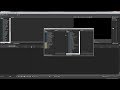
HELP :-)

Thanks,

Tom

Comments

Reyfox wrote on 11/19/2025, 10:55 AM

You mean like this?

What you have to do is take the Video Scopes tab and use left mouse and Ctril to undock and move it to where you want to dock the scopes.

Watch this video:

Newbie😁

Vegas Pro 23 B302 (VP18-22 also installed)

Win 11 Pro 23H2 (Build 22631.6199)

AMD Ryzen 9 5950X 16 cores / 32 threads

64GB DDR4 3200 Patriot Viper

Sapphire RX6700XT 12GB Driver: 25.12.1

Gigabyte X570 Elite Motherboard

Panasonic G9, G7, FZ300

Boris FX Continuum Complete 2026, Newblue FX Total FX360, Ignite Pro V5, proDAD Vitascene V5 Pro and Mercalli V6 OFX