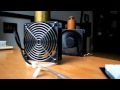
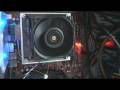
Not Vegas related but wanna share

Comments

wwjd wrote on 11/12/2013, 12:31 PM
is there a place that documents the SAFEST/highest settings for the CPUs? And maybe HOW to overclock?
BruceUSA wrote on 11/12/2013, 12:46 PM
wwjd,

Base on what I 've read on internet and few other forums. I am specifically talking about 3930K only, because other cpu maybe different. I can't find any reports that people burning up their cpu 3930K under 1.5V. I have mine at 1.4V. If you are running 1.5V + (5Ghz +) your cpu will degrade over time. If you are running your cpu at 1.7V, your cpu will die. This quote I read it somewhere but I can't find it. You can find a lot tutorial on youtube or you can join the Overclocker forum. I've learnt a lot about overclocking over there as well.

CPU:  i9 Core Ultra 285K OCed @5.6Ghz  
MBO: MSI Z890 MEG ACE Gaming Wifi 7 10G Super Lan, thunderbolt 4
RAM: 48GB RGB DDR5 8200mhz
GPU: NVidia RTX 5080 16GB Triple fan OCed 3100mhz, Bandwidth 1152 GB/s     
NVMe: 2TB T705 Gen5 OS, 4TB Gen4 storage
MSI PSU 1250W. OS: Windows 11 Pro. Custom built hard tube watercooling


skeeter123 wrote on 11/12/2013, 12:53 PM
Rendering "18 minute AVC test" now. MC - Internet HD 1080 30p template..
NB...my source is 1920 X 1080 60p. Will also run one with 60i source...

@wwjd: Overclocking is quite fun, but it can have bad results. I suggest reading (Google-ing) Overclocking CPU...there is a ton of info out there. Read and assimilate all the stuff that pertains to your CPU/Motherboard and ENTIRE system...

If you have a stock cooling solution (fan) you may not be able to OC much at all..

Your Motherboard maker may have some built-in OC settings/controls in it's BIOS. PLEASE PROCEED WITH CAUTION! Don't worry with voltage setting yet...

Cheers!
OldSmoke wrote on 11/12/2013, 12:54 PM
Overclocking is very depending on your motherboard, cooling, CPU and a "science" by itself. Most recent MBs however have very easy to use overclocking features. ASUS has the AiTweaker that does it all for you with just one click and I am sure other brands have similar features too. These automated features get you usually very good results. I used it on my 2600K and got stable 4.3GHz literally with one click. A real overclocker can get much more out of it, 4.5-4.8 are the top numbers for daily computing. Then there are those going for "records" and use liquid nitrogen to push a 2600K up to 5.5GHz.
Anyway, search the net for your motherboard and cpu; there are plenty of forums around providing good information.

Most important, always monitor your CPU temperature!

Proud owner of Sony Vegas Pro 7, 8, 9, 10, 11, 12 & 13 and now Magix VP15&16.

System Spec.:
Motherboard: ASUS X299 Prime-A

Ram: G.Skill 4x8GB DDR4 2666 XMP

CPU: i7-9800x @ 4.6GHz (custom water cooling system)
GPU: 1x AMD Vega Pro Frontier Edition (water cooled)
Hard drives: System Samsung 970Pro NVME, AV-Projects 1TB (4x Intel P7600 512GB VROC), 4x 2.5" Hotswap bays, 1x 3.5" Hotswap Bay, 1x LG BluRay Burner

PSU: Corsair 1200W
Monitor: 2x Dell Ultrasharp U2713HM (2560x1440)

BruceUSA wrote on 11/12/2013, 1:11 PM
I tried Asus AI suite Turbo Evo and I did not like it. It OC my cpu to 4.3Gz and it down clock my ram from 1866mhz to like 1200mhz . No thanks. OC 4.2-4.5Ghz is faily easy to accomplish. From 4.6Ghz and up can be difficult. Changing the multiply is easy part. But getiing it running solid is another story. I gotta say. I 've spent more than 10 hrs to oc my 4.6Ghz to get it running good. I tried everthing and everything. You can burnning up your few hrs very quick and your not realizing it. As you do often, you know your way around, and of course, your time spent will be reduced.

CPU:  i9 Core Ultra 285K OCed @5.6Ghz  
MBO: MSI Z890 MEG ACE Gaming Wifi 7 10G Super Lan, thunderbolt 4
RAM: 48GB RGB DDR5 8200mhz
GPU: NVidia RTX 5080 16GB Triple fan OCed 3100mhz, Bandwidth 1152 GB/s     
NVMe: 2TB T705 Gen5 OS, 4TB Gen4 storage
MSI PSU 1250W. OS: Windows 11 Pro. Custom built hard tube watercooling


skeeter123 wrote on 11/12/2013, 3:05 PM
My "18 Minute" test isdone: (MC AVC 1080 30p template -- GPU on/CUDA enabled)

60p source: 13:09 CPU/GPU load -- 60/70
60i source: 8:18 CPU/GPU load -- 60/85 << interesting

In case anyone is interested, I accidentally ran the 60p source test in 32bit mode which took 32:04..

..sk

EDIT:

I don't recommend using any Windows based OC programs. BIOS is always best.
OldSmoke wrote on 11/12/2013, 4:27 PM
AiTweaker is bios based.

Proud owner of Sony Vegas Pro 7, 8, 9, 10, 11, 12 & 13 and now Magix VP15&16.

System Spec.:
Motherboard: ASUS X299 Prime-A

Ram: G.Skill 4x8GB DDR4 2666 XMP

CPU: i7-9800x @ 4.6GHz (custom water cooling system)
GPU: 1x AMD Vega Pro Frontier Edition (water cooled)
Hard drives: System Samsung 970Pro NVME, AV-Projects 1TB (4x Intel P7600 512GB VROC), 4x 2.5" Hotswap bays, 1x 3.5" Hotswap Bay, 1x LG BluRay Burner

PSU: Corsair 1200W
Monitor: 2x Dell Ultrasharp U2713HM (2560x1440)

BruceUSA wrote on 11/12/2013, 4:33 PM
Skeeter,

Yeah you got a very intersting results. Your GPU/CPU usage is very close to each other. Mine gpu usage start 92% and stay solid all the way to finish. But cpu is only15% usage.

I find it very interesting regards to how much GPU usage is base on what FX I used on the timeline. On my system gpu usage always in the 90+ % render with out FX on it. My gpu usage is also very good in the 80-90% usage with FX (Newblu FX). BCC7 FX on the timeline, my GPU usage is vary from 42-55%.

CPU:  i9 Core Ultra 285K OCed @5.6Ghz  
MBO: MSI Z890 MEG ACE Gaming Wifi 7 10G Super Lan, thunderbolt 4
RAM: 48GB RGB DDR5 8200mhz
GPU: NVidia RTX 5080 16GB Triple fan OCed 3100mhz, Bandwidth 1152 GB/s     
NVMe: 2TB T705 Gen5 OS, 4TB Gen4 storage
MSI PSU 1250W. OS: Windows 11 Pro. Custom built hard tube watercooling


skeeter123 wrote on 11/12/2013, 9:12 PM
Should be even more interesting when the R9 290 has at it. I wonder if they include earplugs....hmmm

BruceUSA wrote on 11/12/2013, 9:24 PM
Nah... I am sure the r9 290 will be loud in full speed. But I do not believe at full speed that r9 290 will be louder than mine delta fan at full speed 5500rpm . In idling my Delta fan is set at 2400rpm is perfectly fine, not bothering me. But man, when I do stress test or rendering video with cpu only the processor is loading to full speed and my fan is also loading up to nearly full speed 5018rpm, than that is loud. But it ain that bad. But most of the time the hovering between 2400-3600rpm. some cool sound. But if I run it at constant full 5000+ rpm, than that would be insanely loud.


Check out this video. That is the same fan I got. I got 3 of this bad boys. The video you are watching is a non pwm fan. It is a constant full speed. Where mine are pwm, variable speed base on heat. So, the noise is not any where near to the one you saw on the youtube video. None PWM are much louder.

CPU:  i9 Core Ultra 285K OCed @5.6Ghz  
MBO: MSI Z890 MEG ACE Gaming Wifi 7 10G Super Lan, thunderbolt 4
RAM: 48GB RGB DDR5 8200mhz
GPU: NVidia RTX 5080 16GB Triple fan OCed 3100mhz, Bandwidth 1152 GB/s     
NVMe: 2TB T705 Gen5 OS, 4TB Gen4 storage
MSI PSU 1250W. OS: Windows 11 Pro. Custom built hard tube watercooling


BruceUSA wrote on 11/13/2013, 9:38 AM
mine fan sound is much like this one but mine fan are higher speed and cfm rating. This video show here is a pwm version delta fan. As you can see, the sound , nosie is not at constant full speed. But it still loud. Just not as loud like the none pwm version.


CPU:  i9 Core Ultra 285K OCed @5.6Ghz  
MBO: MSI Z890 MEG ACE Gaming Wifi 7 10G Super Lan, thunderbolt 4
RAM: 48GB RGB DDR5 8200mhz
GPU: NVidia RTX 5080 16GB Triple fan OCed 3100mhz, Bandwidth 1152 GB/s     
NVMe: 2TB T705 Gen5 OS, 4TB Gen4 storage
MSI PSU 1250W. OS: Windows 11 Pro. Custom built hard tube watercooling


Hulk wrote on 11/13/2013, 9:53 AM
I'm curious to know what output format you guys generally use for most of your projects? I realize it varies depending on where the video is going but what formats do you find yourself using on a day-to-day basis?
BruceUSA wrote on 11/13/2013, 11:13 AM
Hulk,

My workflow is this. Edited, color corrected, unsharp mask, neat video noise removal, etc. I render out to Cineform, (Neoscense) so that would be my master file. From there I can output to what ever format I want. You don't want to go back to the timeline for rendering different format everytime because rendering with all different FX etc taking time consuming. I also like Matrox codec, Canopus HQX codec (free) is very good and fast. I 've used it as well. Cineform codec can withstand many generation without degradation. For Web, from Cineform to Avid DNxHD codec, > to Handbrake> output to web.

CPU:  i9 Core Ultra 285K OCed @5.6Ghz  
MBO: MSI Z890 MEG ACE Gaming Wifi 7 10G Super Lan, thunderbolt 4
RAM: 48GB RGB DDR5 8200mhz
GPU: NVidia RTX 5080 16GB Triple fan OCed 3100mhz, Bandwidth 1152 GB/s     
NVMe: 2TB T705 Gen5 OS, 4TB Gen4 storage
MSI PSU 1250W. OS: Windows 11 Pro. Custom built hard tube watercooling


bill-kranz wrote on 11/13/2013, 11:18 AM
Dear Bruce et all:
I found a site that sells the Delta PWM fans and the one talked about below is $39.99. is that one that could work for a new system I am building out?

The site is called frozencpu.

http://www.frozencpu.com/products/9321/fan-581/Delta_120_x_38mm_Ultra_High-Speed_PWM_Fan_-_21038_CFM_QFR1212GHE-PWM.html?tl=c435s1109b113&id=C6GGeFsy

Site data... "The Delta 120 x 38mm Ultra High-Speed PWM Fan is simply the fastest PWM fan around. An astounding 6000RPMs generates a 210+ CFM. With this kind of cooling power ANYTHING is possible. Controlled by a PWM 4-Pin fan connector ensures this fan will only run at the speed needed for your needs. By connecting this fan to your motherboard PWM header the bios will keep everything under control with plenty of room to spare for those system crushing application and overclocker enthusiasts..."

For my 770GTX Graphics card from EVGA I am looking at a full cover block water cooler from EKWB. Has anybody tried this type of cooler? Here is some data:

"Full Cover Blocks
The Full Cover blocks are designed for the die-hard enthusiasts that seek an all-in-one cooling solution for their graphics card. The main advantage is that all heat generating components on the graphics card that need cooling are being cooled by a single cooling unit - a Full Cover water block.

The base of the block is made of SE CU electrolytic copper. The Full Cover water blocks cooling engine uses a narrow microchannel fin design for maximum cooling performance required by the enormous heat generated by modern day graphics processing units. All EK Full Cover water blocks are engineered with high flow rates in mind as well. The low pressure drop of EK Full Cover water blocks ensures great cooling performance even when low power water pumps are employed.

We recommend 1/2" (12mm) ID tubing or 3/8" (10mm) ID tubing."

Here are some of the key parts I have bought with prices:

INTEL 3770K CHIP - 256.00
WD EXTERNAL HARD DRIVE 500GB - 89.00
ASROCK MOBO Z77 EXTREME 4 1155 INTEL Z77 - 83.00
GRAPHICS CARD EVGA 770 GTX - 420.00
CYBERPOWER UPS 1400 WATT - 140.00
G.SKILLS F3 DDR3 - 2400 C 10 D 240 PIN RAM - 16GB - 175.00
SAMSUNG EXTERNAL BLU RAY/DVD BURNER - 130.00

My main cooling concern is that I have lost the use of a large window 220 V AC unit on a third floor brick residential building in St. Louis, MO. I have burned up 2 8800 GTX graphics card on a older XP system. But the AMD chip is holding it's own for now! So, I want to replace the fans on that system and that is why I appreciate this OT conversation.

Thanks,
Bill
BruceUSA wrote on 11/13/2013, 11:26 AM
Bill,

I got my Delta fan from Amazon for $34.99 each, I bought 3 of them. My are 5500rpm @252cfm each 120x38mm PWM. I used 2 sandwich the heatsink and used 1 for the exhaust. of the full tower.


ps. I repeat, you do not want to connect the high power delta fan directly to your motherboard. It will fried your mb. It needs power from the psu and the pwm and rpm, ground, are connect to motherboard header only.

CPU:  i9 Core Ultra 285K OCed @5.6Ghz  
MBO: MSI Z890 MEG ACE Gaming Wifi 7 10G Super Lan, thunderbolt 4
RAM: 48GB RGB DDR5 8200mhz
GPU: NVidia RTX 5080 16GB Triple fan OCed 3100mhz, Bandwidth 1152 GB/s     
NVMe: 2TB T705 Gen5 OS, 4TB Gen4 storage
MSI PSU 1250W. OS: Windows 11 Pro. Custom built hard tube watercooling


bill-kranz wrote on 11/13/2013, 11:38 AM
Bruce:

Hi.
Thanks, looks like I'm getting in the right ballpark and I will explore the Amazon/EBAY prices.
I'm sure the older Antec 900 case I will be reusing with a 850 Watts power supply did not employ fans like these.
I will bring this up with the Technician who will be building out my new PC.
I do have a option to replace the large AC that is unstable with a 120V smaller system and that would blow directly on the side of the PC from about 14 inches away...

Thx,
Bill
BruceUSA wrote on 11/13/2013, 11:41 AM
your 850w psu should have plentiful 12v for your delta fan connection. A side from that. trust me, you don't need any other fans blowing on the side panel. A single Delta fan 252cfm exhaust fan will removed all warm air inside the tower, no problem. .

CPU:  i9 Core Ultra 285K OCed @5.6Ghz  
MBO: MSI Z890 MEG ACE Gaming Wifi 7 10G Super Lan, thunderbolt 4
RAM: 48GB RGB DDR5 8200mhz
GPU: NVidia RTX 5080 16GB Triple fan OCed 3100mhz, Bandwidth 1152 GB/s     
NVMe: 2TB T705 Gen5 OS, 4TB Gen4 storage
MSI PSU 1250W. OS: Windows 11 Pro. Custom built hard tube watercooling


skeeter123 wrote on 11/13/2013, 11:44 AM
Howdy, Hulk!

My output format is usually 1920X1080 60p AVC/mp4 and stills from like source. Generally GoPro 1080p and RX100 MK II source...

..


BruceUSA wrote on 11/28/2013, 5:47 PM
My Noctua NH_D14 could not cooled down my 3930K 4.8Ghz.. I went with custom water cooling. And I nailed it @5Ghz and I ran Prime95 and Sony Vegas benchmark Project. Its plain awesome. I ran CPU ONLY. it is finished rendering MainConcept AVC @ 57 second, that is pure computing power. Before this, I did it in 120 second @4.6Ghz on Hulk Benchmark Project a few weeks ago.

At 5Ghz, idling @32c and maximun load temp @73c. I love it.

CPU:  i9 Core Ultra 285K OCed @5.6Ghz  
MBO: MSI Z890 MEG ACE Gaming Wifi 7 10G Super Lan, thunderbolt 4
RAM: 48GB RGB DDR5 8200mhz
GPU: NVidia RTX 5080 16GB Triple fan OCed 3100mhz, Bandwidth 1152 GB/s     
NVMe: 2TB T705 Gen5 OS, 4TB Gen4 storage
MSI PSU 1250W. OS: Windows 11 Pro. Custom built hard tube watercooling


BruceUSA wrote on 11/28/2013, 6:27 PM
I just redo the benchmark test here the the results

Rendering @ 4.6Ghz
MC AVC GPU 43 seconds
XDCAM EX GPU 41 seconds
AMD XFX HD 6970 GPU ON
CPU ONLY 120 Seconds

Rendering @ 5Ghz
MC AVC 37 seconds
XDCAM EX 35 seconds
AMD XFX HD 6970 GPU ON
CPU ONLY 57 seconds > I did not restart the PC before the test.
After the restart the PC it is 103 seconds


As you can clearly see. Even with the same video card. The more powerful CPU increased rendering performance.


@Hulk,

Can you please add this results in your benchmark project?


Correction>>> I did not restart the computer before running the CPU ONLY test. After the restart the PC it is 103 seconds.

CPU:  i9 Core Ultra 285K OCed @5.6Ghz  
MBO: MSI Z890 MEG ACE Gaming Wifi 7 10G Super Lan, thunderbolt 4
RAM: 48GB RGB DDR5 8200mhz
GPU: NVidia RTX 5080 16GB Triple fan OCed 3100mhz, Bandwidth 1152 GB/s     
NVMe: 2TB T705 Gen5 OS, 4TB Gen4 storage
MSI PSU 1250W. OS: Windows 11 Pro. Custom built hard tube watercooling


BruceUSA wrote on 1/19/2014, 10:26 AM
testing posting image. on the forum setting, I checked box
"Show images and videos in forum messages"
but image still not showing up here. link is working.


XDCAM rendering and Mainconcept avc


https://www.dropbox.com/s/ivnf577leh5qfk2/MC%20Avc%20benchmark%20rendering.jpg

https://www.dropbox.com/s/6zfs91fpvz4ype6/xdcam%20benchmark%20rendering.jpg


Sony Vegas Benchmark on VP11 and VP12 I am getting about the same rendering performance. The above 2 links are VP12


https://dl-web.dropbox.com/get/VP11%20benchmark%20MC%20AVC.jpg?_subject_uid=258671110&w=AABu0PZvjT17Qt9sc6QV2Sl4qBtPexROrqzoAnX8uWPbwg

CPU:  i9 Core Ultra 285K OCed @5.6Ghz  
MBO: MSI Z890 MEG ACE Gaming Wifi 7 10G Super Lan, thunderbolt 4
RAM: 48GB RGB DDR5 8200mhz
GPU: NVidia RTX 5080 16GB Triple fan OCed 3100mhz, Bandwidth 1152 GB/s     
NVMe: 2TB T705 Gen5 OS, 4TB Gen4 storage
MSI PSU 1250W. OS: Windows 11 Pro. Custom built hard tube watercooling