Preview Screen freezing, while external monitor continues to play VP16

don-c wrote on 9/1/2018, 12:43 PM

Just installed Vegas pro 16
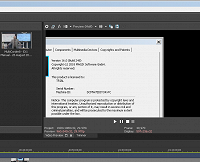
While editing, My Preview screen in the Vegas Pro 16 interface freezes, yet my external monitor continues playing fine. Then it goes black and external continues fine, All adjustments in preview still work but screen is black. Then if I open an FX or some other window and that window covers the preview screen (in the interface) and then close the FX window, the preview screen holds the portion of the FX screen image???? Yet my external monitor works fine? Must be a bug in 16?

If I turn off the external preview the interface preview screen does not come back, I have to close program to get it back?

Video card AMD R9 290

Comments

BruceUSA wrote on 9/1/2018, 11:19 PM

My external monitor works fine here in VP16.

CPU:  i9 Core Ultra 285K OCed @5.6Ghz  
MBO: MSI Z890 MEG ACE Gaming Wifi 7 10G Super Lan, thunderbolt 4
RAM: 48GB RGB DDR5 8200mhz
GPU: NVidia RTX 5080 16GB Triple fan OCed 3100mhz, Bandwidth 1152 GB/s     
NVMe: 2TB T705 Gen5 OS, 4TB Gen4 storage
MSI PSU 1250W. OS: Windows 11 Pro. Custom built hard tube watercooling


Kinvermark wrote on 9/1/2018, 11:59 PM

I also have AMD r9 290, but cannot replicate the problem. Do you have latest drivers? Otherwise, going to need a lot of specific details to solve. Just open a support case.

AVsupport wrote on 9/3/2018, 5:08 AM

Are you driving the 2 monitors from the same card?

my current Win10/64 system (latest drivers, water cooled) :

Intel Coffee Lake i5 Hexacore (unlocked, but not overclocked) 4.0 GHz on Z370 chipset board,

32GB (4x8GB Corsair Dual Channel DDR4-2133) XMP-3000 RAM,

Intel 600series 512GB M.2 SSD system drive running Win10/64 home automatic driver updates,

Crucial BX500 1TB EDIT 3D NAND SATA 2.5-inch SSD

2x 4TB 7200RPM NAS HGST data drive,

Intel HD630 iGPU - currently disabled in Bios,

nVidia GTX1060 6GB, always on latest [creator] drivers. nVidia HW acceleration enabled.

main screen 4K/50p 1ms scaled @175%, second screen 1920x1080/50p 1ms.