Vegas needs something like...

[r]Evolution wrote on 9/19/2007, 5:51 PM
...this:
http://www.ulead.com/msp/free.htm
- I would LOVE to see some professional looking TEMPLATES such as these in the Pro Titler. You know... something that would make it super quick & easy to make Bumpers, Stingers, Intros, etc. Just open a Template... Personalize it... be done!

and, there is also:
Apple + LiveType = Awesome! (LiveFonts & Templates = Wow Factor)
Avid + Marquee = Pretty Impressive
Adobe + Adobe Title Designer = Nice assortment of Presets

Thanks for the Pro Titler... but I still feel it's lacking when compared to the other options offered by other companies. Give it to us Sony. Yeah... give it to us good!

Somebody please release some type of video demonstrating the power of Pro Titler as I'm yet to be impressed.

(I know, I know... if I don't like it... use something else.)
Actually, I do tend to use something else for my titles... Boris RED or Pro Animator. If Pro Titler could do what these guys do... I would stick my foot in my mouth and eat it.
(of course, the price would go up... but it would be worth it)
Comments

farss wrote on 9/19/2007, 6:31 PM
I take my hat off to the guy who wrote Proanimator.
From what he has to say he simply got fed up with how hard the task was to do in everything that was on offer so he made something that was simply easy to use. Bravo for him and it does seem very simply to use.
For me the one single best feature in Protype is the output looks better. Nothing screams rank amateur more than doing something if it doesn't look right. I'm way more impressed by white text on a black background that's designed by a graphic artist that's rendered correctly for video. No tool is ever going to make me a graphic artist so I generally stick to the KISS principal or ask the cleints graphics dept. to supply the stuff for me.
That my KISSed output will now look as pro as it can meets my needs 101%. For those who have the skills to design animated text that doesn't look like a bad acid trip there was always good tools out there. I don't have a problem with you getting them in Vegas either but from what I can see designing an easy to use interface for this task is never going to be trivial and try as hard as the codesmiths might it's always going to have a learning curve.

I should mention also (again), Protype is so far the only such tool that I've found that renders optically correct motion blur. This to me is a HUGE feature. Deserves more prominance.

Bob.
TheHappyFriar wrote on 9/19/2007, 6:34 PM
those are pretty cool. But, honestly, I most likely wouldn't pay extra for it. I've done stuff like that in a short time when I worked in TV. In premiere (ughhhhh) & vegas (zippy do da!). The one worth it imho is the one with all the little flippy planes. That's kinda tough to pull off but the rest look like stock footage with your image in there.
ushere wrote on 9/19/2007, 7:27 PM
where are the pt presets and custom moves stored?

in what format?

leslie

(wondering whether, in the future, we can exchange presets?)
Coursedesign wrote on 9/19/2007, 8:15 PM
Digital Juice still has Zaxwerks ProAnimator at 50% off, while their allocation lasts.

This is the Standalone version and AE plug-in combo.

Hard to beat for what it does.
TheHappyFriar wrote on 9/19/2007, 9:07 PM
the rest look like stock footage with your image in there

UPN provided the slate & we put it infront of the promo. should of said that.

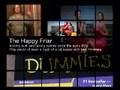
i did that cube tile-thinggy, all in vegas 8:


what do ya think? It REALLY would of been easier if I a) had a preview monitor & b) had a second monitor to put other windows on.
DGates wrote on 9/19/2007, 9:30 PM
Somebody please release some type of video demonstrating the power of Pro Titler as I'm yet to be impressed.

And yet you are impressed with hokey templates?

GlennChan wrote on 9/19/2007, 10:47 PM


Bob, how do you do that in Vegas' ProType titler? (Is it with the envelopes at the video master bus level?)
[r]Evolution wrote on 9/19/2007, 10:51 PM
DGates:
No, I'm not impressed with Hokey templates. (I'm curious as to what you're calling hokey templates and I ask you to look at LiveType. They are not hokey but very professional and quick to personalize.) But I am impressed by what TheHappyFriar did. I can only imagine how much time it took him to get it that way. Time that I normally do not have. A deadline, another project, a meeting, and usually some other unexpected thing waits just around the corner.

When I say 'Templates', something like what TheHappyFriar posted is what I mean. I would like to be able to open a Titler and have a Template such as the one TheHappyFriar did & personalize it.

Apple has awesome Templates & Dropzones w/motion. Same thing with their DVD Apps. I would love to see Sony go that route. (Not trying to start a Mac/PC argument.)

Seems like when people try to build their own, that's when it really looks unprofessional... They are not designers so they have the colors, fonts, and everything off. By shipping Templates it makes the users look and seem more professional. Things that come from that NLE tend to look more professional so others start to thinking that you need that App to be professional. (ie: Apple & FCP)

Sony has the best NLE but I feel they are behind in the Creative Side. I guess I'm just more into the New Age/New School look so I guess I'll just continue to use the other Apps for Titling until Pro Type is up to par with them.
farss wrote on 9/20/2007, 1:06 AM
Glenn,
just look at the text when it's moving.
I just used one of the bog standard templates and looked at the result frame by frame. By "optically correct" I mean how motion looks when captured by the open shutter on a camera.
Protype has a shot at it but what it does is the same as Vegas's motion blur, takes frames before and/or after the current frame and composites them together (the before / after bit is determined by the type of MB you specify in the project setting). Vegas does have Supersampling which goes one step further and creates tweened frames however this is still not the same as the real deal.

I haven't tested Protype extensively and the blur did seem to have one oddity, it seemed to only be applied when the text moved vertically, which even if it has only that is a big step forward as it stops line twitter on interlaced displays as the text moves.

Bob.
farss wrote on 9/20/2007, 3:34 AM
Take it ALL back, what a dunce.
One of the collections uses vertical gaussian blur to emulate motion blur.
Dumb Bob, plain dumb.
And to think it's a trick I've used to get the correct look of MB myself.
Then again if it'll fool me, maybe it'll fool anybody?

Bob.
TheHappyFriar wrote on 9/20/2007, 6:18 AM
I can only imagine how much time it took him to get it that way

Total: 2.5 hours from idea to posting to board. .5 hours trying to get the video from ulead on my machine to look at bigger then thumbnail size. .5 hours trying to figure out why VP8 let me rotate 0-360 once but every other time re-set 360 to 0. 1 hour wasted tweaking because I had no preview monitor/second monitor so I couldn't actually see what it looked like till rendered. mine should be pretty customizable too. There's two veg files, each based off media rendered from the first one. I could set it up to be used as a veg in a veg but didn't want to mess with that (never did it before).
FrigidNDEditing wrote on 9/20/2007, 7:08 AM
"Seems like when people try to build their own, that's when it really looks unprofessional..."

This statement is actually quite inaccurate. The BEST stuff is done from the ground up, and things that everyone can do, is the stuff that becomes hokey templates (no matter how good it looks) because the "cooler" it is, the more people want to use it and if everyone can do it, then it just becomes.... you guessed it... hokey.

Just my .02

Dave
TeetimeNC wrote on 9/20/2007, 10:58 AM
Here a "template" I made in Ulead's Cool3d and then applied video-specific images in Vegas. As you can see, the template uses a chromakey approach for inserting the images.

Template:
http://blip.tv/file/388098

Sample:
http://blip.tv/file/388099

Edit: not sure how to get the video to show in an embedded player when using Blip.tv.

Jerry
bigrock wrote on 9/20/2007, 11:58 AM
Vegas needs real H.264 export, real Flash export, and Hd-DVD burning capability, that would be so nice.
[r]Evolution wrote on 9/20/2007, 1:48 PM
This statement is actually quite inaccurate. The BEST stuff is done from the ground up, and things that everyone can do, is the stuff that becomes hokey templates (no matter how good it looks) because the "cooler" it is, the more people want to use it and if everyone can do it, then it just becomes.... you guessed it... hokey.

Just my .02
____________________

I disagree. I've seen waaay too many video links that show videos w/ Text that's too big, colors that don't compliment one another, Text over a Noisy Motion Back, Unreadable Fonts, and all around... things that DON'T look good together.

It doesn't impress me that you built something if it is not of quality. I would much rather use a Template with the feel I want and I can alter it so that it doesn't look canned. It would be great to have the option... if you want to build your own... build your own... but for those that do not have the 3hrs to build a Bumper, Stinger, Intro, Segway, or would like a good starting point... give us professional templates.

Once again... if you don't like using Templates... don't use them! But for those of us that want them... it would be nice to have the option.
farss wrote on 9/20/2007, 2:08 PM
Couldn't agree more personally and there was a very good comment about Protype elsewhere, along the lines of: 'it doesn't help make good looking graphics'. I don't recall the precise details, something about justification.
I'm no graphic artist and that art is dark enough to me without having to consider motion graphics so I make no apologies if my stuff is canned. If my cleints want something original and creative I tell them go pay for a graphic artist. When they baulk at that I'd rather something hokey than plain woefull.

Bob.
jrazz wrote on 9/20/2007, 2:11 PM
Sync,

I think Dave was commenting on the portion he quoted. Creativity can and will be squashed if a template is used. If you can design and develop just for your particular project, things will flow all the more smoothly and fit consistently with the look and feel of your project. If you take a canned template and throw it on there hoping it will fit with a few adjustments, then you will never have what you could have had if you took the time to design it yourself.

Now, I am not saying that there is not a place for templates. I am saying that in regards to what Dave was saying, I agree. Generally speaking, templates are good for when time matters more than consistency.

j razz
FrigidNDEditing wrote on 9/20/2007, 2:17 PM
I'm talking about people who know what they're doing... IF YOU DON'T KNOW WHAT YOU'RE DOING, THEN DON'T CHARGE SOMEONE ELSE FOR IT!!! (just my opine there though).

The best stuff you've ever seen? (I'll bet it wasn't a template)

Dave
TeetimeNC wrote on 9/20/2007, 2:41 PM
I think templates and creative originals both have their place. Some customers don't want to pay for the time it takes to come up with nice creative originals, even if you are a very talented and efficient. Others may have a very specific idea in mind and are willing to pay for its creation. It would be perfect if Vegas could support both of these scenarios equally well.

I haven't yet seen the presets with the new pro titler, nor the 40 new themes with DVDA, but if they are like past attempts my expectations aren't high. I think it would be great if Sony could provide high quality templates like those Ulead ones cited by the OP. I would definitely use some of those in my projects.

Jerry
DGates wrote on 9/20/2007, 3:00 PM
Creativity can and will be squashed if a template is used. If you can design and develop just for your particular project, things will flow all the more smoothly and fit consistently with the look and feel of your project. If you take a canned template and throw it on there hoping it will fit with a few adjustments, then you will never have what you could have had if you took the time to design it yourself.

Well said. This may also be a generational thing. If you cut your teeth editing prior to NLE's, my guess is that you use templates/effects/transitions sparingly. In you've only edited on NLE's in the last few years, then it might just be the opposite.

If you started back when video and audio were the top priority (because that's all you had), then adding the extra fluff just doesn't feel right.

I have a few of the Digital Juice offerings, but I hardly use them. If I ever need to produce a commercial on late night cable TV for a mattress company, then I can dust off those tools.

That's a big issue with many amateurs. Heavy on the effects, slim on the content.
TheHappyFriar wrote on 9/20/2007, 6:32 PM
The best stuff you've ever seen? (I'll bet it wasn't a template)


templates have their place (IE someone doesn't really care or you're trying to standardize something) but in viewing for the public it's not that often. Even if you use a template you throw something different in there to brand it "your own".
TheHappyFriar wrote on 9/21/2007, 8:03 PM
here's the template I made, but amazingly smaller & simpler then what I used.

Directions included in download.

http://www.sterlingshield.net/home/steve/vegassite/templates/cube_template_070921.zip

Would of put it on VASST.com but I can't upload .zip files. :(