Vegas Pro 23: Waveforms Shift Depending on Zoom Level

CyberMousey wrote on 12/10/2025, 2:21 AM

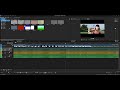
I’m having an issue in Sony Vegas Pro 23 that I’m not sure how to properly describe, but I’ll try to be as clear as possible. If needed, I can record a short video demonstrating the problem.

Here’s what’s happening:

I drag a video clip that includes audio onto the timeline.

I then bring in a separate audio file and place it on its own audio track underneath the video’s audio track.

I zoom out so both audio waveforms are fully visible on screen at once. While zoomed out, I line up the two waveforms as accurately as possible.

However, when I zoom in anywhere on the timeline, the waveforms no longer appear aligned.

If I re-align them while zoomed in, they visually match at that zoom level, but once I zoom back out, they don’t appear aligned anymore.

So depending on the zoom level, the waveforms look like they’re shifting or not lining up consistently. It’s almost like the alignment changes depending on how far in or out I zoom.

Is this a known issue, a display scaling bug, a setting I might have missed, or some kind of timeline snapping/quantization problem? I’m not sure if this is normal behavior or trouble on my end. If my explanation isn’t clear enough, I can upload a screen recording showing exactly what happens.

Any guidance would be appreciated, thank you in advance.
Comments

EricLNZ wrote on 12/10/2025, 3:43 AM

@CyberMousey What format are the audio files?

Dexcon wrote on 12/10/2025, 5:09 AM

In Vegas Pro 23, I am getting a difference in waveform track display based on the zoom level (using audio from the same source), but the audio events themselves don't move on the timeline so presumably there's no change in audio syncing - or does that happen in your case? It does look like a display issue.

BTW ...

I’m having an issue in Sony Vegas Pro 23 ...

... I would think that you're having an issue with MAGIX Vegas Pro 23. The last version of Sony Vegas Pro was version 13 released around 11 years ago after which Sony sold the Vegas Pro brand (and other product lines as well) to MAGIX.

Cameras: Sony FDR-AX100E; GoPro Hero 11 Black Creator Edition; Samsung S23 Ultra smart phone

Installed: Vegas Pro 13, 15, 16, 17, 18, 19, 20, 21, 22 & 23, HitFilm Pro 2021.3, DaVinci Resolve Studio 20.2, BCC 2025.5, Mocha Pro 2025.5, NBFX TotalFX 7, Neat NR 6, DVD Architect 6.0, MAGIX Travel Maps, Sound Forge Pro 16, SpectraLayers Pro 12, iZotope RX11 Advanced and many other iZ plugins, Vegasaur 4.0

Windows 11

Dell Alienware Aurora 11:

10th Gen Intel i9 10900KF - 10 cores (20 threads) - 3.7 to 5.3 GHz

NVIDIA GeForce RTX 2080 SUPER 8GB GDDR6 - liquid cooled

64GB RAM - Dual Channel HyperX FURY DDR4 XMP at 3200MHz

C drive: 2TB Samsung 990 PCIe 4.0 NVMe M.2 PCIe SSD

D: drive: 4TB Samsung 870 SATA SSD (used for media for editing current projects)

E: drive: 2TB Samsung 870 SATA SSD

F: drive: 6TB WD 7200 rpm Black HDD 3.5"

Dell Ultrasharp 32" 4K Color Calibrated Monitor


LAPTOP:

Dell Inspiron 5310 EVO 13.3"

i5-11320H CPU

C Drive: 1TB Corsair Gen4 NVMe M.2 2230 SSD (upgraded from the original 500 GB SSD)

Monitor is 2560 x 1600 @ 60 Hz