VEGAS Pro Scripts Collections | SHARE YOUR SCRIPT HERE !!

Comments

jetdv wrote on 2/10/2026, 1:33 PM

@johnny-s depends on the SOURCE format. If his source is NTSC DV then that renderer makes sense.

johnny-s wrote on 2/10/2026, 2:03 PM

OK. If anyone like me knows nothing about scripting, to use DV PAL I did the following.

            //if (t.Name == "NTSC DV")
            if (t.Name == "PAL DV")

I remmed out line 73 using // and added in if (t.Name == "PAL DV") to output DV PAL.

Worked fine.


Last changed by johnny-s on 2/10/2026, 2:09 PM, changed a total of 2 times.

PC 1:

Intel i9-9900K

32 GB Ram

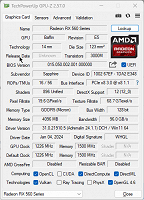
AMD Radeon XFX RX 7900 XT

Intel UHD 630

Win 10

Monitor Dell 32" WQHD


PC 2:

AMD Ryzen 9 7950X3D 16 core CPU

64 GB Ram

Nvidia 4090 GPU

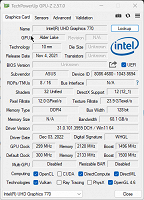
Intel A770 GPU. Removed.

Win 11

Monitor Dell 32" WQHD


Laptop:

XMG Series 21.

Intel 11th. Gen 8 core CPU. i9-11900K

64 GB Ram

Nvidia RTX 3080 GPU

Win 10

17" FHD Screen

+ Dell 27" QHD

johnny-s wrote on 2/11/2026, 11:02 AM

@ChuckMan

Is it possible to modify your very useful script to process non .avi files and output the scenes in subfolders in the same way?

I'm thinking of typically an mp4 input file using a generic FHD or UHD render template.

Last changed by johnny-s on 2/11/2026, 11:02 AM, changed a total of 1 times.

PC 1:

Intel i9-9900K

32 GB Ram

AMD Radeon XFX RX 7900 XT

Intel UHD 630

Win 10

Monitor Dell 32" WQHD


PC 2:

AMD Ryzen 9 7950X3D 16 core CPU

64 GB Ram

Nvidia 4090 GPU

Intel A770 GPU. Removed.

Win 11

Monitor Dell 32" WQHD


Laptop:

XMG Series 21.

Intel 11th. Gen 8 core CPU. i9-11900K

64 GB Ram

Nvidia RTX 3080 GPU

Win 10

17" FHD Screen

+ Dell 27" QHD

ChuckMan wrote on 2/11/2026, 11:20 AM

Search for *.avi in the script and replace with *.mp4 or whatever extension you need. Note, for mp4, the pyscenedetection free tool works much faster

johnny-s wrote on 2/11/2026, 1:13 PM

@ChuckMan Thanks for getting back.

Before my last post I did have a go but am doing something wrong.

It gets as far as splitting the timeline into scenes and creating a folder to put the pieces into (remains empty) but then throws an exception.

So I'm guessing it's a render issue?

Initially I used

if (t.Name == "Internet HD 1080p 25 fps (NVENC}")

and thought the Brackets within brackets (NVENC) might need some special treatment so changed to

if (t.Name == "Internet HD 1080p 25 fps")


/** 
This script will process each video file (*.avi) in a folder and split scenes to separate files. It is using Vegas' "Scene Detection" effect.
1. Loop through each avi file in folder
2. Load the video/audio into tracks
3. Add Scene Detection effect with High Sensitity presets
4. Create subfolder using the video file name
5. Split scene and save each scene to the newly created subfolder. The new file name is the same as original file name with a sequence # added
6. Save the file using Render (without reprocess) using Video for Windows codec and NTSC DV template

https://www.vegascreativesoftware.info/us/forum/scripting-help-to-scene-detect-and-split-on-many-old-avi-files--150872/#ca949716 


 **/ 

using System;
using System.Collections;
using System.Text;
using System.IO;
using System.Windows.Forms;
using ScriptPortal.Vegas;
using System.Threading;

public class EntryPoint
{

    public void FromVegas(Vegas poVegas)
    {
        // 1. Setup Folder Selection

        FolderBrowserDialog folderDialog = new FolderBrowserDialog();
        folderDialog.Description = "Select Folder containing mp4 files";
        if (folderDialog.ShowDialog() != DialogResult.OK) return;

        string inputPath = folderDialog.SelectedPath;
        string outputPath = inputPath + "\\Scene Detections";

        //string[] oFileList = Directory.GetFiles(inputPath, "*.avi");
        string[] oFileList = Directory.GetFiles(inputPath, "*.mp4");
        
        if (oFileList.Length == 0) {
            MessageBox.Show("No mp4 files found.");
            return;
        }

        String sVideoPlugInName = "Scene Detection";
        PlugInNode vidPlugIn = null;
        if (sVideoPlugInName != "") {
            vidPlugIn = poVegas.VideoFX.GetChildByName(sVideoPlugInName);
            if (null == vidPlugIn) {
                throw new ApplicationException("Could not find a plug-in named: '" + sVideoPlugInName + "'");
            }
        }

        //*bad* Renderer renderer = poVegas.Renderers.FindByFileTypeName("Video for Windows");

        // 2. Find Renderer manually by iterating the collection
        Renderer myRenderer = null;
        foreach (Renderer renderer in poVegas.Renderers)
        {
            // Specifically checking the FileTypeName property manually
            if (renderer.FileTypeName == "Video for Windows")
            {
                myRenderer = renderer;
                break;
            }
        }

        //*bad* RenderTemplate template = renderer.Templates[0]; // You can specify a name here
        // Find the "NTSC DV" template within that renderer
        RenderTemplate oTemplate = null;
        foreach (RenderTemplate t in myRenderer.Templates)
        {
            // Note: Template names are case-sensitive
            //if (t.Name == "NTSC DV")
            //if (t.Name == "PAL DV")
        //if (t.Name == "Internet HD 1080p 25 fps (NVENC}")
        if (t.Name == "Internet HD 1080p 25 fps")
            {
                oTemplate = t;
                break;
            }
        }


        // 2. Process each file
        foreach (string oFile in oFileList)
        {
    
            // Create a new project for each file to keep it clean (optional)
            // Or just clear the current timeline
            //poVegas.Project.Tracks.Clear();        // prompt to save current project
            poVegas.NewProject();                    // prompt to save current project

            Media media = Media.CreateInstance(poVegas.Project, oFile);
            VideoTrack vTrack = poVegas.Project.AddVideoTrack();
            AudioTrack aTrack = poVegas.Project.AddAudioTrack();
            VideoEvent vEvent = vTrack.AddVideoEvent(Timecode.FromFrames(0), media.Length);
            vEvent.ResampleMode = VideoResampleMode.Disable; 
            Take take = vEvent.AddTake(media.GetVideoStreamByIndex(0));
            MediaStream audStream = media.Streams.GetItemByMediaType(MediaType.Audio, 0);
            if (null == audStream)
                continue;
                //throw ("media contains no audio streams");
            AudioEvent audEvent = new AudioEvent(Timecode.FromFrames(0), audStream.Length);
            aTrack.Events.Add(audEvent);
            Take audTake = new Take(audStream);
            audEvent.Takes.Add(audTake);
            vTrack.Events[0].Selected = true;    // must be selected for the split action to work
            aTrack.Events[0].Selected = true;
            
            // Create a new group so that both video and audio are splitted
            TrackEventGroup newGroup = new TrackEventGroup(poVegas.Project);
            poVegas.Project.Groups.Add(newGroup);
            newGroup.Add(vTrack.Events[0]);
            newGroup.Add(aTrack.Events[0]);

            poVegas.UpdateUI();

            // 3. Add Scene Detection Plugin
            // Note: VEGAS Scene Detection is usually an internal process, 
            // but we can invoke the 'Scene Detector' Plug-In if available.
            Effect sceneDetect = new Effect(vidPlugIn); //*bad* poVegas.VideoEffects.FindByName("Scene Detection");

            if (sceneDetect != null)
            {
                //Error during runtime ==> sceneDetect.Preset = "High Sensitivity";
                vEvent.Effects.Add(sceneDetect);
                // Setting presets via script requires the exact Preset Name string
                //vEvent.Effects[0].Preset = "High Sensitivity";     //Sensitivity level works differently when running in script. In script, 0.75 is equivalent to 0.71 in UI.
                //sceneDetect.Preset = "High Sensitivity";             //Sensitivity level works differently when running in script. In script, 0.75 is equivalent to 0.71 in UI.

                OFXEffect ofx = sceneDetect.OFXEffect;

                OFXDoubleParameter p1 = (OFXDoubleParameter)ofx["SensitivityHardCuts"];
                    p1.Value = 0.76;
                OFXDoubleParameter p2 = (OFXDoubleParameter)ofx["SensitivityFades"];
                    p2.Value = 0.50;
                OFXDoubleParameter p3 = (OFXDoubleParameter)ofx["SensitivityDissolves"];
                    p3.Value = 0.50;

                foreach(OFXParameter parm in ofx.Parameters)
                {
                    if (parm.ParameterType.ToString() == "PushButton" && parm.Name == "Analysis")
                    {
                        parm.ParameterChanged();
                    }
                }

                poVegas.UpdateUI();

                foreach (OFXParameter parm in ofx.Parameters)
                {
                    if (parm.ParameterType.ToString() == "PushButton" && parm.Name == "SplitAction")
                    {
                        parm.ParameterChanged();
                    }
                }
        
                poVegas.UpdateUI();    
                //Thread.Sleep(1000);
            }

            // 4. Scene Splitting Logic
            // Note: Automating the "Split" button inside a plugin is restricted. 
            // Most pros use this script to prep the timeline for the 'Batch Render' tool.
            
            //MessageBox.Show("File loaded: " + Path.GetFileName(oFile) + 
            //                "\n\nPlease run the Scene Detector 'Split' manually, then click OK to Batch Render.");

            // 5. Render Logic (Using a default AVI template)
            // 5. Render Logic (Using a default mp4 template)
        
            string sOutputFolder = Path.Combine(outputPath, Path.GetFileNameWithoutExtension(oFile));
            if (!Directory.Exists(sOutputFolder))
                System.IO.Directory.CreateDirectory(sOutputFolder);
            
            poVegas.SaveProject(sOutputFolder + "_before.veg");
            RenderFiles(poVegas, oTemplate, Path.GetFileNameWithoutExtension(oFile), sOutputFolder);
            poVegas.SaveProject(sOutputFolder + "_after.veg");            
        }        
        MessageBox.Show("Done. Outputs are saved in folder: " + outputPath);
    }

    private void RenderFiles(Vegas poVegas, RenderTemplate poTemplate, string psFileName, string psOutputPath)
    {
        int nClipCount = 0;
        foreach (TrackEvent evnt in poVegas.Project.Tracks[0].Events)
        {
            // Set the loop region to the current event
            poVegas.SelectionStart = evnt.Start;
            poVegas.SelectionLength = evnt.Length;

            // Create a unique psFileName for each event
            nClipCount++;
            //string sFullFilePath = Path.Combine(psOutputPath, psFileName +  string.Format("_{0}.avi", nClipCount.ToString("0000")));
            string sFullFilePath = Path.Combine(psOutputPath, psFileName +  string.Format("_{0}.mp4", nClipCount.ToString("0000")));
            
            RenderStatus status = poVegas.Render(sFullFilePath, poTemplate, poVegas.SelectionStart, poVegas.SelectionLength);
        }
    }

}

Last changed by johnny-s on 2/11/2026, 1:21 PM, changed a total of 2 times.

PC 1:

Intel i9-9900K

32 GB Ram

AMD Radeon XFX RX 7900 XT

Intel UHD 630

Win 10

Monitor Dell 32" WQHD


PC 2:

AMD Ryzen 9 7950X3D 16 core CPU

64 GB Ram

Nvidia 4090 GPU

Intel A770 GPU. Removed.

Win 11

Monitor Dell 32" WQHD


Laptop:

XMG Series 21.

Intel 11th. Gen 8 core CPU. i9-11900K

64 GB Ram

Nvidia RTX 3080 GPU

Win 10

17" FHD Screen

+ Dell 27" QHD

johnny-s wrote on 2/11/2026, 1:27 PM

Ok. I just saw that I used } instead of ) in my line 76 ...  //if (t.Name == "Internet HD 1080p 25 fps (NVENC}")

But am not using that now.

PC 1:

Intel i9-9900K

32 GB Ram

AMD Radeon XFX RX 7900 XT

Intel UHD 630

Win 10

Monitor Dell 32" WQHD


PC 2:

AMD Ryzen 9 7950X3D 16 core CPU

64 GB Ram

Nvidia 4090 GPU

Intel A770 GPU. Removed.

Win 11

Monitor Dell 32" WQHD


Laptop:

XMG Series 21.

Intel 11th. Gen 8 core CPU. i9-11900K

64 GB Ram

Nvidia RTX 3080 GPU

Win 10

17" FHD Screen

+ Dell 27" QHD

ChuckMan wrote on 2/11/2026, 1:30 PM

Maybe the folder + file length > 250 characters. You may also want to restart your machine. I noticed win 11 give me more issues. If you can, run it in win 10.

jetdv wrote on 2/11/2026, 1:30 PM

@johnny-s - first of all, you need to start a new post as this one is designed for posting finished working scripts.

Secondly, you're not finding a template so it's passing a "null" value which is what your error message is saying.

Take a look at the video I posted and you can see how to find templates as it's not as easy as just changing the template search string - especially when changing render formats.

johnny-s wrote on 2/11/2026, 1:33 PM

Thanks @ChuckMan The folder length is short .. D:\# Temp\ Same as correctly running the DV AVI one from.

I am using Win 10.

if (renderer.FileTypeName == "Video for Windows") Can this be the issue?

Last changed by johnny-s on 2/11/2026, 1:46 PM, changed a total of 1 times.

PC 1:

Intel i9-9900K

32 GB Ram

AMD Radeon XFX RX 7900 XT

Intel UHD 630

Win 10

Monitor Dell 32" WQHD


PC 2:

AMD Ryzen 9 7950X3D 16 core CPU

64 GB Ram

Nvidia 4090 GPU

Intel A770 GPU. Removed.

Win 11

Monitor Dell 32" WQHD


Laptop:

XMG Series 21.

Intel 11th. Gen 8 core CPU. i9-11900K

64 GB Ram

Nvidia RTX 3080 GPU

Win 10

17" FHD Screen

+ Dell 27" QHD

johnny-s wrote on 2/11/2026, 1:51 PM

@ChuckMan When I disabled the line             //if (renderer.FileTypeName == "Video for Windows") using // I no longer get any exception.

However, the output mp4 scene files have no video, only audio ?

I changed line 62 to ...             if (renderer.FileTypeName == "AVC (H.264)")

Last changed by johnny-s on 2/11/2026, 1:58 PM, changed a total of 1 times.

PC 1:

Intel i9-9900K

32 GB Ram

AMD Radeon XFX RX 7900 XT

Intel UHD 630

Win 10

Monitor Dell 32" WQHD


PC 2:

AMD Ryzen 9 7950X3D 16 core CPU

64 GB Ram

Nvidia 4090 GPU

Intel A770 GPU. Removed.

Win 11

Monitor Dell 32" WQHD


Laptop:

XMG Series 21.

Intel 11th. Gen 8 core CPU. i9-11900K

64 GB Ram

Nvidia RTX 3080 GPU

Win 10

17" FHD Screen

+ Dell 27" QHD

johnny-s wrote on 2/11/2026, 2:02 PM

Is now working!!


/** 
This script will process each video file (*.avi) in a folder and split scenes to separate files. It is using Vegas' "Scene Detection" effect.
1. Loop through each avi file in folder
2. Load the video/audio into tracks
3. Add Scene Detection effect with High Sensitity presets
4. Create subfolder using the video file name
5. Split scene and save each scene to the newly created subfolder. The new file name is the same as original file name with a sequence # added
6. Save the file using Render (without reprocess) using Video for Windows codec and NTSC DV template

https://www.vegascreativesoftware.info/us/forum/scripting-help-to-scene-detect-and-split-on-many-old-avi-files--150872/#ca949716 


 **/ 

using System;
using System.Collections;
using System.Text;
using System.IO;
using System.Windows.Forms;
using ScriptPortal.Vegas;
using System.Threading;

public class EntryPoint
{

    public void FromVegas(Vegas poVegas)
    {
        // 1. Setup Folder Selection

        FolderBrowserDialog folderDialog = new FolderBrowserDialog();
        folderDialog.Description = "Select Folder containing mp4 files";
        if (folderDialog.ShowDialog() != DialogResult.OK) return;

        string inputPath = folderDialog.SelectedPath;
        string outputPath = inputPath + "\\Scene Detections";

        //string[] oFileList = Directory.GetFiles(inputPath, "*.avi");
        string[] oFileList = Directory.GetFiles(inputPath, "*.mp4");
        
        if (oFileList.Length == 0) {
            MessageBox.Show("No mp4 files found.");
            return;
        }

        String sVideoPlugInName = "Scene Detection";
        PlugInNode vidPlugIn = null;
        if (sVideoPlugInName != "") {
            vidPlugIn = poVegas.VideoFX.GetChildByName(sVideoPlugInName);
            if (null == vidPlugIn) {
                throw new ApplicationException("Could not find a plug-in named: '" + sVideoPlugInName + "'");
            }
        }

        //*bad* Renderer renderer = poVegas.Renderers.FindByFileTypeName("Video for Windows");

        // 2. Find Renderer manually by iterating the collection
        Renderer myRenderer = null;
        foreach (Renderer renderer in poVegas.Renderers)
        {
            // Specifically checking the FileTypeName property manually
            //if (renderer.FileTypeName == "Video for Windows")
            if (renderer.FileTypeName == "AVC (H.264)")
            {
                myRenderer = renderer;
                break;
            }
        }

        //*bad* RenderTemplate template = renderer.Templates[0]; // You can specify a name here
        // Find the "NTSC DV" template within that renderer
        RenderTemplate oTemplate = null;
        foreach (RenderTemplate t in myRenderer.Templates)
        {
            // Note: Template names are case-sensitive
            if (t.Name == "Internet HD 1080p 25 fps")
            {
                oTemplate = t;
                break;
            }
        }


        // 2. Process each file
        foreach (string oFile in oFileList)
        {
    
            // Create a new project for each file to keep it clean (optional)
            // Or just clear the current timeline
            //poVegas.Project.Tracks.Clear();        // prompt to save current project
            poVegas.NewProject();                    // prompt to save current project

            Media media = Media.CreateInstance(poVegas.Project, oFile);
            VideoTrack vTrack = poVegas.Project.AddVideoTrack();
            AudioTrack aTrack = poVegas.Project.AddAudioTrack();
            VideoEvent vEvent = vTrack.AddVideoEvent(Timecode.FromFrames(0), media.Length);
            vEvent.ResampleMode = VideoResampleMode.Disable; 
            Take take = vEvent.AddTake(media.GetVideoStreamByIndex(0));
            MediaStream audStream = media.Streams.GetItemByMediaType(MediaType.Audio, 0);
            if (null == audStream)
                continue;
                //throw ("media contains no audio streams");
            AudioEvent audEvent = new AudioEvent(Timecode.FromFrames(0), audStream.Length);
            aTrack.Events.Add(audEvent);
            Take audTake = new Take(audStream);
            audEvent.Takes.Add(audTake);
            vTrack.Events[0].Selected = true;    // must be selected for the split action to work
            aTrack.Events[0].Selected = true;
            
            // Create a new group so that both video and audio are splitted
            TrackEventGroup newGroup = new TrackEventGroup(poVegas.Project);
            poVegas.Project.Groups.Add(newGroup);
            newGroup.Add(vTrack.Events[0]);
            newGroup.Add(aTrack.Events[0]);

            poVegas.UpdateUI();

            // 3. Add Scene Detection Plugin
            // Note: VEGAS Scene Detection is usually an internal process, 
            // but we can invoke the 'Scene Detector' Plug-In if available.
            Effect sceneDetect = new Effect(vidPlugIn); //*bad* poVegas.VideoEffects.FindByName("Scene Detection");

            if (sceneDetect != null)
            {
                //Error during runtime ==> sceneDetect.Preset = "High Sensitivity";
                vEvent.Effects.Add(sceneDetect);
                // Setting presets via script requires the exact Preset Name string
                //vEvent.Effects[0].Preset = "High Sensitivity";     //Sensitivity level works differently when running in script. In script, 0.75 is equivalent to 0.71 in UI.
                //sceneDetect.Preset = "High Sensitivity";             //Sensitivity level works differently when running in script. In script, 0.75 is equivalent to 0.71 in UI.

                OFXEffect ofx = sceneDetect.OFXEffect;

                OFXDoubleParameter p1 = (OFXDoubleParameter)ofx["SensitivityHardCuts"];
                    p1.Value = 0.76;
                OFXDoubleParameter p2 = (OFXDoubleParameter)ofx["SensitivityFades"];
                    p2.Value = 0.50;
                OFXDoubleParameter p3 = (OFXDoubleParameter)ofx["SensitivityDissolves"];
                    p3.Value = 0.50;

                foreach(OFXParameter parm in ofx.Parameters)
                {
                    if (parm.ParameterType.ToString() == "PushButton" && parm.Name == "Analysis")
                    {
                        parm.ParameterChanged();
                    }
                }

                poVegas.UpdateUI();

                foreach (OFXParameter parm in ofx.Parameters)
                {
                    if (parm.ParameterType.ToString() == "PushButton" && parm.Name == "SplitAction")
                    {
                        parm.ParameterChanged();
                    }
                }
        
                poVegas.UpdateUI();    
                //Thread.Sleep(1000);
            }

            // 4. Scene Splitting Logic
            // Note: Automating the "Split" button inside a plugin is restricted. 
            // Most pros use this script to prep the timeline for the 'Batch Render' tool.
            
            //MessageBox.Show("File loaded: " + Path.GetFileName(oFile) + 
            //                "\n\nPlease run the Scene Detector 'Split' manually, then click OK to Batch Render.");

            // 5. Render Logic (Using a default AVI template)
            // 5. Render Logic (Using a default mp4 template)
        
            string sOutputFolder = Path.Combine(outputPath, Path.GetFileNameWithoutExtension(oFile));
            if (!Directory.Exists(sOutputFolder))
                System.IO.Directory.CreateDirectory(sOutputFolder);
            
            poVegas.SaveProject(sOutputFolder + "_before.veg");
            RenderFiles(poVegas, oTemplate, Path.GetFileNameWithoutExtension(oFile), sOutputFolder);
            poVegas.SaveProject(sOutputFolder + "_after.veg");            
        }        
        MessageBox.Show("Done. Outputs are saved in folder: " + outputPath);
    }

    private void RenderFiles(Vegas poVegas, RenderTemplate poTemplate, string psFileName, string psOutputPath)
    {
        int nClipCount = 0;
        foreach (TrackEvent evnt in poVegas.Project.Tracks[0].Events)
        {
            // Set the loop region to the current event
            poVegas.SelectionStart = evnt.Start;
            poVegas.SelectionLength = evnt.Length;

            // Create a unique psFileName for each event
            nClipCount++;
            //string sFullFilePath = Path.Combine(psOutputPath, psFileName +  string.Format("_{0}.avi", nClipCount.ToString("0000")));
            string sFullFilePath = Path.Combine(psOutputPath, psFileName +  string.Format("_{0}.mp4", nClipCount.ToString("0000")));
            
            RenderStatus status = poVegas.Render(sFullFilePath, poTemplate, poVegas.SelectionStart, poVegas.SelectionLength);
        }
    }

}

Last changed by johnny-s on 2/11/2026, 2:03 PM, changed a total of 1 times.

PC 1:

Intel i9-9900K

32 GB Ram

AMD Radeon XFX RX 7900 XT

Intel UHD 630

Win 10

Monitor Dell 32" WQHD


PC 2:

AMD Ryzen 9 7950X3D 16 core CPU

64 GB Ram

Nvidia 4090 GPU

Intel A770 GPU. Removed.

Win 11

Monitor Dell 32" WQHD


Laptop:

XMG Series 21.

Intel 11th. Gen 8 core CPU. i9-11900K

64 GB Ram

Nvidia RTX 3080 GPU

Win 10

17" FHD Screen

+ Dell 27" QHD

johnny-s wrote on 2/11/2026, 2:14 PM

@ChuckMan

Thanks. Very useful indeed.

Lines 62 and 75 ... if (renderer.FileTypeName == "AVC (H.264)") ... if (t.Name == "Internet HD 1080p 25 fps")

need changing for other render options and of course rename all avi to mp4.

Last changed by johnny-s on 2/11/2026, 2:18 PM, changed a total of 3 times.

PC 1:

Intel i9-9900K

32 GB Ram

AMD Radeon XFX RX 7900 XT

Intel UHD 630

Win 10

Monitor Dell 32" WQHD


PC 2:

AMD Ryzen 9 7950X3D 16 core CPU

64 GB Ram

Nvidia 4090 GPU

Intel A770 GPU. Removed.

Win 11

Monitor Dell 32" WQHD


Laptop:

XMG Series 21.

Intel 11th. Gen 8 core CPU. i9-11900K

64 GB Ram

Nvidia RTX 3080 GPU

Win 10

17" FHD Screen

+ Dell 27" QHD

johnny-s wrote on 2/11/2026, 2:22 PM

I did notice that sometimes, not always, the last frame(s) of an output clip belongs to the start of the next scene.

PC 1:

Intel i9-9900K

32 GB Ram

AMD Radeon XFX RX 7900 XT

Intel UHD 630

Win 10

Monitor Dell 32" WQHD


PC 2:

AMD Ryzen 9 7950X3D 16 core CPU

64 GB Ram

Nvidia 4090 GPU

Intel A770 GPU. Removed.

Win 11

Monitor Dell 32" WQHD


Laptop:

XMG Series 21.

Intel 11th. Gen 8 core CPU. i9-11900K

64 GB Ram

Nvidia RTX 3080 GPU

Win 10

17" FHD Screen

+ Dell 27" QHD

johnny-s wrote on 2/11/2026, 4:06 PM

@ChuckMan

Actually, it appears to be always. The Scene detection appears to be excellent, ie split on scenes very well indeed on DV and mp4 samples that I used.

However, it picks up the start frame from the next event and adds it into the end of the current event.

This bit here in my above post of your script, line 188...

            // Set the loop region to the current event
            poVegas.SelectionStart = evnt.Start;
            poVegas.SelectionLength = evnt.Length;

Is it possible to set event length to -1 frame ?


PC 1:

Intel i9-9900K

32 GB Ram

AMD Radeon XFX RX 7900 XT

Intel UHD 630

Win 10

Monitor Dell 32" WQHD


PC 2:

AMD Ryzen 9 7950X3D 16 core CPU

64 GB Ram

Nvidia 4090 GPU

Intel A770 GPU. Removed.

Win 11

Monitor Dell 32" WQHD


Laptop:

XMG Series 21.

Intel 11th. Gen 8 core CPU. i9-11900K

64 GB Ram

Nvidia RTX 3080 GPU

Win 10

17" FHD Screen

+ Dell 27" QHD

Robert Johnston wrote on 2/11/2026, 4:21 PM

@johnny-s Did you run the script in Vegas 23? When I ran the script in Vegas 22, I didn't have problems with frames from wrong scenes. And the problem I saw in 23 was the opposite of your experience in that the start frame is actually the last frame of previous scene.

Intel Core i7 10700K CPU @ 3.80GHz (to 4.65GHz), NVIDIA GeForce RTX 2060 SUPER 8GBytes. Memory 32 GBytes DDR4. Also Intel UHD Graphics 630. Mainboard: Dell Inc. PCI-Express 3.0 (8.0 GT/s) Comet Lake. Bench CPU Multi Thread: 5500.5 per CPU-Z.

Vegas Pro 21.0 (Build 108) with Mocha Vegas

Windows 11 not pro

johnny-s wrote on 2/11/2026, 4:26 PM


@Robert Johnston

Hi Robert. yes using vp23 b302. Heading out now but will test on vp22 later and get back with result.

Still would like to know how to set length to 1 frame less.

PC 1:

Intel i9-9900K

32 GB Ram

AMD Radeon XFX RX 7900 XT

Intel UHD 630

Win 10

Monitor Dell 32" WQHD


PC 2:

AMD Ryzen 9 7950X3D 16 core CPU

64 GB Ram

Nvidia 4090 GPU

Intel A770 GPU. Removed.

Win 11

Monitor Dell 32" WQHD


Laptop:

XMG Series 21.

Intel 11th. Gen 8 core CPU. i9-11900K

64 GB Ram

Nvidia RTX 3080 GPU

Win 10

17" FHD Screen

+ Dell 27" QHD

johnny-s wrote on 2/11/2026, 4:48 PM

@Robert Johnston

My walk is delayed temporarily. Rain. Tested DV AVI on VP22. Found same frame issue as in VP23, no change.

The above script doesn't work for h264 FHD in VP22 because the h264 "Format" naming in render templates has changed.

So in VP23 ... Lines 62 ... if (renderer.FileTypeName == "AVC (H.264)")

That would need to be changed for VP22 as above is new one now used in VP23.


PC 1:

Intel i9-9900K

32 GB Ram

AMD Radeon XFX RX 7900 XT

Intel UHD 630

Win 10

Monitor Dell 32" WQHD


PC 2:

AMD Ryzen 9 7950X3D 16 core CPU

64 GB Ram

Nvidia 4090 GPU

Intel A770 GPU. Removed.

Win 11

Monitor Dell 32" WQHD


Laptop:

XMG Series 21.

Intel 11th. Gen 8 core CPU. i9-11900K

64 GB Ram

Nvidia RTX 3080 GPU

Win 10

17" FHD Screen

+ Dell 27" QHD

johnny-s wrote on 2/11/2026, 7:16 PM

I added in the following 2 lines to subtract the last frame at lines 192 and 193.

            Timecode oneFrame = Timecode.FromFrames(1);
            poVegas.SelectionLength = evnt.Length - oneFrame;


Google AI to the rescue.

I know sometimes it feels like throwing darts in a dark room. Anyway. It works.

I tested it on a sample h264 clip (plus DV PAL AVI) and the issue is now gone which was that the last frame for each output clip was the same as the 1st. frame for the next clip.

The Scripting gurus can modify accordingly if the 2 lines should be located elsewhere or a better solution.

Meant to say that the "NVENC HQ", line 75, is just my higher data rate render template, used rather than the default one, (saved as such) change back to default one or use your own modified one.


/** 
This script will process each video file (*.avi) in a folder and split scenes to separate files. It is using Vegas' "Scene Detection" effect.
1. Loop through each avi file in folder
2. Load the video/audio into tracks
3. Add Scene Detection effect with High Sensitity presets
4. Create subfolder using the video file name
5. Split scene and save each scene to the newly created subfolder. The new file name is the same as original file name with a sequence # added
6. Save the file using Render (without reprocess) using Video for Windows codec and NTSC DV template

https://www.vegascreativesoftware.info/us/forum/scripting-help-to-scene-detect-and-split-on-many-old-avi-files--150872/#ca949716 


 **/ 

using System;
using System.Collections;
using System.Text;
using System.IO;
using System.Windows.Forms;
using ScriptPortal.Vegas;
using System.Threading;

public class EntryPoint
{

    public void FromVegas(Vegas poVegas)
    {
        // 1. Setup Folder Selection

        FolderBrowserDialog folderDialog = new FolderBrowserDialog();
        folderDialog.Description = "Select Folder containing mp4 files";
        if (folderDialog.ShowDialog() != DialogResult.OK) return;

        string inputPath = folderDialog.SelectedPath;
        string outputPath = inputPath + "\\Scene Detections";

        //string[] oFileList = Directory.GetFiles(inputPath, "*.avi");
        string[] oFileList = Directory.GetFiles(inputPath, "*.mp4");
        
        if (oFileList.Length == 0) {
            MessageBox.Show("No mp4 files found.");
            return;
        }

        String sVideoPlugInName = "Scene Detection";
        PlugInNode vidPlugIn = null;
        if (sVideoPlugInName != "") {
            vidPlugIn = poVegas.VideoFX.GetChildByName(sVideoPlugInName);
            if (null == vidPlugIn) {
                throw new ApplicationException("Could not find a plug-in named: '" + sVideoPlugInName + "'");
            }
        }

        //*bad* Renderer renderer = poVegas.Renderers.FindByFileTypeName("Video for Windows");

        // 2. Find Renderer manually by iterating the collection
        Renderer myRenderer = null;
        foreach (Renderer renderer in poVegas.Renderers)
        {
            // Specifically checking the FileTypeName property manually
            //if (renderer.FileTypeName == "Video for Windows")
            if (renderer.FileTypeName == "AVC (H.264)")
            {
                myRenderer = renderer;
                break;
            }
        }

        //*bad* RenderTemplate template = renderer.Templates[0]; // You can specify a name here
        // Find the "NTSC DV" template within that renderer
        RenderTemplate oTemplate = null;
        foreach (RenderTemplate t in myRenderer.Templates)
        {
            // Note: Template names are case-sensitive
            if (t.Name == "Internet HD 1080p 25 fps (NVENC HQ)")
            //if (t.Name == "Internet HD 1080p 25 fps")
            {
                oTemplate = t;
                break;
            }
        }


        // 2. Process each file
        foreach (string oFile in oFileList)
        {
    
            // Create a new project for each file to keep it clean (optional)
            // Or just clear the current timeline
            //poVegas.Project.Tracks.Clear();        // prompt to save current project
            poVegas.NewProject();                    // prompt to save current project

            Media media = Media.CreateInstance(poVegas.Project, oFile);
            VideoTrack vTrack = poVegas.Project.AddVideoTrack();
            AudioTrack aTrack = poVegas.Project.AddAudioTrack();
            VideoEvent vEvent = vTrack.AddVideoEvent(Timecode.FromFrames(0), media.Length);
            vEvent.ResampleMode = VideoResampleMode.Disable; 
            Take take = vEvent.AddTake(media.GetVideoStreamByIndex(0));
            MediaStream audStream = media.Streams.GetItemByMediaType(MediaType.Audio, 0);
            if (null == audStream)
                continue;
                //throw ("media contains no audio streams");
            AudioEvent audEvent = new AudioEvent(Timecode.FromFrames(0), audStream.Length);
            aTrack.Events.Add(audEvent);
            Take audTake = new Take(audStream);
            audEvent.Takes.Add(audTake);
            vTrack.Events[0].Selected = true;    // must be selected for the split action to work
            aTrack.Events[0].Selected = true;
            
            // Create a new group so that both video and audio are splitted
            TrackEventGroup newGroup = new TrackEventGroup(poVegas.Project);
            poVegas.Project.Groups.Add(newGroup);
            newGroup.Add(vTrack.Events[0]);
            newGroup.Add(aTrack.Events[0]);

            poVegas.UpdateUI();

            // 3. Add Scene Detection Plugin
            // Note: VEGAS Scene Detection is usually an internal process, 
            // but we can invoke the 'Scene Detector' Plug-In if available.
            Effect sceneDetect = new Effect(vidPlugIn); //*bad* poVegas.VideoEffects.FindByName("Scene Detection");

            if (sceneDetect != null)
            {
                //Error during runtime ==> sceneDetect.Preset = "High Sensitivity";
                vEvent.Effects.Add(sceneDetect);
                // Setting presets via script requires the exact Preset Name string
                //vEvent.Effects[0].Preset = "High Sensitivity";     //Sensitivity level works differently when running in script. In script, 0.75 is equivalent to 0.71 in UI.
                //sceneDetect.Preset = "High Sensitivity";             //Sensitivity level works differently when running in script. In script, 0.75 is equivalent to 0.71 in UI.

                OFXEffect ofx = sceneDetect.OFXEffect;

                OFXDoubleParameter p1 = (OFXDoubleParameter)ofx["SensitivityHardCuts"];
                    p1.Value = 0.76;
                OFXDoubleParameter p2 = (OFXDoubleParameter)ofx["SensitivityFades"];
                    p2.Value = 0.50;
                OFXDoubleParameter p3 = (OFXDoubleParameter)ofx["SensitivityDissolves"];
                    p3.Value = 0.50;

                foreach(OFXParameter parm in ofx.Parameters)
                {
                    if (parm.ParameterType.ToString() == "PushButton" && parm.Name == "Analysis")
                    {
                        parm.ParameterChanged();
                    }
                }

                poVegas.UpdateUI();

                foreach (OFXParameter parm in ofx.Parameters)
                {
                    if (parm.ParameterType.ToString() == "PushButton" && parm.Name == "SplitAction")
                    {
                        parm.ParameterChanged();
                    }
                }
        
                poVegas.UpdateUI();    
                //Thread.Sleep(1000);
            }

            // 4. Scene Splitting Logic
            // Note: Automating the "Split" button inside a plugin is restricted. 
            // Most pros use this script to prep the timeline for the 'Batch Render' tool.
            
            //MessageBox.Show("File loaded: " + Path.GetFileName(oFile) + 
            //                "\n\nPlease run the Scene Detector 'Split' manually, then click OK to Batch Render.");

            // 5. Render Logic (Using a default AVI template)
            // 5. Render Logic (Using a default mp4 template)
        
            string sOutputFolder = Path.Combine(outputPath, Path.GetFileNameWithoutExtension(oFile));
            if (!Directory.Exists(sOutputFolder))
                System.IO.Directory.CreateDirectory(sOutputFolder);
            
            poVegas.SaveProject(sOutputFolder + "_before.veg");
            RenderFiles(poVegas, oTemplate, Path.GetFileNameWithoutExtension(oFile), sOutputFolder);
            poVegas.SaveProject(sOutputFolder + "_after.veg");            
        }        
        MessageBox.Show("Done. Outputs are saved in folder: " + outputPath);
    }

    private void RenderFiles(Vegas poVegas, RenderTemplate poTemplate, string psFileName, string psOutputPath)
    {
        int nClipCount = 0;
        foreach (TrackEvent evnt in poVegas.Project.Tracks[0].Events)
        {
            // Set the loop region to the current event
            poVegas.SelectionStart = evnt.Start;
            poVegas.SelectionLength = evnt.Length;
            
            Timecode oneFrame = Timecode.FromFrames(1);
            poVegas.SelectionLength = evnt.Length - oneFrame;
            
            // Create a unique psFileName for each event
            nClipCount++;
            //string sFullFilePath = Path.Combine(psOutputPath, psFileName +  string.Format("_{0}.avi", nClipCount.ToString("0000")));
            string sFullFilePath = Path.Combine(psOutputPath, psFileName +  string.Format("_{0}.mp4", nClipCount.ToString("0000")));
            
            RenderStatus status = poVegas.Render(sFullFilePath, poTemplate, poVegas.SelectionStart, poVegas.SelectionLength);
        }
    }

}

Last changed by johnny-s on 2/11/2026, 7:33 PM, changed a total of 3 times.

PC 1:

Intel i9-9900K

32 GB Ram

AMD Radeon XFX RX 7900 XT

Intel UHD 630

Win 10

Monitor Dell 32" WQHD


PC 2:

AMD Ryzen 9 7950X3D 16 core CPU

64 GB Ram

Nvidia 4090 GPU

Intel A770 GPU. Removed.

Win 11

Monitor Dell 32" WQHD


Laptop:

XMG Series 21.

Intel 11th. Gen 8 core CPU. i9-11900K

64 GB Ram

Nvidia RTX 3080 GPU

Win 10

17" FHD Screen

+ Dell 27" QHD

Robert Johnston wrote on 2/11/2026, 9:48 PM

@johnny-s @ChuckMan @jetdv I ran the scripts as posted by @ChuckMan another time in both Vegas 22 and then in Vegas 23 (302). I still get perfect results in Vegas 22, but in Vegas 23 there is a problem: the original dvavi file is shorter than the sum of the rendered split clips, by 17 frames in my case. I feel that subtracting a frame isn't the way to go. There's something wrong with Vegas 23 that needs to be remedied. Maybe someone else can test.

Intel Core i7 10700K CPU @ 3.80GHz (to 4.65GHz), NVIDIA GeForce RTX 2060 SUPER 8GBytes. Memory 32 GBytes DDR4. Also Intel UHD Graphics 630. Mainboard: Dell Inc. PCI-Express 3.0 (8.0 GT/s) Comet Lake. Bench CPU Multi Thread: 5500.5 per CPU-Z.

Vegas Pro 21.0 (Build 108) with Mocha Vegas

Windows 11 not pro

johnny-s wrote on 2/12/2026, 6:44 AM

@Robert Johnston 

Just to clear the air. If moderator Eric or other moderators thinks this discussion should go elsewhere then I don't have a problem with that. If so Robert then either create a new post or add to Chuckmans 1st. post about this before he posted here.

I'm assuming that your project properties are matching your media?

I'm assuming that the "Time format" you are using matches your media.

RE: Subtracting a single frame. I thought that maybe the P2/P3 Fade/Dissolve (0.5) values were the culprits and so set both to 0.00 but that didn't change the 1 frame issue.

When I didn't subtract the single frame then when I added all of the 10 output scene .mp4's below the source clip they were 9 frames longer.

When I used the code to subtract 1 frame and added all of the 10 .mp4 scenes below .mp4 source clip all in VP they matched exactly. Used FHD clip, VP23 b302, Win 10 for tests.

The script currently works great for me. Really great tool. Maybe someone else can test using VP23.

Last changed by johnny-s on 2/12/2026, 6:52 AM, changed a total of 5 times.

PC 1:

Intel i9-9900K

32 GB Ram

AMD Radeon XFX RX 7900 XT

Intel UHD 630

Win 10

Monitor Dell 32" WQHD


PC 2:

AMD Ryzen 9 7950X3D 16 core CPU

64 GB Ram

Nvidia 4090 GPU

Intel A770 GPU. Removed.

Win 11

Monitor Dell 32" WQHD


Laptop:

XMG Series 21.

Intel 11th. Gen 8 core CPU. i9-11900K

64 GB Ram

Nvidia RTX 3080 GPU

Win 10

17" FHD Screen

+ Dell 27" QHD

johnny-s wrote on 2/12/2026, 7:01 AM

@Robert Johnston

Ok. Worth to mention. If I load my sample FHD clip and simply use the VP Scene detect FX then it splits bang on, no 1 frame issue.

So the issue is somewhere in the scripting. My fix is better than none, but of course it would be nice to know where the real issue resides and fix it.

PC 1:

Intel i9-9900K

32 GB Ram

AMD Radeon XFX RX 7900 XT

Intel UHD 630

Win 10

Monitor Dell 32" WQHD


PC 2:

AMD Ryzen 9 7950X3D 16 core CPU

64 GB Ram

Nvidia 4090 GPU

Intel A770 GPU. Removed.

Win 11

Monitor Dell 32" WQHD


Laptop:

XMG Series 21.

Intel 11th. Gen 8 core CPU. i9-11900K

64 GB Ram

Nvidia RTX 3080 GPU

Win 10

17" FHD Screen

+ Dell 27" QHD