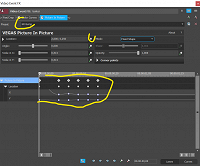
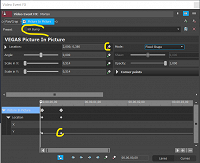
I have made a animation in PIP location and saved it as a preset called "KR Bump". But when I use this preset on another clip the animation is just gone or totally wrong. Why does not animation show up?
Another thing is that when in PIP screen its not possible to press "space" to play the clip. I have to click on main window and then space, and then go back to PIP and edit. This is really bad practice. Is there a setting to change this so we can play the clip while editing in the PIP? By the way, scaling of the graph editor in timeline is not possible and this is also really bad. Especially when you want the PIP to start off screen and fly in. This part need to be developed further?
Hope they fix this or if there is a setting to change all this please let me know?