HELP! Audio is muted at halfway point after importing video

emma-nm wrote on 12/16/2025, 11:31 PM

I have been having an issue in Vegas Pro 22 when I try to import a very long video file (59hrs) into the project the audio goes mute about 1/3 into the video file. The video runs just fine it's just that the audio gets muted. I have never had this particular problem before even though I have done this exact same thing multiple times before.

So I got the new Vegas Pro 23 instead hoping that that would fix the issue, but it's the same problem. I have already checked the enable legacy AVD decoding box and that does not make a difference. The file is a mp4 avc file and the audio is H.264 48.000 kHz.

If anyone has the solution to this I would be eternally grateful! Hoping for a quick response <3
Comments

EricLNZ wrote on 12/17/2025, 1:04 AM

59 hours!

Yes it appears to go silent. Is the audio the same format as you've used previously without problems. Please post MediaInfo on your file. Instructions here https://www.vegascreativesoftware.info/us/forum/faq-how-to-post-mediainfo-and-vegas-pro-file-properties--104561/

emma-nm wrote on 12/17/2025, 10:49 AM

59 hours!

Yes it appears to go silent. Is the audio the same format as you've used previously without problems. Please post MediaInfo on your file. Instructions here https://www.vegascreativesoftware.info/us/forum/faq-how-to-post-mediainfo-and-vegas-pro-file-properties--104561/

Yes it's the same format as before so I have no idea what's happened.

General
Complete name                            : D:\Finished Videos\GhostOfTsushimaVideo.mp4
Format                                   : MPEG-4
Format profile                           : Base Media / Version 2
Codec ID                                 : mp42 (isom/mp42)
File size                                : 186 GiB
Duration                                 : 59 h 14 min
Overall bit rate mode                    : Variable
Overall bit rate                         : 7 483 kb/s
Frame rate                               : 60.000 FPS
Encoded date                             : 2025-09-20 03:09:06 UTC
Tagged date                              : 2025-09-20 03:09:06 UTC

Video
ID                                       : 1
Format                                   : AVC
Format/Info                              : Advanced Video Codec
Format profile                           : High@L4.2
Format settings                          : CABAC / 3 Ref Frames
Format settings, CABAC                   : Yes
Format settings, Reference frames        : 3 frames
Format settings, GOP                     : M=1, N=30
Codec ID                                 : avc1
Codec ID/Info                            : Advanced Video Coding
Duration                                 : 59 h 14 min
Source duration                          : 19 h 28 min
Bit rate                                 : 7 097 kb/s
Width                                    : 1 920 pixels
Height                                   : 1 080 pixels
Display aspect ratio                     : 16:9
Frame rate mode                          : Constant
Frame rate                               : 60.000 FPS
Color space                              : YUV
Chroma subsampling                       : 4:2:0
Bit depth                                : 8 bits
Scan type                                : Progressive
Bits/(Pixel*Frame)                       : 0.057
Stream size                              : 176 GiB (95%)
Source stream size                       : 176 GiB (95%)
Writing library                          : AVC Coding
Language                                 : English
Encoded date                             : 2025-09-20 03:09:06 UTC
Tagged date                              : 2025-09-20 03:09:06 UTC
Color range                              : Limited
mdhd_Duration                            : 213272256
Codec configuration box                  : avcC

Audio
ID                                       : 2
Format                                   : AAC LC
Format/Info                              : Advanced Audio Codec Low Complexity
Codec ID                                 : mp4a-40-2
Duration                                 : 59 h 14 min
Source duration                          : 9 h 31 min
Bit rate mode                            : Variable
Bit rate                                 : 384 kb/s
Maximum bit rate                         : 549 kb/s
Channel(s)                               : 2 channels
Channel layout                           : L R
Sampling rate                            : 48.0 kHz
Frame rate                               : 46.875 FPS (1024 SPF)
Compression mode                         : Lossy
Stream size                              : 9.47 GiB (5%)
Source stream size                       : 9.47 GiB (5%)
Language                                 : English
Encoded date                             : 2025-09-20 03:09:06 UTC
Tagged date                              : 2025-09-20 03:09:06 UTC
mdhd_Duration                            : 213272176


john_dennis wrote on 12/17/2025, 11:16 AM

@emma-nm

Hmmmmmm...

From the Mediainfo Report

Duration                                 : 59 h 14 min
Source duration                          : 9 h 31 min
vegas-edit-user wrote on 12/17/2025, 11:24 AM
Video

Duration                                 : 59 h 14 min
Source duration                          : 19 h 28 min

Audio

Duration                                 : 59 h 14 min
Source duration                          :  9 h 31 min 

The values for duration and original duration are different. It might help to send the file through a converter such as Shutter Encoder.

(Unfortunately, I can't test this because I don't have any material with such a time deviation available.)

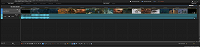
According to the screenshot, Vegas recognizes a length of 11:14:32;13.

emma-nm wrote on 12/17/2025, 11:40 AM
Video

Duration                                 : 59 h 14 min
Source duration                          : 19 h 28 min

Audio

Duration                                 : 59 h 14 min
Source duration                          :  9 h 31 min 

The values for duration and original duration are different. It might help to send the file through a converter such as Shutter Encoder.

(Unfortunately, I can't test this because I don't have any material with such a time deviation available.)

According to the screenshot, Vegas recognizes a length of 11:14:32;13.

I will try that. But I dont understand why media player let's me play the entire video while Vegas only recognizes 11 hours of it. Vegas used to recognize much longer videos for me before for a long time.

vegas-edit-user wrote on 12/17/2025, 11:53 AM

I don't understand it either at the moment.
It might be worth trying the “Rewrap” function in Shutter Encoder first, which is relatively quick.
This simply “repackages” the video.
Unfortunately, I don't know if that will be enough to “solve” the problem.

(To be on the safe side, I would make a copy of the video for “Rewrap” or conversion.)

vegas-edit-user wrote on 12/17/2025, 12:50 PM

The 11:14:32;13 displayed by Vegas is apparently the last 11 hours of 59. (24 + 24 + 11 = 59)
In the Vegas timeline, the count apparently starts again at 0 after 24 hours. I didn't notice that right away.

emma-nm wrote on 12/17/2025, 1:36 PM

The 11:14:32;13 displayed by Vegas is apparently the last 11 hours of 59. (24 + 24 + 11 = 59)
In the Vegas timeline, the count apparently starts again at 0 after 24 hours. I didn't notice that right away.

Yes that's true. The entire video shows up just fine, it's just the audio that gets muted.

vegas-edit-user wrote on 12/17/2025, 1:56 PM

The audio waveform in Vegas appears to stop at 9h 31min, as stated in the metadata (audio - source duration) of the mp4 file.

Does the sound continue to play in the media player after 9h 31min, or does it also stop at this point?

emma-nm wrote on 12/17/2025, 2:02 PM

The audio waveform in Vegas appears to stop at 9h 31min, as stated in the metadata (audio - source duration) of the mp4 file.

Does the sound continue to play in the media player after 9h 31min, or does it also stop at this point?

In the media player the sound continues to play yes. That's what's so weird about this whole situation, it's only in vegas where there is a problem.

vegas-edit-user wrote on 12/17/2025, 2:19 PM

Have you tried to see if “Rewrap” helps?

Another thing you could try is to extract the audio track in Shutter Encoder using the “Extract” “Audio” function and see if it is then recognized completely in Vegas.

emma-nm wrote on 12/17/2025, 2:29 PM

Have you tried to see if “Rewrap” helps?

Another thing you could try is to extract the audio track in Shutter Encoder using the “Extract” “Audio” function and see if it is then recognized completely in Vegas.

It didn't work unfortunately 😞

vegas-edit-user wrote on 12/17/2025, 2:45 PM

Then conversion would be another idea.
(Shutter Encoder - Choose function - (Sound Conversions) - AAC)

Incidentally, a certain technical explanation could be found by Googling “In the AAC audio track, the duration differs from the source duration.” But that doesn't really help much in terms of finding a solution.

But maybe someone else has some ideas.

emma-nm wrote on 12/17/2025, 2:56 PM

Then conversion would be another idea.
(Shutter Encoder - Choose function - (Sound Conversions) - AAC)

Incidentally, a certain technical explanation could be found by Googling “In the AAC audio track, the duration differs from the source duration.” But that doesn't really help much in terms of finding a solution.

But maybe someone else has some ideas.

The same thing happens when I import other video files too so I feel like the solution must be somewhere in the Vegas settings, not with the specific video file.

john_dennis wrote on 12/17/2025, 2:56 PM

@emma-nm Try this.

In Shutter Encoder

Extract All (video and audio)

Place the two elementary streams back on the Vegas Pro timeline

or

Place just the extracted audio back on the Vegas Pro timeline.

vegas-edit-user wrote on 12/17/2025, 3:01 PM

@emma-nm

The same thing happens when I import other video files too so I feel like the solution must be somewhere in the Vegas settings, not with the specific video file.

Well, unfortunately, the technical data of the video isn't really okay.
Then I would think more about the recording software and its encoder in terms of settings.

emma-nm wrote on 12/17/2025, 3:21 PM

@emma-nm Try this.

In Shutter Encoder

Extract All (video and audio)

Place the two elementary streams back on the Vegas Pro timeline

or

Place just the extracted audio back on the Vegas Pro timeline.

Unfortunately this didn't work either 😕