VP23 - 10 minute render for 40 second clip?

anthony-chiappette wrote on 11/7/2025, 5:41 PM

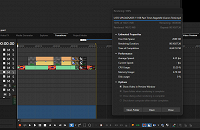
I rendered a part of my video to see how the animated (flowing) text would look. This was 40 seconds out of the video, but took 10 minutes to render. Is it normal for the type of text animation I've used to take that long to render? most of the videos I render take about 1/2 the time of the video to render, but this is excessive.

EDIT: It also shows it rendered 148MB, but the resulting MP4 file is only ~48MB
Last changed by anthony-chiappette

ASUS Prime Z590-A Motherboard with Intel Core i7 11700 8 Core / 16 Thread 2.50GHZ, 64GB Crucial DDR4 3200 (4 x 16GB), nVidia GeForce RTX5060 8GB GDDR7, SoundBlaster X AE5 soundcard, 3 x 4TB Samsung 860 EVO SATA 3 SSD, 2 x 8TB Samsung 870 QVO SATA 3 SSD, 1 x 2TB Samsung 980 Pro NVME PICE4 SSD, 2 X WD 4 TB NVME PCIE3 SSD, 2 X Viewsonic HD monitors, LG Blu-Ray writer. Windows 11 (latest build), currently using Vegas Pro 22 latest build, and limited VP23 use to gauge performance and ease of use differences. Videos come from 2 x Sony HDR CX-405 Cameras, XAVC-S MP4 @ 50Mbps 1080P 60fps video files. (Previously: 2 x Canon HFR800 cameras, MP4 files at 1920 x 1080 60p 35Mbps).

Comments

3POINT wrote on 11/8/2025, 4:06 AM

@anthony-chiappette On your screenshot it's difficult to see what could cause the slow rendering: project resolution, framerate, etc, what is on all those "empty" tracks?

The typing text animation needs ofcourse some rendertime, on my PC it takes about 2 minutes to render a 40 second typing text animation in 1080p50 (probably also very depending on how much characters there are used, quite a lot in your example).

The shown expected size of the MP4 file is just a guess, the final size depends hardly how much movement there is in the video, since there is hardly movement in your video (just the typing text) the final size could become much less than the expected size. I got for my text animation a guess of 97 Mb and the result is just 2,3 Mb.

Gid wrote on 11/8/2025, 4:56 AM

@anthony-chiappette VP22 - Just for comparison. I set it to 1080p50 like 3Point's

Using the default text on the type-on Title 04, MP4 AVC (NVENC), it took 1.48min to render 40secs of text on a png. Rendered file size was 46.5mb even tho the render box says 96.28mb. (same speed using Mainconcept)

You can see in Taskmanager Vegas doesn't use much of my pc.

----------------

MP4 HEVC was the same time but the file size was 19.9mb even tho the render box still says 96.28mb

Vegas Pro 18 - 22
Vegas Pro/Post 19
Boris Continuum & Sapphire, 
Silhouette Standalone + Plugin, 
Mocha Pro Standalone + Plugin, 
Boris Optics,
NewBlue TotalFX
Desktop PC Microsoft Windows 10 Pro - 64-Bit
ASUS PRO WS WRX80E-SAGE SE WIFI AMD Motherboard
AMD Ryzen Threadripper PRO 3975WX 3.5GHz 32 Core
Corsair iCUE H150i RGB PRO XT 360mm All-in-One Liquid CPU Cooler
RAM 256GB ( 8x Micron 32GB (1x 32GB) 2666MHz DDR4 RAM )
2x Western Digital Black SN850 2TB M.2-2280 SSD, 7000MB/s Read, 5100MB/s Write
(programs on one, project files on the other)
Graphics MSI GeForce RTX 3090 SUPRIM X 24GB OC GPU
ASUS ROG Thor 1200W Semi-Modular 80+ Platinum PSU 
Fractal Design Define 7 XL Dark TG Case with 3 Fans
Dell SE3223Q 31.5 Inch 4K UHD (3840x2160) Monitor, 60Hz, & an Acer 24" monitor.

At the moment my filming is done with a Samsung Galaxy S23 Ultra 5G & a GoPro Hero11 Black

I've been a Joiner/Carpenter for 40yrs, apprentice trained time served, I don't have an apprentice of my own so to share my knowledge I put videos on YouTube.

YouTube videos - https://www.youtube.com/c/Gidjoiner


3POINT wrote on 11/8/2025, 5:07 AM

Just did another test, the renderspeed depends a lot of how many characters are used.

anthony-chiappette wrote on 11/8/2025, 12:55 PM

Just did another test, the renderspeed depends a lot of how many characters are used.

That's probably it. I used a lot of text for that.

For clarification, the video is 1080p 60 fps. I render same as the source - in this case 1080p 60fps AVCHD 28Mbps, using NVENC hardware encoding. The empty tracks below contain events further into the video. I only rendered that short loop region.

Incidentally, that short 40 second clip rendered in 10 minutes. When I rendered the whole video, which was a little over 23 minutes, it completed in 17 minutes.

ASUS Prime Z590-A Motherboard with Intel Core i7 11700 8 Core / 16 Thread 2.50GHZ, 64GB Crucial DDR4 3200 (4 x 16GB), nVidia GeForce RTX5060 8GB GDDR7, SoundBlaster X AE5 soundcard, 3 x 4TB Samsung 860 EVO SATA 3 SSD, 2 x 8TB Samsung 870 QVO SATA 3 SSD, 1 x 2TB Samsung 980 Pro NVME PICE4 SSD, 2 X WD 4 TB NVME PCIE3 SSD, 2 X Viewsonic HD monitors, LG Blu-Ray writer. Windows 11 (latest build), currently using Vegas Pro 22 latest build, and limited VP23 use to gauge performance and ease of use differences. Videos come from 2 x Sony HDR CX-405 Cameras, XAVC-S MP4 @ 50Mbps 1080P 60fps video files. (Previously: 2 x Canon HFR800 cameras, MP4 files at 1920 x 1080 60p 35Mbps).

anthony-chiappette wrote on 11/8/2025, 1:10 PM

OK, something is fishy ....

I copied that small portion into VP22, with same project settings. I rendered that in VP22 with same render settings, and it only took 1:47 to render, and average frame rate was 19.8 fps, compared to 10 minutes render time with avg fps 4.35 in VP23.

ASUS Prime Z590-A Motherboard with Intel Core i7 11700 8 Core / 16 Thread 2.50GHZ, 64GB Crucial DDR4 3200 (4 x 16GB), nVidia GeForce RTX5060 8GB GDDR7, SoundBlaster X AE5 soundcard, 3 x 4TB Samsung 860 EVO SATA 3 SSD, 2 x 8TB Samsung 870 QVO SATA 3 SSD, 1 x 2TB Samsung 980 Pro NVME PICE4 SSD, 2 X WD 4 TB NVME PCIE3 SSD, 2 X Viewsonic HD monitors, LG Blu-Ray writer. Windows 11 (latest build), currently using Vegas Pro 22 latest build, and limited VP23 use to gauge performance and ease of use differences. Videos come from 2 x Sony HDR CX-405 Cameras, XAVC-S MP4 @ 50Mbps 1080P 60fps video files. (Previously: 2 x Canon HFR800 cameras, MP4 files at 1920 x 1080 60p 35Mbps).

3POINT wrote on 11/8/2025, 1:51 PM

@anthony-chiappette That's strange, when I compare the renderspeed of this Text animation in VP22 and VP23, VP23 renders much faster than VP22. I assume that this is due to my NVIDIA GPU:

andyrpsmith wrote on 11/8/2025, 1:59 PM

There are those who experiance V23 faster than V22 and there are those who find V22 faster than V23. I find V22 faster in all aspects. At the moment no one knows why.

Last changed by andyrpsmith on 11/8/2025, 2:00 PM, changed a total of 1 times.

(Intel 3rd gen i5@4.1GHz, 32GB RAM, SSD, 1080Ti GPU, Windows 10) Not now used with Vegas.

13th gen i913900K - water cooled, 96GB RAM, 4TB M2 drive, 4TB games SSD, 2TB video SSD, GPU RTX 4080 Super, Windows 11 pro

Gid wrote on 11/8/2025, 3:52 PM

There are those who experiance V23 faster than V22 and there are those who find V22 faster than V23. I find V22 faster in all aspects. At the moment no one knows why.

Ditto 👍

I get slower speeds with VP23, that's why I'm still on VP22.

Vegas Pro 18 - 22
Vegas Pro/Post 19
Boris Continuum & Sapphire, 
Silhouette Standalone + Plugin, 
Mocha Pro Standalone + Plugin, 
Boris Optics,
NewBlue TotalFX
Desktop PC Microsoft Windows 10 Pro - 64-Bit
ASUS PRO WS WRX80E-SAGE SE WIFI AMD Motherboard
AMD Ryzen Threadripper PRO 3975WX 3.5GHz 32 Core
Corsair iCUE H150i RGB PRO XT 360mm All-in-One Liquid CPU Cooler
RAM 256GB ( 8x Micron 32GB (1x 32GB) 2666MHz DDR4 RAM )
2x Western Digital Black SN850 2TB M.2-2280 SSD, 7000MB/s Read, 5100MB/s Write
(programs on one, project files on the other)
Graphics MSI GeForce RTX 3090 SUPRIM X 24GB OC GPU
ASUS ROG Thor 1200W Semi-Modular 80+ Platinum PSU 
Fractal Design Define 7 XL Dark TG Case with 3 Fans
Dell SE3223Q 31.5 Inch 4K UHD (3840x2160) Monitor, 60Hz, & an Acer 24" monitor.

At the moment my filming is done with a Samsung Galaxy S23 Ultra 5G & a GoPro Hero11 Black

I've been a Joiner/Carpenter for 40yrs, apprentice trained time served, I don't have an apprentice of my own so to share my knowledge I put videos on YouTube.

YouTube videos - https://www.youtube.com/c/Gidjoiner


RogerS wrote on 11/8/2025, 4:30 PM

Other users people did report faster speeds with 23 than the 23 trial (watermark may have a performance penalty, bizarrely).

anthony-chiappette wrote on 11/8/2025, 4:53 PM

For the most part, I do get faster render speeds with VP23. I do have an nVidia GPU (RTX 5060 8GB). But it appears, at least for me, that VP22 handles FX rendering better than VP23.

ASUS Prime Z590-A Motherboard with Intel Core i7 11700 8 Core / 16 Thread 2.50GHZ, 64GB Crucial DDR4 3200 (4 x 16GB), nVidia GeForce RTX5060 8GB GDDR7, SoundBlaster X AE5 soundcard, 3 x 4TB Samsung 860 EVO SATA 3 SSD, 2 x 8TB Samsung 870 QVO SATA 3 SSD, 1 x 2TB Samsung 980 Pro NVME PICE4 SSD, 2 X WD 4 TB NVME PCIE3 SSD, 2 X Viewsonic HD monitors, LG Blu-Ray writer. Windows 11 (latest build), currently using Vegas Pro 22 latest build, and limited VP23 use to gauge performance and ease of use differences. Videos come from 2 x Sony HDR CX-405 Cameras, XAVC-S MP4 @ 50Mbps 1080P 60fps video files. (Previously: 2 x Canon HFR800 cameras, MP4 files at 1920 x 1080 60p 35Mbps).

Howard-Vigorita wrote on 11/10/2025, 10:16 AM

@anthony-chiappette Sounds like the text media-generator may be the problem. If you could make the portion of the Vegas project with only the generated-media available for download, I'd be happy to try it on my 11900k system with both vp22 & vp23 and other settings.

Reyfox wrote on 11/10/2025, 1:02 PM

I've used text with movement (Titles & Text) and added a drop shadow, and it was painful to render or playback. No shadow and only an outline, no problems. Using Layer Dimensionality for shadows, it plays back perfectly fine.

Newbie😁

Vegas Pro 23 B356 (VP18-22 also installed)

Win 11 Pro 23H2 (Build 22631.6199)

AMD Ryzen 9 5950X 16 cores / 32 threads

64GB DDR4 3200 Patriot Viper

Sapphire RX6700XT 12GB Driver: 25.12.1

Gigabyte X570 Elite Motherboard

Panasonic G9, G7, FZ300

Boris FX Continuum Complete 2026, Newblue FX Total FX360, Ignite Pro V5, proDAD Vitascene V5 Pro and Mercalli V6 OFX

anthony-chiappette wrote on 11/10/2025, 2:19 PM

Thanks to everyone. I think perhaps this issue is solved?

I ran 3 tests on the original project, and all results were pretty much identical.

1) I deleted all the events after the opening and saved as a new file. I ran a regular render (entire project) and this is the result:


2) I selected the events as a loop region and ran the "Render Loop Region Only". I got pretty much the same result:


3) I reopened the original project and again selected the intro as a loop region, and ran a Loop Region Only Render, and again, I got approximately the same result:


My conclusion: Maybe the stars weren't aligned right that day, or maybe my system had it out for me, but it looks like my initial result was a one-off. I think maybe the system was just bogged down with all the editing I had done and produced the flawed result.

Perhaps, as part of my workflow, when I complete the project and save it, I will reboot my system to clear everything out, then render the project.

Thanks again to everyone for the suggestions and trying to help.

ASUS Prime Z590-A Motherboard with Intel Core i7 11700 8 Core / 16 Thread 2.50GHZ, 64GB Crucial DDR4 3200 (4 x 16GB), nVidia GeForce RTX5060 8GB GDDR7, SoundBlaster X AE5 soundcard, 3 x 4TB Samsung 860 EVO SATA 3 SSD, 2 x 8TB Samsung 870 QVO SATA 3 SSD, 1 x 2TB Samsung 980 Pro NVME PICE4 SSD, 2 X WD 4 TB NVME PCIE3 SSD, 2 X Viewsonic HD monitors, LG Blu-Ray writer. Windows 11 (latest build), currently using Vegas Pro 22 latest build, and limited VP23 use to gauge performance and ease of use differences. Videos come from 2 x Sony HDR CX-405 Cameras, XAVC-S MP4 @ 50Mbps 1080P 60fps video files. (Previously: 2 x Canon HFR800 cameras, MP4 files at 1920 x 1080 60p 35Mbps).

bitman wrote on 11/11/2025, 1:59 AM

@anthony-chiappette Restarting your PC before a major render is always been the way to go. And I get the impression VP23 especially is suffering from what I would call "timeline play fatigue" (a term I just invented on the spot). So best to not edit nor play the timeline before a render...

APPS: VIDEO: VP 365 suite (VP 22 build 250) VP 21 build 315, VP 365 20, VP 19 post (latest build -651), (uninstalled VP 12,13,14,15,16 Suite,17, VP18 post), Vegasaur, a lot of NEWBLUE plugins, Mercalli 6.0, Respeedr, Vasco Da Gamma 17 HDpro XXL, Boris Continuum 2025, Davinci Resolve Studio 18, SOUND: RX 10 advanced Audio Editor, Sound Forge Pro 18, Spectral Layers Pro 10, Audacity, FOTO: Zoner studio X, DXO photolab (8), Luminar, Topaz...

  • OS: Windows 11 Pro 64, version 24H2 (since October 2024)
  • CPU: i9-13900K with Air Cooler: Noctua NH-D15 G2 HBC
  • RAM: DDR5 Corsair 64GB (5600-40 Vengeance)
  • Graphics card: Gigabyte GeForce RTX 5090 Aorus Xtreme WF AIO 32GB
  • Monitor: LG UltraGear 45GX950A 44.5" WUHD 5K2K OLED monitor (21:9), Resolution: 5120x2160, 165 Hz
  • C-drive: Corsair MP600 PRO XT NVMe SSD 4TB (PCIe Gen. 4)
  • Video drives: Samsung NVMe SSD 2TB (980 pro and 970 EVO plus) each 2TB
  • Mass Data storage & Backup: WD gold 6TB + WD Yellow 4TB
  • MOBO: Gigabyte Z690 AORUS MASTER
  • PSU: Corsair HX1500i, Case: Fractal Design Define 7 (PCGH edition)
  • Misc.: Logitech G915, Evoluent Vertical Mouse, shuttlePROv2


3POINT wrote on 11/11/2025, 3:33 AM

@anthony-chiappette Restarting your PC before a major render is always been the way to go. And I get the impression VP23 especially is suffering from what I would call "timeline play fatigue" (a term I just invented on the spot). So best to not edit nor play the timeline before a render...

Sounds quite ridiculous the need to work that way, especially for a video editing programme, where viewing/editing/rendering should go hand in hand...😕