PiP effect help?

RiceDisplay wrote on 7/21/2021, 9:38 PM

So my Vegas 18 has been weird lately ever since I got back into editing. One of them I use the most [PiP]. Recently, I've been trying to make a video with motion tracking in it, though, the PiP effect makes a black overlay whenever I resize the image. Is there a fix to this, or rather, anything I could've done wrong?

Comments

RogerS wrote on 7/21/2021, 10:35 PM

You can upload images directly to this forum- see the icon to the left of the smiley face.

What's the issue exactly? The default for PiP is 50% size. You can adjust that. If there's nothing under it black will show through. If there is something under the PiP layer that should show through. Perhaps share a screenshot of your tracks, too.

RiceDisplay wrote on 7/21/2021, 11:28 PM

You can upload images directly to this forum- see the icon to the left of the smiley face.

What's the issue exactly? The default for PiP is 50% size. You can adjust that. If there's nothing under it black will show through. If there is something under the PiP layer that should show through. Perhaps share a screenshot of your tracks, too.

Right, didn't know, I never really had a need for a vegas account until now, haha.
PiP is default 50% size, though, the problem is that there is a video under the PiP layer, so that's a bit weird that black is showing even when there is something under it?

RogerS wrote on 7/22/2021, 12:31 AM

Is the track under it muted? Is the top track soloed?

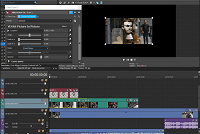
If not, here's an example of one track above another with the top track having a PiP effect.

3POINT wrote on 7/22/2021, 1:26 AM

Looks to me as if PIP FX has been applied to all three events. Can happen when all events are selected while dragging FX to one event.

Howard-Vigorita wrote on 7/22/2021, 10:30 AM

@RiceDisplay I used to see the black overlay with pip before v18 but only on machines with an amd 5700. Workaround was to use a bezier mask ahead of the pip fx with the same x-y and the mask fx box checked. If it's the same deal on your machine, updating Vegas and drivers to latest versions might also fix it.

RiceDisplay wrote on 7/22/2021, 12:47 PM

@RiceDisplay I used to see the black overlay with pip before v18 but only on machines with an amd 5700. Workaround was to use a bezier mask ahead of the pip fx with the same x-y and the mask fx box checked. If it's the same deal on your machine, updating Vegas and drivers to latest versions might also fix it.

I was thinking of adding a bezier mask, though I didn't remember how to use it. Thanks for that tip; I do have an AMD 5700XT so that probably explains it.

RiceDisplay wrote on 7/22/2021, 12:48 PM

Looks to me as if PIP FX has been applied to all three events. Can happen when all events are selected while dragging FX to one event.

The other events are motion tracking events, the only one with PiP added is the transparent .png file.