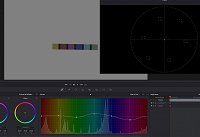
For example in davinci resolve I make a mask to only show the main colors on my color card and then use the hue-to-hue tool to move the colors up or down to be accurate to what they should be in the vectorscope. For example see this picture:
Now how do I do either the same or something similar in Vegas Pro 17? When I bezier mask the colors and only show them in vegas pro the whole color grading panel is greyed out, so there's not much I can do unless I'm doing something wrong. Also, I'm in HDR10 mode, grading bt.2020 footage, if that matters.
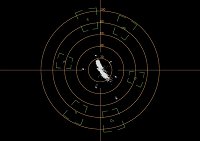
Here's my vectorscope in vegas pro. As you can see it's not really accurate.