Hi there,
I am making a video that has caused me some major headaches, and I really want to get it done by Xmas.
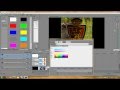
For the first time, I was able to make some awesome text using the heightmap plugin, but for some reason, it looks great when scaled right up so only part of the word is filling the screen, but when I want to scale back down so all the words can be read (7), the lovely flat mirror effect deteriorates rapidly. It is such a shame there seems to be no way around this. The only idea I have thought of, is to split all the words up into 4 letter events (including textures for each one), then use the parent transform to scale them all down. This would be a ridiculous 70-odd tracks and I just don't want to put myself through that when there should be another method. If you can see these pictures, then you will see that the first one has been made smaller using parent transform, which preserves the effect, but obviously only shows part of the word. The second image shows how it scales down using the titles and text scaling (pan/crop does this too), and you can see how horrible it looks and what a vast difference there is. I've only seen a couple of videos on shiny text, and they all show them really big. I wonder if I will ever be able to achieve this. Please help me guys!