Just got myself a brand new PC, how to optimize VP17

alifftudm95 wrote on 4/28/2020, 7:00 AM

I just received my brand new custom build PC today. Here is the PC spec:

CPU: Ryzen 5 3600 X

GPU: RTX2060 6GB

RAM: 16GB 2666MHZ

Storage: 480GB SSD & 1TB HDD

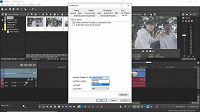
VP17 can utilised the GPU by enabling the GPU acceleration. Is this correct?

and also enabling hardware decoding. some said I need to put the dynamic ram preview at 0

in order to properly use the GPU. Also how much I should put for the rendering threads?
Editor and Colorist (Kinda) from Malaysia

MYPOST Member

Laptop

MacBook Pro M4 Max

16 Core CPU and 40 Core GPU

64GB Memory

2TB Internal SSD Storage

Anti-Glare 4K HDR Screen


PC DEKSTOP

CPU: Ryzen 9 5900x

GPU: RTX3090 24GB

RAM: 64GB 3200MHZ

MOBO: X570-E

Storage:

C DRIVE NVME M.2 1TB SSD GEN 4

D DRIVE NVME M.2 2TB SSD GEN 4

E DRIVE SATA SSD 2TB

F DRIVE SATA SSD 2TB

G DRIVE HDD 1TB

Monitor: Asus ProArt PA279CV 4K HDR (Bought on 30 August 2023)

Monitor: BenQ PD2700U 4K HDR (RIP on 30 August 2023)


Comments

j-v wrote on 4/28/2020, 7:34 AM

My choice would be to install VPro 17 and let that program first make the choices for its own settings.
If you see behaviour of the program that you don't expect try one by one some changes in settings.

met vriendelijke groet
Marten

Camera : Pan X900, GoPro Hero7 Hero Black, DJI Osmo Pocket, Samsung Galaxy A8
Desktop :MB Gigabyte Z390M, W11 home version 24H2, i7 9700 4.7Ghz,16 DDR4 GB RAM, Gef. GTX 1660 Ti with driver
566.14 Studiodriver and Intel HD graphics 630 with driver 31.0.101.2130
Laptop  :Asus ROG Str G712L, W11 home version 25H2, CPU i7-10875H, 16 GB RAM, NVIDIA GeForce RTX 2070 with Studiodriver 591.86 and Intel UHD Graphics 630 with driver 26.20.100.7985
Vegas software: VP 10 to 23 and VMS(pl) 10,12 to 17.
TV      :LG 4K 55EG960V

My slogan is: BE OR BECOME A STEM CELL DONOR!!! (because it saved my life in 2016)


Musicvid wrote on 4/28/2020, 10:46 AM

Good response. Here's to many more.