Rendering issue

Bryce-Jones wrote on 7/28/2021, 1:17 PM

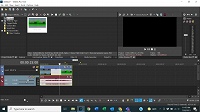
So I started using Vegas for my company recently and two days ago an issue started happening where the videos would corrupt in Vegas. I have tried re-downloading the videos, and previous videos that had no issue in Vegas, however, nothing seemed to help. It happens on both mp4 files and Vegas files, being those are the only two I tried. The only explanation I could think of is that we started restricting downloads via an admin account for all company computers, however, solidworks does not seem to be affected by this change as that program actively edits files too. I didn't see this issue on my home desktop and I have tried uninstalling and reinstalling Vegas already. A photo is attached of what the files look like after rendering.
Comments

fr0sty wrote on 7/28/2021, 1:28 PM

.veg files are not video files, they are just project files that reference the edits you have made to the video files in your project.

Can you download mediainfo (a free app) and run it on your source video files, and post those reports here? Your project settings, as well as your render settings, would also be very helpful in isolating your problem. Your system specs too.

Last changed by fr0sty on 7/28/2021, 1:29 PM, changed a total of 2 times.

Systems:

Desktop

AMD Ryzen 7 1800x 8 core 16 thread at stock speed

64GB 3000mhz DDR4

Geforce RTX 3090

Windows 10

Laptop:

ASUS Zenbook Pro Duo 32GB (9980HK CPU, RTX 2060 GPU, dual 4K touch screens, main one OLED HDR)

Bryce-Jones wrote on 7/28/2021, 2:02 PM

.veg files are not video files, they are just project files that reference the edits you have made to the video files in your project.

Can you download mediainfo (a free app) and run it on your source video files, and post those reports here? Your project settings, as well as your render settings, would also be very helpful in isolating your problem. Your system specs too.


fr0sty wrote on 7/28/2021, 3:43 PM

If you can copy and paste the text from the mediainfo report, i can't see all of it in that screenshot, and it's difficult to read due to the size.

Your system looks ok for the task.

I still need your render settings.

Systems:

Desktop

AMD Ryzen 7 1800x 8 core 16 thread at stock speed

64GB 3000mhz DDR4

Geforce RTX 3090

Windows 10

Laptop:

ASUS Zenbook Pro Duo 32GB (9980HK CPU, RTX 2060 GPU, dual 4K touch screens, main one OLED HDR)

Bryce-Jones wrote on 7/28/2021, 4:21 PM

If you can copy and paste the text from the mediainfo report, i can't see all of it in that screenshot, and it's difficult to read due to the size.

Your system looks ok for the task.

I still need your render settings.


Bryce-Jones wrote on 7/28/2021, 4:25 PM

Video is recorded in 1080p 30 and I did set video settings to match media. Audio is fine video is not and occasionally says media offline now when I put it in Vegas, regardless of the file being on the same computer.

Musicvid wrote on 7/28/2021, 5:07 PM

MEDIAINFO is something you download and install. Then you right-click on the media file to get the full MediaInfo properties. Then you copy and paste the Text into your post. We can't work without it, so thanks in advance for your diligence.

Please follow these instructions exactly so we have a fair idea of what you are dealing with, thanks....

https://www.vegascreativesoftware.info/us/forum/faq-how-to-post-mediainfo-and-vegas-pro-file-properties--104561/

Bryce-Jones wrote on 7/28/2021, 5:12 PM

MEDIAINFO is something you download and install. Then you right-click on the media file to get the full MediaInfo properties. We can't work without it, so thanks in advance.

Please follow these instructions exactly so we have a fair idea of what you are dealing with, thanks....

https://www.vegascreativesoftware.info/us/forum/faq-how-to-post-mediainfo-and-vegas-pro-file-properties--104561/

I have already posted the mediainfo screenshot earlier in the thread twice. Both images capture both monitors and the later one has a larger image of the medainfo results shown on the right.

Bryce-Jones wrote on 7/28/2021, 5:56 PM

Here is the text from media info.


General
Complete name                            : C:\Users\Ethan\Downloads\shop.mp4
Format                                   : MPEG-4
Format profile                           : Base Media / Version 2
Codec ID                                 : mp42 (isom/mp42)
File size                                : 35.8 MiB
Duration                                 : 24 s 958 ms
Overall bit rate mode                    : Variable
Overall bit rate                         : 12.0 Mb/s
Encoded date                             : UTC 2021-07-28 02:04:00
Tagged date                              : UTC 2021-07-28 02:04:00

Video
ID                                       : 1
Format                                   : AVC
Format/Info                              : Advanced Video Codec
Format profile                           : High@L4
Format settings                          : CABAC / 1 Ref Frames
Format settings, CABAC                   : Yes
Format settings, Reference frames        : 1 frame
Format settings, GOP                     : M=1, N=30
Codec ID                                 : avc1
Codec ID/Info                            : Advanced Video Coding
Duration                                 : 24 s 958 ms
Bit rate                                 : 11.8 Mb/s
Width                                    : 1 920 pixels
Height                                   : 1 080 pixels
Display aspect ratio                     : 16:9
Frame rate mode                          : Constant
Frame rate                               : 29.970 (30000/1001) FPS
Color space                              : YUV
Chroma subsampling                       : 4:2:0
Bit depth                                : 8 bits
Scan type                                : Progressive
Bits/(Pixel*Frame)                       : 0.190
Stream size                              : 35.2 MiB (98%)
Language                                 : English
Encoded date                             : UTC 2021-07-28 02:04:01
Tagged date                              : UTC 2021-07-28 02:04:01
Codec configuration box                  : avcC
 

Bryce-Jones wrote on 7/29/2021, 12:36 PM

I have fixed it! I turned off GPU processing for ACES color management and enabled legacy AVC decoding, thinking those seemed like something relating to my issue and willing to try it. That seemed to fix the problem as videos will render and play properly. I will update this post if it persists afterwards.