Animated Graphics, Charts, Diagrams, Maps etc

MartinE wrote on 1/9/2020, 12:07 PM

Hi Guys, I know this is a bit vague and OT but I'm starting on a project which will include learning videos for a YouTube channel. I have the skills for shooting B-Roll, interviews, stills, sound, narration and editing in VP but I'm a novice in the area of graphics/animated graphics. I have done simple stuff in Power Point and imported into VP before, but need to get more professional and up to date. In terms of software I'm not sure where to start, should I be looking at Photoshop or something similar. Mainly manipulation of text graphics, simple charts and diagrams. I'm OK with pan/crop and key framing within VP but need to produce the visual assets in the first place. Hope this makes some sense. Many thanks

 

Comments

james-ollick wrote on 1/9/2020, 1:12 PM

If you have it in your budget, the plug-ins Newblue Titler Pro and BCC Title Studio get the job done.

Home built PC - Corsair case, ASUS ROG Maximus XI Code motherboard, i9 9900k, 64GB Corsair Vengeance RGB DDR4 DRAM 3200MHz,  Sapphire Nitro+ Radeon RX 7900 XTX 24GB graphics card, Corsair 1000 watt power supply. Windows 11.

VP 21 BCC 2024 Boris FX Continuum Complete, Titler Pro v7. Various NewBlue effects.

john_dennis wrote on 1/9/2020, 1:19 PM

Everyone who works with graphics should understand some basic "Photoshop" skills. Layers, transparency, etc. and which file types support the same. You can get the same things done in other programs like GIMP or Affinity from Serif.

I use a decade-old version of Adobe Photoshop Elements to do the trivial stuff that I do. I would update to a newer 64 bit version, but I've been averse to all the consumer add-on crap that comes with software these days.

I've just come off of a four-day bender of editing scanned pictures that are even older than me, so this may be my last comment about photo editing software for a while until I sober up.

john-brown wrote on 1/9/2020, 4:56 PM

Mainly manipulation of text graphics, simple charts and diagrams. I'm OK with pan/crop and key framing within VP but need to produce the visual assets in the first place. Hope this makes some sense. Many thanks

Hi,

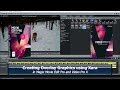
Take a look at Magix Xara Photo & Graphics Designer or Designer Pro X. The On-line Content Catalogue contains modifiable graphs and charts and many other elements. You can use the animation part to animate these and export to AVI for import into VPX. Xara is integrated with Magix Video Pro X and Movie Edit Pro, but not Vegas, unfortunately.

https://www.magix.com/ca/photo-graphic/xara-designer-pro/

Here is an idea as to some of the things that can be done. I'll post some Xara graphics if you wish to see them.

John CB

Vegas Pro 18 Edit, Vegas Movie Studio 16 Platinum, Magix Video Pro X17 Ultimate, Magix Vidéo Deluxe 2026 Plus, Xara Designer Pro X19, Samplitude Pro X8 Suite, Music Maker 2025 Premium, SF Audio Cleaning Lab 4, Sound Forge Pro 16 and more.

Musicvid wrote on 1/9/2020, 7:09 PM

Photoshop all the way, because Vegas preserves all the layers, transparency, etc. of PSD files, which you can animate later. You can cut your teeth on Gimp, and subscribe to PS later, or search the internet for "free photoshop cs2."

MartinE wrote on 1/10/2020, 9:51 AM

Hey guys, thanks so much for the software ideas, I'm going to have a go with some of these tools and see what they do for me. Great support thank you!

john-brown wrote on 1/10/2020, 10:19 AM

@Musicvid

PhotoShop is firstly a bitmap editor, secondly a vector graphics design editor, is it not (and a sinkhole for money)?

Xara is firstly a vector graphics editor, secondly a bitmap editor. The OP indicated that he was looking for "manipulation of text graphics, simple charts and diagrams."

I use PaintShop Pro for bitmap editing.

@MartinE

Here are the charts and graphs, and some of the smart shapes (lines and arrows) that you can get with Xara:

Note that the ones with widget in the title can be resized except for the text.

Of course, you can draw whatever you want.

You can also export to psd files and maintain layers.

It gets down to your needs and how much you want to spend.

There is a dedicated forum for Xara with many examples of use.

I am wondering if Magix has any intention of adding Xara to Vegas like it has for VPX and MEP.

For text (and many other things), if you're looking for very special effects, look at BluffTitler.

Vegas Pro 18 Edit, Vegas Movie Studio 16 Platinum, Magix Video Pro X17 Ultimate, Magix Vidéo Deluxe 2026 Plus, Xara Designer Pro X19, Samplitude Pro X8 Suite, Music Maker 2025 Premium, SF Audio Cleaning Lab 4, Sound Forge Pro 16 and more.

Musicvid wrote on 1/10/2020, 4:41 PM

Notice that I have not criticized another's favorite program, and I do plan to try Xara when I'm not in heavy production.

That said, my comfort level with Photoshop and Vegas in tandem goes back 18 years, and my production workflow is slick and fast. I get my graphs and charts in Excel.

Whatever your take, Vegas does not load vector graphics without prior rasterization.

Video_flaneur wrote on 1/10/2020, 4:57 PM

VideoScribe is a simple animation application with a library of built-in animations suitable for whiteboard-style animations. It can produce video output in formats that can be imported by VP. I find the libraries very limited in style but if you are prepared to create some of your own building blocks you can get reasonable results quite quickly. If you are after something with a fast learning curve to quickly create animated diagrams it may be a useful starting point. However the subscription model and basic limitations may mean it is better investing your time in a powerful (and slow to learn) free tool like Blender.

Laptop: Surface Pro 6: Windows 11 Pro Version 23H2, Intel(R) Core(TM) i7-8650U CPU @ 1.90GHz   2.11 GHzIntel(R) Core(TM) i7-8650U CPU @ 1.90GHz   2.11 GHz; 16GB RAM, 1TB internal SSD
2 external monitors, 5TB external drive, wireless keyboard and mouse

(planning to upgrade to a more powerful graphics laptop when cashflows allow)

Vegas Pro 22 (Build 250); Vegasaur Toolkit 4.0.1; ProDad Mercall v.4; HitFilm Pro Version 2021.1; Acid Pro 11; Sound Forge Pro 18;