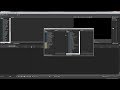
My Vegas Pro 17.0 (Build 353) does not show the drag handle.

Trond-Brsting wrote on 12/12/2019, 9:23 AM

I am unable to rearrange the windows in the docking area and unable to move windows out ov the docking due to missin six dots at the left side of the docked windows. I have made a factory reset. My Windows 10 was fully uppdated today Desember 12 2019. How do I enable Vegas window move and undock?

Comments

j-v wrote on 12/12/2019, 9:34 AM

Read the manual or look at the Help files

met vriendelijke groet
Marten

Camera : Pan X900, GoPro Hero7 Hero Black, DJI Osmo Pocket, Samsung Galaxy A8
Desktop :MB Gigabyte Z390M, W11 home version 24H2, i7 9700 4.7Ghz,16 DDR4 GB RAM, Gef. GTX 1660 Ti with driver
566.14 Studiodriver and Intel HD graphics 630 with driver 31.0.101.2130
Laptop  :Asus ROG Str G712L, W11 home version 23H2, CPU i7-10875H, 16 GB RAM, NVIDIA GeForce RTX 2070 with Studiodriver 581.29 and Intel UHD Graphics 630 with driver 26.20.100.7985
Vegas software: VP 10 to 23 and VMS(pl) 10,12 to 17.
TV      :LG 4K 55EG960V

My slogan is: BE OR BECOME A STEM CELL DONOR!!! (because it saved my life in 2016)


harry-worth wrote on 12/12/2019, 9:47 AM

The manual misses the part that says..  You click and hold the bottom left tab and drag DOWN to release it.


So to move the Preview screen, click and hold the Video Preview tab on the bottom left of the Preview box and drag it down to release it...

Trond-Brsting wrote on 12/12/2019, 9:55 AM

Thank you. Understanding the window tab and ist position gave results. None of my google searches described this feature, only the previous six dots were mentioned.

j-v wrote on 12/12/2019, 10:14 AM

The manual misses the part that says..  You click and hold the bottom left tab and drag DOWN to release it.

It is not missing that part, look at page 27, the third tip says:
"To dock a window, ctrl + drag it by the title bar to the docking area or a floating dock. Drop near the top of the window to create a tabbed window or a new docking area. Drop at the top of the window to dock the window at the top. Drop at the bottom of the window to dock the window at the bottom". 

met vriendelijke groet
Marten

Camera : Pan X900, GoPro Hero7 Hero Black, DJI Osmo Pocket, Samsung Galaxy A8
Desktop :MB Gigabyte Z390M, W11 home version 24H2, i7 9700 4.7Ghz,16 DDR4 GB RAM, Gef. GTX 1660 Ti with driver
566.14 Studiodriver and Intel HD graphics 630 with driver 31.0.101.2130
Laptop  :Asus ROG Str G712L, W11 home version 23H2, CPU i7-10875H, 16 GB RAM, NVIDIA GeForce RTX 2070 with Studiodriver 581.29 and Intel UHD Graphics 630 with driver 26.20.100.7985
Vegas software: VP 10 to 23 and VMS(pl) 10,12 to 17.
TV      :LG 4K 55EG960V

My slogan is: BE OR BECOME A STEM CELL DONOR!!! (because it saved my life in 2016)


vkmast wrote on 12/12/2019, 10:37 AM

VEGAS Pro Tutorial: Customizing your Workspace with Window Docking Options (as of version 15)::

"to undock, drag the window's tab vertically up or down"