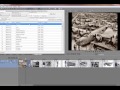
Moving a clip with insert mode

BillPryor wrote on 1/23/2015, 2:05 PM
I'm new to Vegas and having a problem. Say I have a number of clips on the timeline. I want to pick up a downstream clip and move it back and insert it between two other clips. Seems a simple thing but I can't figure out how to do it.

I can pick up the clip and drag it and overlay it, but I can't insert it between two clips. This is a simple thing all NLEs do, so what am I not doing here? With Premiere Pro you hold down the Option key and drag. Avid, you click insert mode. I can't recall FCP but I know it does it. I've used all 3 of those systems extensively. Can't find it in any of the Vegas info either.

Thanks.

Comments

vkmast wrote on 1/23/2015, 2:43 PM
See online Help (F1) "Shuffling Events".
Arthur.S wrote on 1/23/2015, 3:40 PM
Lots of ways to do this. I would 'cut' the clip, turn on ripple mode, then just place the cursor where you want the clip to go and 'paste'. About 5secs. ;-)
xberk wrote on 1/23/2015, 4:46 PM
Learning all the various states of the "Auto Ripple" button is essential to using Vegas efficiently. Inserting, deleting, copying, and moving events is so easy once you get it. If you don't get it -- you'll be struggling.

There's a Tutorial that will give a good start in learning about "Auto Ripple". The "Auto Ripple" part starts about 4 minutes into the tutorial.


Paul B .. PCI Express Video Card: EVGA VCX 10G-P5-3885-KL GeForce RTX 3080 XC3 ULTRA ,,  Intel Core i9-11900K Desktop Processor ,,  MSI Z590-A PRO Desktop Motherboard LGA-1200 ,, 64GB (2X32GB) XPG GAMMIX D45 DDR4 3200MHz 288-Pin SDRAM PC4-25600 Memory .. Seasonic Power Supply SSR-1000FX Focus Plus 1000W ,, Arctic Liquid Freezer II – 360MM .. Fractal Design case ,, Samsung Solid State Drive MZ-V8P1T0B/AM 980 PRO 1TB PCI Express 4 NVMe M.2 ,, Wundiws 10 .. Vegas Pro 19 Edit

Gary James wrote on 1/23/2015, 4:56 PM
"I want to pick up a downstream clip and move it back and insert it between two other clips"

Vegas has built in ways to do this, but more often than not I've been unhappy with the results. Having a reliable, fast, and robust way of moving or reversing one or more Events in the Vegas timeline, was the initial reason I started writing my free Vegas extension called: Timeline Tools. The video below demonstrates how you can use Timeline Tools to move a single Event, or Multiple Events around in the Vegas timeline with just a few mouse clicks.