Rotating and scaling of objects in a clip

Einar_R._Bordewich wrote on 5/1/2020, 6:19 AM

There is something fundamentally wrong with Vegas with how objects is treated when media Event/Pan is used. I have imported a arrow as PNG with Alpha and are now trying to rotate and move the arrows to follow a graph. Insted of moving the object it looks like i'm moving the screen??? This makes it total insane and hopless to move the arrow because every move is now up side down and mirrored. Has no one ever seen this? Am I missing something totally fundamental here?
Comments

EricLNZ wrote on 5/1/2020, 6:39 AM

Effectively you are viewing from a camera perspective so yes you are moving the screen, not the object.

Einar_R._Bordewich wrote on 5/1/2020, 6:56 AM

Dont anybody else se how totally wrong or backward this is? Try to scale down and rotate a object around its center. No other software that I use has this backward way of thinking.

adis-a3097 wrote on 5/1/2020, 7:13 AM

So what?

Einar_R._Bordewich wrote on 5/1/2020, 7:19 AM

When compositing explainer videos I have to place a lot of arrows and objects on the screen and animate them to make the effect. This way of working is totally backward and it takes much more time and is confusing. Also this strange limitation of x8 in scaling/zoom on objects is weird.

vkmast wrote on 5/1/2020, 7:22 AM

Dont anybody else se how totally wrong or backward this is?

Please Search forum archives to se opinions on this.

adis-a3097 wrote on 5/1/2020, 7:25 AM

Edit: @Einar_R._Bordewich

I don't get your point: you've figuerd out how it's done but you refuse to do it? That it?

Dexcon wrote on 5/1/2020, 7:29 AM

Effectively you are viewing from a camera perspective so yes you are moving the screen, not the object.

Exactly right. I had exactly the same issue yesterday with placing a png arrow which was rotated in pan/crop from its default position. To be fair, it was static rather than tracking a moving target which admittedly would make the process much harder but not overly difficult once the rotation position is decided. The rest is just moving and keyframing albeit counter intuitively as the OP is raising as an issue.

Cameras: Sony FDR-AX100E; GoPro Hero 11 Black Creator Edition; Samsung S23 Ultra smart phone

Installed: Vegas Pro 13, 15, 16, 17, 18, 19, 20, 21, 22 & 23, HitFilm Pro 2021.3, DaVinci Resolve Studio 20.3, BCC 2026, Mocha Pro 2026, NBFX TotalFX 7, Neat NR 6, DVD Architect 6.0, MAGIX Travel Maps, Sound Forge Pro 16, SpectraLayers Pro 12, iZotope RX11 Advanced and many other iZ plugins, Vegasaur 4.0

Windows 11 25H2

Dell Alienware Aurora 11:

10th Gen Intel i9 10900KF - 10 cores (20 threads) - 3.7 to 5.3 GHz

NVIDIA GeForce RTX 2080 SUPER 8GB GDDR6 - liquid cooled

64GB RAM - Dual Channel HyperX FURY DDR4 XMP at 3200MHz

C drive: 2TB Samsung 990 PCIe 4.0 NVMe M.2 PCIe SSD

D: drive: 4TB Samsung 870 SATA SSD (used for media for editing current projects)

E: drive: 2TB Samsung 870 SATA SSD

F: drive: 6TB WD 7200 rpm Black HDD 3.5"

Dell Ultrasharp 32" 4K Color Calibrated Monitor


LAPTOP:

Dell Inspiron 5310 EVO 13.3"

i5-11320H CPU

C Drive: 1TB Corsair Gen4 NVMe M.2 2230 SSD (upgraded from the original 500 GB SSD)

Monitor is 2560 x 1600 @ 60 Hz

Einar_R._Bordewich wrote on 5/1/2020, 7:31 AM

I don't get your point: you've figuerd out how it's done but you refuse to do it? That it?

It is just unnatural, harder, takes more time, confusing and it is not how every other piece of software work. Blender.org had the same problems with unusual mouse use and practice, but they had to change to what is industri convention.

Einar_R._Bordewich wrote on 5/1/2020, 7:46 AM

By the way. Quite strange that there is no animated arrows, circles, squares and so on in the "Media generators". Like Camtasia Studio has or similar.

JackW wrote on 5/1/2020, 1:07 PM

Try using Track Motion?

michael-harrison wrote on 5/2/2020, 4:35 AM

@Einar_R._Bordewich it's confusing and wrong because it's the wrong tool for the job.

Drop the PiP fx onto your event and rotate and scale using its controls.

System 1:

Windows 10
i9-10850K 10 Core
128.0G RAM
Nvidia RTX 3060 Studio driver [most likely latest]
Resolution        3840 x 2160 x 60 hertz
Video Memory 12G GDDR5


System 2:

Lenovo Yoga 720
Core i7-7700 2.8Ghz quad core, 8 logical
16G ram
Intel HD 630 gpu 1G vram
Nvidia GTX 1050 gpu 2G vram


adimatis wrote on 5/2/2020, 4:51 AM

It is true it's backwards.

It's also true it does not make sense, as indeed Vegas is the only program to have this approach, as far as I know. So, all the other graphic/video programs will have it as you expect.

It is something that you just need to deal with... :) Or indeed, use the P-i-P plug-in. It is quite nice.

Maybe the whole paradigm will be changed one day, but then there will be a ton of long-time user who would be very disappointed. I guess this is one of the peculiarities of which Vegas development will be kind of restricted forever.

vkmast wrote on 5/2/2020, 5:09 AM

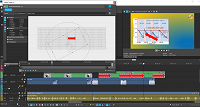
@michael-harrison with PiP fx, like this?

or

Pretty straightforward (IMO).

3POINT wrote on 5/2/2020, 6:49 AM

By the way. Quite strange that there is no animated arrows, circles, squares and so on in the "Media generators". Like Camtasia Studio has or similar.

Take a look at Cookie Cutter FX, not perfect but it gives you several objects like you mentioned.

To your issue with the pan/crop tool. For the effect you want to achieve, the pan/crop tool is the wrong tool, for positioning, scaling and rotation you should use Trackmotion or the PIPfx.

john_dennis wrote on 5/2/2020, 9:26 AM


@Einar_R._Bordewich  @3POINT

" ... the pan/crop tool is the wrong tool..."

+1

Track Motion has to be made visible on the track header in Vegas Pro 17.

Dexcon wrote on 5/2/2020, 9:38 AM

@john_dennis … way off topic, but I couldn't help noticing the image on your preview screen. I can only agree with the lower third text. I'm just watching a travel doco on eastern Canada, especially Quebec, and I want to go there … but I can't for the foreseeable future. The world has gone to s... Thank you Ch...

Last changed by Dexcon on 5/2/2020, 9:44 AM, changed a total of 2 times.

Cameras: Sony FDR-AX100E; GoPro Hero 11 Black Creator Edition; Samsung S23 Ultra smart phone

Installed: Vegas Pro 13, 15, 16, 17, 18, 19, 20, 21, 22 & 23, HitFilm Pro 2021.3, DaVinci Resolve Studio 20.3, BCC 2026, Mocha Pro 2026, NBFX TotalFX 7, Neat NR 6, DVD Architect 6.0, MAGIX Travel Maps, Sound Forge Pro 16, SpectraLayers Pro 12, iZotope RX11 Advanced and many other iZ plugins, Vegasaur 4.0

Windows 11 25H2

Dell Alienware Aurora 11:

10th Gen Intel i9 10900KF - 10 cores (20 threads) - 3.7 to 5.3 GHz

NVIDIA GeForce RTX 2080 SUPER 8GB GDDR6 - liquid cooled

64GB RAM - Dual Channel HyperX FURY DDR4 XMP at 3200MHz

C drive: 2TB Samsung 990 PCIe 4.0 NVMe M.2 PCIe SSD

D: drive: 4TB Samsung 870 SATA SSD (used for media for editing current projects)

E: drive: 2TB Samsung 870 SATA SSD

F: drive: 6TB WD 7200 rpm Black HDD 3.5"

Dell Ultrasharp 32" 4K Color Calibrated Monitor


LAPTOP:

Dell Inspiron 5310 EVO 13.3"

i5-11320H CPU

C Drive: 1TB Corsair Gen4 NVMe M.2 2230 SSD (upgraded from the original 500 GB SSD)

Monitor is 2560 x 1600 @ 60 Hz

vkmast wrote on 5/2/2020, 9:42 AM

FYI new users regarding the "hamburger" button (three horizontal lines) shown in the tutorial above:

"Access to the buttons that are not currently displayed can be achieved via the Hamburger button. The Hamburger button also gives you access to the Edit Visible Button Set command which enables you to control which buttons are displayed by default."


Einar_R._Bordewich wrote on 5/2/2020, 10:53 AM

THANK YOU! THANK YOU! So much! PIP saved my day!!! Yes I was indeed using the wrong tool!